Screen Printing on Paper
A course by Barba , Graphic Designers and Screen Printers

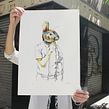

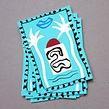

Create a screen printing workshop in your home and make your first poster

Graphic designers Bea and Albert are better known as Barba—a creative studio and manual screen printing workshop specializing in printing on paper. In addition to designing, they love nothing more than endlessly researching and experimenting with printing.
In this online course, learn what screen printing is, how it works, and how to set up your own home workshop, as well as all the materials and tools you need to get started. Explore this creative technique to get a variety of different results and see how to correctly prepare your design for screen printing!
What will you learn in this online course?
12 lessons & 17 downloads
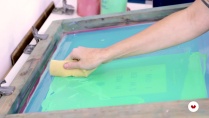



- 97% positive reviews (473)
- 10,407 students
- 12 lessons (1h 1m)
- 17 additional resources (7 files)
- Online and at your own pace
- Available on the app
- Audio: Spanish, English, French, Italian, Portuguese, Turkish
- Spanish · English · Portuguese · German · French · Italian · Polish · Dutch · Turkish · Romanian · Indonesian
- Level: Beginner
- Unlimited access forever
What is this course's project?
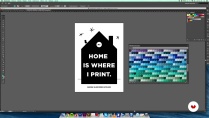
Make your own screen print on paper: an A4 poster in two colors with an inspiring phrase to liven up your walls.

Projects by course students


Who is this online course for?
Anyone interested in printing techniques and who likes to work with their hands.
Requirements and materials
You don't need any previous screen-printing experience to take this course. If you want to set up your own workshop, you'll need a space in which to do so, as well as the materials required to work on the technique, which your teachers explain throughout the course.

Reviews

Barba
A course by Barba
Barba is made up of Albert Jornet and Bea Bascuñán, both graphic designers currently living in Barcelona. Barba is a manual screen printing workshop where, in addition to accepting commissions and producing their own pieces, they collaborate with illustrators and designers to make limited editions of their work.
Content
-
U1
We start
-
Who we are and what we do
-
References
-
-
U2
Workspace and materials
-
Work space
-
Emulsified and insolated space
-
materials
-
-
U3
The photolith and possibilities of screen printing
-
The photolith
-
Exploring the possibilities of screen printing
-
-
U4
The stamping and its tricks
-
Design and preparation of the photolith.
-
Emulsified and insolated screen
-
Preparation of the screen and color
-
Stamping and registration of the two colors
-
Final piece. Cleaning and recovered
-
-
FP
Final project
-
Screen printing on paper
-
What to expect from a Domestika course
-
Learn at your own pace
Enjoy learning from home without a set schedule and with an easy-to-follow method. You set your own pace.
-
Learn from the best professionals
Learn valuable methods and techniques explained by top experts in the creative sector.
-
Meet expert teachers
Each expert teaches what they do best, with clear guidelines, true passion, and professional insight in every lesson.
-
Certificates
PlusIf you're a Plus member, get a custom certificate signed by your teacher for every course. Share it on your portfolio, social media, or wherever you like.
-
Get front-row seats
Videos of the highest quality, so you don't miss a single detail. With unlimited access, you can watch them as many times as you need to perfect your technique.
-
Share knowledge and ideas
Ask questions, request feedback, or offer solutions. Share your learning experience with other students in the community who are as passionate about creativity as you are.
-
Connect with a global creative community
The community is home to millions of people from around the world who are curious and passionate about exploring and expressing their creativity.
-
Watch professionally produced courses
Domestika curates its teacher roster and produces every course in-house to ensure a high-quality online learning experience.
FAQs
What are Domestika's online courses?
Domestika courses are online classes that allow you to learn new skills and create incredible projects. All our courses include the opportunity to share your work with other students and/or teachers, creating an active learning community. We offer different formats:
Original Courses: Complete classes that combine videos, texts, and educational materials to complete a specific project from start to finish.
Basics Courses: Specialized training where you master specific software tools step by step.
Specialization Courses: Learning paths with various expert teachers on the same topic, perfect for becoming a specialist by learning from different approaches.
Guided Courses: Practical experiences ideal for directly acquiring specific skills.
Intensive Courses (Deep Dives): New creative processes based on artificial intelligence tools in an accessible format for in-depth and dynamic understanding.
When do the courses start and when do they finish?
All courses are 100% online, so once they're published, courses start and finish whenever you want. You set the pace of the class. You can go back to review what interests you most and skip what you already know, ask questions, answer questions, share your projects, and more.
What do Domestika's courses include?
The courses are divided into different units. Each one includes lessons, informational text, tasks, and practice exercises to help you carry out your project step by step, with additional complementary resources and downloads. You'll also have access to an exclusive forum where you can interact with the teacher and with other students, as well as share your work and your course project, creating a community around the course.
Have you been given a course?
You can redeem the course you received by accessing the redeeming page and entering your gift code.

me encanto
El contenido es introductorio pero de gran valor y bien explicado
A fun course. I learned a new skill.
Válido para iniciar nesta área.
Buena guía para introducirse en el mundo de la serigrafía. Está explicado de manera muy sencilla. Buena base para empezar a experimentar.