Futuristic 3D Environments with Photoshop and Blender
Course final project
A course by Biel Vazquez , 3D and Photoshop Designer



About the final project for: Futuristic 3D Environments with Photoshop and Blender
Futuristic 3D Environments with Photoshop and Blender
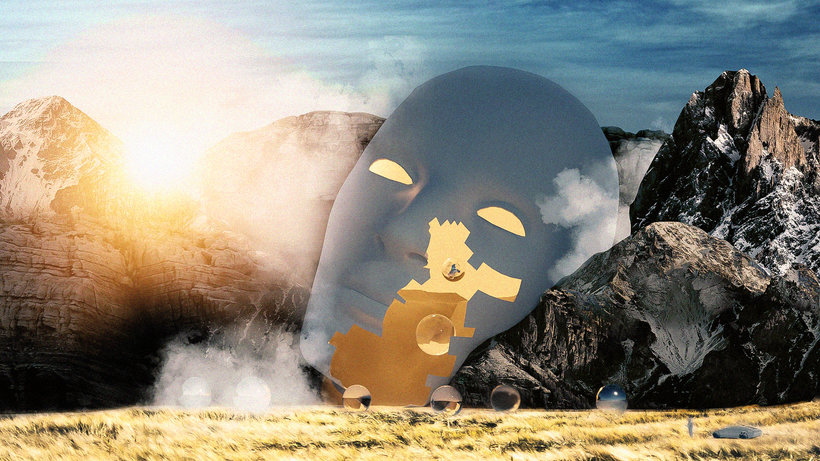
“Congratulations! You have reached the end of this Domestika course! Thank you so much for taking part and I hope you've enjoyed exploring the magic of Blender in creating your own cinematic universe. This is such an incredible tool for designers because it allows us to create magical 3D worlds according to however far your imagination will take you. Until you get used to it, it can seem like a complex program to navigate. So let’s revise some of the steps together before jumping into your final project. Gather Inspiration The first step is to collect references and clarify your concept. What world do you want to create? Get inspired and start brainstorming. Don't forget to establish the picture dimensions early on! The Sketch Sketch out your layout, composition, and placement. This will help you to hone in on the scene you intend to create. Remember to keep in mind the composition rules that we learned in Unit 2. Going Digital Once in Blender, build the environment and the landscape. It's always best to work on the landscape first, as this will provide you with a reference point when establishing the proportion of anything you add later. Then, choose the models that you prefer, import them, and place them according to your planned composition. Tip: Remember to scale the dimensions of the models according to the landscape. Avoid making them too big or too small. This will look totally unreal; the aim is to create an imaginary world that is true to life. Think about how objects would look and act in the real world and try to recreate that in your composition. It's important to take your time on this part of the composition and adjust anything as you see fit until you are totally happy with it. Then you can move on to the next step. The Lighting Choose the main light and the support light, depending on the mood you want to create. Do you want the light to cast a warm glow? Or do you want to colors to be cold? Also consider the focal point of your piece. A good way of drawing the viewer's eye to objects is to use light. Once you're happy with the image, render it! Don't forget to double check the settings and picture dimensions! The Finishing Touches Finally, give the project its final details to make it come to life and add some extra magic to the scene. Transfer the image into Photoshop, refine the existing elements, and add anything that will enhance your piece, like textures and blending. Make sure that these adaptations are in line with the overall style and concept you want to create. There are no right or wrong choices; do what works for your composition. Once you have your composition completed and you are totally happy with it, I recommend adding some final edits in a software of your choice, like Lightroom. Apply some final filters to make the colors look coherent with the dystopian world you’ve created. I added two black bars on the top and bottom of my picture and some film grain to give it that cinematic film look. I encourage you to experiment and find what works for you!
Partial transcription of the video
“Congratulations on finishing this 3D Dystopian Environment Blender course. You're all brilliant and you should be happy with all your love, Tiff. I'm so happy that you decided to take this journey with me and learn about what I truly love to create. We started the course with me teaching you how to reach this photography composition. and getting that cinematic look. as well as importance of tones, colors, and gradients. As a tip, I would recommend you to watch any movies as you can to understand the cinematic composition. I also showed you the importance of getting your Blender settings rea...”
This transcript is automatically generated, so it may contain mistakes.
Course summary for: Futuristic 3D Environments with Photoshop and Blender
-
Category
3D & Animation -
Areas
3D, 3D Modeling, Photo Retouching, Photography Post-production

Biel Vazquez
A course by Biel Vazquez
Biel Vazquez, also known as Splesser online, is a 3D and Photoshop designer from Madrid. Growing up, he spent his time drawing and creating before developing a love for photography and film composition. Later, inspired by a number of artists and in search of an alternative creative outlet, Biel discovered the digital art world. He dedicated himself to learning to combine photography, editing, and composition to create cinematic 3D worlds from imagination.
Biel later began sharing his work on Instagram and selling his signature images, which are known for their atmospheric, futuristic style. He also works on commercial projects like adverts and publicity for the Japanese clothing brand Issho.
- 96% positive reviews (54)
- 2,717 students
- 12 lessons (2h 4m)
- 12 additional resources (2 files)
- Online and at your own pace
- Available on the app
- Audio: English, German, Spanish (Latam), French, Italian, Dutch, Polish, Portuguese, Turkish
- Spanish · English · Portuguese · German · French · Italian · Polish · Dutch · Turkish · Romanian · Indonesian
- Level: Beginner
- Unlimited access forever
Category
Areas

