Digital Streetwear Design in CLO 3D and Cinema 4D
A course by Stephy Fung , Digital Fashion Artist

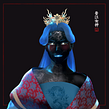

Learn to design stylish digital clothing with CLO 3D and showcase your outfits in an animated walk cycle using Cinema 4D and After Effects

Digital fashion gives you the freedom to express your style and visually develop ideas on the spot. For Stephy Fung, a digital fashion artist specializing in streetwear, it’s the future of the industry. Throughout her career, she’s collaborated with brands like Dell, Snapchat, Xbox, Highsnobiety, Vogue Singapore, and Selfridges.
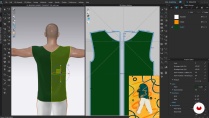
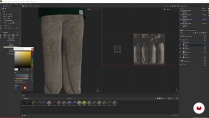
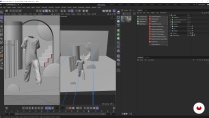
In this online course, Stephy teaches you how to create digital garments from scratch in CLO 3D and Cinema 4D. Learn how to model stylish outfits with realistic textures, patterns, and motion, as well as a 3D scene to bring it to life. Stephy also shows you how to showcase your work in an animated walk cycle using After Effects. Design clothing that reflects who you are and make a digital fashion statement.
What will you learn in this online course?
24 lessons & 21 downloads
- 100% positive reviews (56)
- 4,634 students
- 24 lessons (3h 37m)
- 21 additional resources (3 files)
- Online and at your own pace
- Available on the app
- Audio: English, Spanish (Latam), French, Italian, Portuguese, Turkish
- English · Spanish · Portuguese · German · French · Italian · Polish · Dutch · Turkish
- Level: Beginner
- Unlimited access forever
Recommended software for this course
 Cinema 4D
 Substance Painter
What is this course's project?
Digitally design a stylish streetwear outfit and create an animated walk cycle to showcase your work.

Projects by course students


Who is this online course for?
Designers as well as anyone interested in learning 3D or creating digital fashion.
Requirements and materials
Basic knowledge of CLO 3D, Cinema 4D, Substance Painter, and After Effects are recommended.
For materials, you just need a computer with access to these programs.

Reviews

Stephy Fung
A course by Stephy Fung
Stephy Fung is a freelance digital fashion artist based in the UK. After studying graphic design, she spent several years working in 3D motion design before pivoting to digital fashion, a skill she taught herself during the 2020 lockdown. The outfits she creates pay homage to her Chinese heritage while embracing her dual identity, combining modern styles with traditional Chinese elements.
Stephy began by sharing her work online and has since collaborated with clients such as Dell, Snapchat, Xbox, Highsnobiety, Jo Malone, Paco Rabanne, Vogue Singapore, and Selfridges. In between projects, she passes on her knowledge of design through talks at events and educational institutions.
Content
-
U1
Introduction
-
About Me
-
Influences
-
-
U2
Research and Sketching Phase
-
Research for the Project
-
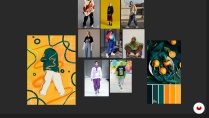
Mood Board and Sketch
-
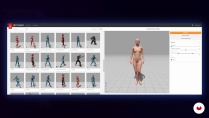
The Walk Cycle Avatar
-
-
U3
Creation of the Digital Garment
-
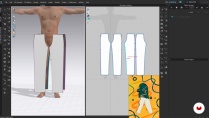
The Bottom of the Garment 1
-
The Bottom of the Garment 2
-
The Top of the Garment 1
-
The Top of the Garment 2
-
Organising the UV Map
-
Simulating the Motion on the Avatar
-
Exporting in OBJ and ABC
-
Textures with Adobe Substance 3D Painter 1
-
Textures with Adobe Substance 3D Painter 2
-
-
U4
Adding the 3D Scene
-
The Scene and Camera Preset
-
Importing Assets into Cinema 4D
-
Textures: from Cinema 4D to Redshift
-
Redshift: Texturing the Surroundings 1
-
Redshift: Texturing the Surroundings 2
-
Redshift: Lighting the Scene
-
Rendering and Export
-
-
U5
Post-production and Walk Cycle Loop Creation
-
Colour Correction
-
Creating a Loop with After Effects
-
Exporting from After Effects
-
-
FP
Final project
-
Digital Streetwear Design in CLO 3D and Cinema 4D
-
What to expect from a Domestika course
-
Learn at your own pace
Enjoy learning from home without a set schedule and with an easy-to-follow method. You set your own pace.
-
Learn from the best professionals
Learn valuable methods and techniques explained by top experts in the creative sector.
-
Meet expert teachers
Each expert teaches what they do best, with clear guidelines, true passion, and professional insight in every lesson.
-
Certificates
PlusIf you're a Plus member, get a custom certificate signed by your teacher for every course. Share it on your portfolio, social media, or wherever you like.
-
Get front-row seats
Videos of the highest quality, so you don't miss a single detail. With unlimited access, you can watch them as many times as you need to perfect your technique.
-
Share knowledge and ideas
Ask questions, request feedback, or offer solutions. Share your learning experience with other students in the community who are as passionate about creativity as you are.
-
Connect with a global creative community
The community is home to millions of people from around the world who are curious and passionate about exploring and expressing their creativity.
-
Watch professionally produced courses
Domestika curates its teacher roster and produces every course in-house to ensure a high-quality online learning experience.
FAQs
What are Domestika's online courses?
Domestika courses are online classes that allow you to learn new skills and create incredible projects. All our courses include the opportunity to share your work with other students and/or teachers, creating an active learning community. We offer different formats:
Original Courses: Complete classes that combine videos, texts, and educational materials to complete a specific project from start to finish.
Basics Courses: Specialized training where you master specific software tools step by step.
Specialization Courses: Learning paths with various expert teachers on the same topic, perfect for becoming a specialist by learning from different approaches.
Guided Courses: Practical experiences ideal for directly acquiring specific skills.
Intensive Courses (Deep Dives): New creative processes based on artificial intelligence tools in an accessible format for in-depth and dynamic understanding.
When do the courses start and when do they finish?
All courses are 100% online, so once they're published, courses start and finish whenever you want. You set the pace of the class. You can go back to review what interests you most and skip what you already know, ask questions, answer questions, share your projects, and more.
What do Domestika's courses include?
The courses are divided into different units. Each one includes lessons, informational text, tasks, and practice exercises to help you carry out your project step by step, with additional complementary resources and downloads. You'll also have access to an exclusive forum where you can interact with the teacher and with other students, as well as share your work and your course project, creating a community around the course.
Have you been given a course?
You can redeem the course you received by accessing the redeeming page and entering your gift code.
 Cinema 4D
 Substance Painter
El curso no está mal, pero es mejorable. La interfaz de CLO ha cambiado, el avatar no tiene arrangement points y las explicaciones van demasiado rápido.
I thank the creator of this course and the platform as well
Excelente explicación.
Es excelente este curso, convertimos algo simple como lo es la ropa, y le damos vida con colores, textura y demás, todo eso tiene potencial para redes sociales también, gran curso.
Explanations are clear and easy to follow, unfortunately the course is not really up to date and I had to search other resources to be able to finish the project, which took a lot of extra time.
I still recommend this course and would love to see more new courses from Stephy.