Photography Retouching for Portraits
A course by Natalia Gw , Fashion and Portrait Photographer


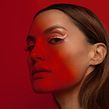

Perfect your portraits with Photoshop while preserving your model's authenticity. Learn photo retouching for skin, lighting, and color to improve your photos.

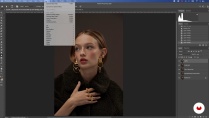
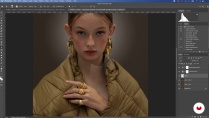
Discover how to transform your portrait photographs into masterpieces using professional editing techniques. Learn to retouch skin while preserving its texture and natural look, highlighting the unique qualities of each model. Explore advanced methods to correct imperfections, balance tones, and maintain facial volumes. Dive into colorization, from correcting unwanted tints to enhancing lips and eyes, all while preserving the essence of the person.
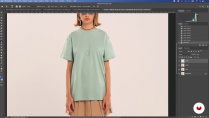
Master essential Photoshop tools, understanding how to use each one for spectacular results. Grasp the importance of working with well-lit images and how to unlock their potential with subtle edits. Learn to refine environmental details, from clothing to accessories, without losing the original texture. By the end, you'll be ready to showcase your own retouching portfolio, elevating the quality of your photographic projects.
What will you learn in this online course?
17 lessons & 12 downloads
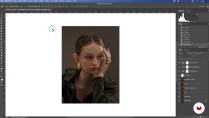
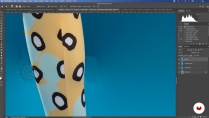
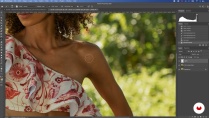
- 100% positive reviews (11)
- 809 students
- 17 lessons (2h 43m)
- 12 downloads
- Online and at your own pace
- Available on the app
- Audio: Spanish, English, French, Italian, Portuguese, Turkish
- Spanish · English · Portuguese · German · French · Italian · Polish · Dutch · Turkish
- Level: Beginner
- Unlimited access forever
Recommended software & tools for this course
 Adobe Photoshop
What is this course's project?
The student will create a photographic retouching portfolio, developing editorial, personal, or commercial portrait projects. They will learn advanced editing techniques to enhance visual quality while preserving the unique and natural qualities of each model.
Who is this online course for?
Photographers passionate about digital retouching who want to improve their portrait editing skills. Ideal for those looking to perfect Photoshop techniques to achieve professional images with attention to detail, preserving naturality and highlighting the unique qualities of each model.
Requirements and materials
No extensive prior knowledge is required. Basic photography understanding is essential, along with access to a computer with Photoshop, Lightroom, or Capture One. A camera is needed to take well-lit images and RAW files for non-destructive editing.
Reviews

Natalia Gw
A course by Natalia Gw
Natalia Gw is a photo retoucher and photographer with a solid background in image editing, specializing in portraits and advertising. Her approach focuses on enhancing people's natural beauty while preserving their unique essence. With a background in fine arts, Natalia has developed her own style that blends artistic techniques with digital tools, achieving results that are both striking and subtle. Her experience ranges from collaborations with editorial projects to commercial campaigns, where her ability to capture light and detail has been key to their success.
Passionate about digital editing, Natalia has dedicated herself to sharing her knowledge with those interested in perfecting their skills in Photoshop and other editing tools. Through her work, she seeks to inspire others to explore the potential of photography as a means of artistic expression. Natalia values the importance of attention to detail, promoting a meticulous editing process that respects the proportions and authentic features of each portrait. Her commitment to continuous improvement and her love for art have made her a reference in the field of photo editing.
Content
-
U1
Introduction
-
Presentation
-
Influences
-
-
U2
Photoshop: from painting with light to painting with brushes
-
The importance of editing
-
Color consistency across different screens
-
How to choose the best photos
-
Camera Raw
-
-
U3
From the general to the particular
-
Workflow
-
Essential tools for adjustments in Photoshop
-
Framing and composition
-
Cleaning the photography and set
-
-
U4
Skin and portrait retouching
-
Frequency separation for the skin
-
Color correction and skin tones
-
The portrait
-
Commercial product
-
-
U5
Colorization and Light Correction
-
Camera Raw: Layered Color Editing and Filter Creation
-
Color and light editing by adjustment layers
-
Export and Present
-
-
FP
Final project
-
Photo Retouching for Portraits (TBD)
-
What to expect from a Domestika course
-
Learn at your own pace
Enjoy learning from home without a set schedule and with an easy-to-follow method. You set your own pace.
-
Learn from the best professionals
Learn valuable methods and techniques explained by top experts in the creative sector.
-
Meet expert teachers
Each expert teaches what they do best, with clear guidelines, true passion, and professional insight in every lesson.
-
Certificates
PlusIf you're a Plus member, get a custom certificate signed by your teacher for every course. Share it on your portfolio, social media, or wherever you like.
-
Get front-row seats
Videos of the highest quality, so you don't miss a single detail. With unlimited access, you can watch them as many times as you need to perfect your technique.
-
Share knowledge and ideas
Ask questions, request feedback, or offer solutions. Share your learning experience with other students in the community who are as passionate about creativity as you are.
-
Connect with a global creative community
The community is home to millions of people from around the world who are curious and passionate about exploring and expressing their creativity.
-
Watch professionally produced courses
Domestika curates its teacher roster and produces every course in-house to ensure a high-quality online learning experience.
FAQs
What are Domestika's online courses?
Domestika courses are online classes that allow you to learn new skills and create incredible projects. All our courses include the opportunity to share your work with other students and/or teachers, creating an active learning community. We offer different formats:
Original Courses: Complete classes that combine videos, texts, and educational materials to complete a specific project from start to finish.
Basics Courses: Specialized training where you master specific software tools step by step.
Specialization Courses: Learning paths with various expert teachers on the same topic, perfect for becoming a specialist by learning from different approaches.
Guided Courses: Practical experiences ideal for directly acquiring specific skills.
Intensive Courses (Deep Dives): New creative processes based on artificial intelligence tools in an accessible format for in-depth and dynamic understanding.
When do the courses start and when do they finish?
All courses are 100% online, so once they're published, courses start and finish whenever you want. You set the pace of the class. You can go back to review what interests you most and skip what you already know, ask questions, answer questions, share your projects, and more.
What do Domestika's courses include?
The courses are divided into different units. Each one includes lessons, informational text, tasks, and practice exercises to help you carry out your project step by step, with additional complementary resources and downloads. You'll also have access to an exclusive forum where you can interact with the teacher and with other students, as well as share your work and your course project, creating a community around the course.
Have you been given a course?
You can redeem the course you received by accessing the redeeming page and entering your gift code.
 Adobe Photoshop
Thank you for the great lecture.
Un ottimo corso, mi ha permesso di colmare alcune lacune che mi portavo dietro da tempo. Grazie mille!
Buenísimo!
Excelente curso, recomendado
me encanto