Clip Studio Paint for Beginners: Create Your Own Comic
A course by Giacomo Bevilacqua , Comic Book Artist


Learn the fundamental tools of Clip Studio Paint to make a comic book page featuring a character and story from your imagination
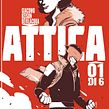

What's the best program for drawing comics? According to Giacomo Keison Bevilacqua, author of A Panda piace and multiple graphic novels, it's hands down Clip Studio Paint. It's an all-in-one program designed for drawing, making it the perfect choice for anyone who wants to bring their own comics to life.
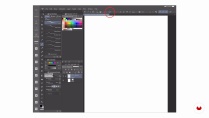
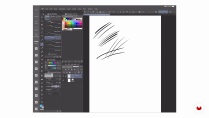
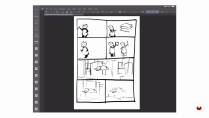
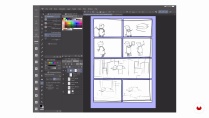
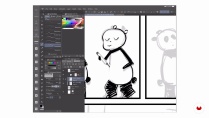
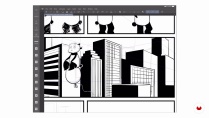
In this online course, learn the fundamentals of Clip Studio Paint for your comic projects, from the layout to exporting your final artwork. Giacomo, who has published his work with Bao Publishing, Feltrinelli, and Panini, teaches you how to use the program's main tools and features while guiding you through the process of creating a full-page comic. Hunt for ideas, create a character, and tell their story using all the potential of Clip Studio Paint.
What will you learn in this online course?
17 lessons & 15 downloads
- 99% positive reviews (72)
- 3,013 students
- 17 lessons (2h 39m)
- 15 additional resources (1 files)
- Online and at your own pace
- Available on the app
- Audio: Italian, English, Spanish (Latam), French, Portuguese, Turkish
- Spanish · English · Portuguese · German · French · Italian · Polish · Dutch · Turkish · Romanian · Indonesian
- Level: Beginner
- Unlimited access forever
Recommended software & tools for this course
 Clip Studio Paint
What is this course's project?
Make a comic book page featuring a character and story from your imagination using Clip Studio Paint.

Projects by course students


Who is this online course for?
Anyone interested in learning how to use Clip Studio Paint.
Requirements and materials
Basic drawing skills are needed to take this course. The only materials you need are a computer or a tablet with Clip Studio Paint.

Reviews

Giacomo Bevilacqua
A course by Giacomo Bevilacqua
Giacomo Keison Bevilacqua is an Italian comic book artist. The influence of his grandfather, an artist, and his father, an avid reader and collector of comics, greatly contributed to his love for both. As a young adult, he frequently attended comic fairs and always carried his personal portfolio with him, taking any opportunity he could to showcase his work as an editor, screenwriter, and author.
At the age of 22, he enrolled in the Scuola di fumetto and, while studying there, started working as an illustrator for two famous Italian comic magazines: Lanciostory and Skorpio. In 2008, he launched A Panda Piace, his first fully self-authored and illustrated comic. Looking to branch out, he went back to the basics of drawing, studying everything from anatomy to perspective and color, and has since published graphic novels such as Il suono del mondo a memoria, Attica, and Troppo facile amarti in vacanza. Throughout his career, he's had the opportunity to collaborate with publishing houses like Bao Publishing, Feltrinelli, and Panini.
Content
-
U1
Introduction
-
About Me
-
Influences
-
-
U2
All You Need Is You and the Software
-
Software Adaptable to Your Process
-
Workspace and Setting
-
Workspace, Main Functions, and Sheet Creation
-
Choose the Character and Its Story
-
-
U3
Clip Studio Paint Illustrated by Panda
-
The Layout
-
The Comic Frame Border Tool
-
The Layers
-
Inking and Fill Tools
-
The Background and the Perspective Ruler Tool
-
Grayscale and Screentones
-
The Colors 1
-
The Colors 2
-
-
U4
Finalize the Comic
-
Inserting Balloons and Texts
-
Placement of Logos and Export
-
Additional Potential of the Software
-
-
FP
Final project
-
Clip Studio Paint for Beginners: Create Your Own Comic
-
What to expect from a Domestika course
-
Learn at your own pace
Enjoy learning from home without a set schedule and with an easy-to-follow method. You set your own pace.
-
Learn from the best professionals
Learn valuable methods and techniques explained by top experts in the creative sector.
-
Meet expert teachers
Each expert teaches what they do best, with clear guidelines, true passion, and professional insight in every lesson.
-
Certificates
PlusIf you're a Plus member, get a custom certificate signed by your teacher for every course. Share it on your portfolio, social media, or wherever you like.
-
Get front-row seats
Videos of the highest quality, so you don't miss a single detail. With unlimited access, you can watch them as many times as you need to perfect your technique.
-
Share knowledge and ideas
Ask questions, request feedback, or offer solutions. Share your learning experience with other students in the community who are as passionate about creativity as you are.
-
Connect with a global creative community
The community is home to millions of people from around the world who are curious and passionate about exploring and expressing their creativity.
-
Watch professionally produced courses
Domestika curates its teacher roster and produces every course in-house to ensure a high-quality online learning experience.
FAQs
What are Domestika's online courses?
Domestika courses are online classes that allow you to learn new skills and create incredible projects. All our courses include the opportunity to share your work with other students and/or teachers, creating an active learning community. We offer different formats:
Original Courses: Complete classes that combine videos, texts, and educational materials to complete a specific project from start to finish.
Basics Courses: Specialized training where you master specific software tools step by step.
Specialization Courses: Learning paths with various expert teachers on the same topic, perfect for becoming a specialist by learning from different approaches.
Guided Courses: Practical experiences ideal for directly acquiring specific skills.
Intensive Courses (Deep Dives): New creative processes based on artificial intelligence tools in an accessible format for in-depth and dynamic understanding.
When do the courses start and when do they finish?
All courses are 100% online, so once they're published, courses start and finish whenever you want. You set the pace of the class. You can go back to review what interests you most and skip what you already know, ask questions, answer questions, share your projects, and more.
What do Domestika's courses include?
The courses are divided into different units. Each one includes lessons, informational text, tasks, and practice exercises to help you carry out your project step by step, with additional complementary resources and downloads. You'll also have access to an exclusive forum where you can interact with the teacher and with other students, as well as share your work and your course project, creating a community around the course.
Have you been given a course?
You can redeem the course you received by accessing the redeeming page and entering your gift code.
 Clip Studio Paint
Premier tutoriel sur ce logiciel pour moi assez complet, certes en espagnol mais bien sous titré et clairement organisé.
Super atelier.
Complet et précis.
Idéal pour progresser
A great course, excellent! One of the best that i have done! I learnt too much and the trainer is amazing!
An sich gut, aber aus meiner Sicht wird zu wenig auf die Ebenen eingegangen. Vor allem im Bereich der Farben und Schattierungen, fehlt mir der Input.
O curso é ótimo, está ajudando muito a entender.