3D Typography with Blender: Design Original Letters
A course by Alper Dostal, Designer and 3D Artist


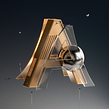

Learn to model 3D letters using different techniques in Blender and play around with contrasting colors, materials, and textures

Fascinated by the idea of everyday objects and materials that behave differently than normal, 3D designer and artist Alper Dostal makes them the centerpiece of his work. He likes to take certain elements, like letters, out of their context and use them to model captivating compositions. His unique style is characterized by heavy contrasts, for example, between industry and nature.
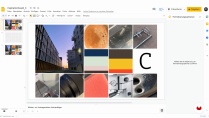
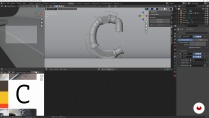
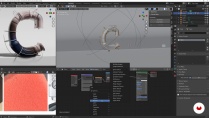
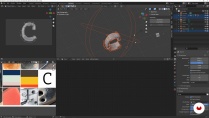
In this online course, learn to design original letters that speak volumes. Alper teaches you his secrets to 3D modeling projects, from searching for inspiration to choosing a color palette. Design letters with modular structures in Blender and discover how to create materials, apply harmonious textures and colors, and build a scene to showcase your model.
What will you learn in this online course?
18 lessons & 17 downloads
- 98% positive reviews (61)
- 3,177 students
- 18 lessons (3h 12m)
- 17 additional resources (6 files)
- Online and at your own pace
- Available on the app
- Audio: German
- German · Spanish · English · Portuguese · French · Italian · Polish · Dutch · Turkish · Romanian · Indonesian
- Level: Beginner
- Unlimited access forever
What is this course's project?
Modelarás letras en 3D compuestas por diferentes secciones; combinarás colores, materiales y texturas; las colocarás en una escena con una buena iluminación y editarás tu diseño en Photoshop.

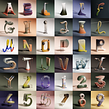
Projects by course students


Who is this online course for?
Anyone who wants to learn how to model 3D objects with modular structures and experiment with contrasting colors, textures, and shapes.
Requirements and materials
Previous experience with Blender and Adobe Photoshop is recommended, but not essential.
All you need for materials is a computer with both programs.

Reviews

Alper Dostal
A course by Alper Dostal
Alper Dostal is a 3D artist and designer from Vienna, Austria. After graduating with a degree in graphic and communication design in 2011, he quickly found work in this field. Over time, he developed an increasing interest in 3D, to the point where it has become an integral part of his work as a full-time graphic designer. He's created visual concepts, artwork, designs, and 3D typography for brands like Teka, General Electric, and Samsung.
3D design enables him to explore the physically impossible, such as melting wood or rubbery concrete. He often looks to the creations of others for inspiration, such as Dieter Rams's minimalistic designs and Salvador Dalí's surreal paintings. His Hot Art Exhibition, a series of visualizations depicting melting works of art, has been displayed in Bergamo and at the Art Basel fair in Miami, as well as featured in a variety of art and design magazines.
Content
-
U1
Introduction
-
About Me
-
Inspirations
-
-
U2
Preparation
-
Finding Inspiration
-
Generating ideas
-
Colours
-
Creating a Mood Board
-
-
U3
Design and Modelling
-
Blender Setting for Optimal Work
-
Modelling of the Elements and Modules 1
-
Modelling of the Elements and Modules 2
-
Modelling of the Elements and Modules 1
-
Shaping the Letter: Working with Curves
-
-
U4
Materials and Textures
-
Creating Materials and Textures
-
More Shaders and Stage
-
-
U5
Scene and Lighting
-
Setting the Camera and Format
-
Creating and Experimenting with Light Scenes
-
-
U6
Effects and Rendering
-
Effects and Rendering
-
Post-production
-
Advantages of the Modular Structure
-
-
FP
Final project
-
3D Typography with Blender: Design Original Letters
-
What to expect from a Domestika course
-
Learn at your own pace
Enjoy learning from home without a set schedule and with an easy-to-follow method. You set your own pace.
-
Learn from the best professionals
Learn valuable methods and techniques explained by top experts in the creative sector.
-
Meet expert teachers
Each expert teaches what they do best, with clear guidelines, true passion, and professional insight in every lesson.
-
Certificates
PlusIf you're a Plus member, get a custom certificate signed by your teacher for every course. Share it on your portfolio, social media, or wherever you like.
-
Get front-row seats
Videos of the highest quality, so you don't miss a single detail. With unlimited access, you can watch them as many times as you need to perfect your technique.
-
Share knowledge and ideas
Ask questions, request feedback, or offer solutions. Share your learning experience with other students in the community who are as passionate about creativity as you are.
-
Connect with a global creative community
The community is home to millions of people from around the world who are curious and passionate about exploring and expressing their creativity.
-
Watch professionally produced courses
Domestika curates its teacher roster and produces every course in-house to ensure a high-quality online learning experience.
FAQs
This course is designed for people with basic design knowledge who want to deepen their skills in 3D graphics and typography. Having a foundation in graphic design helps but isn’t required.
You’ll need a computer with Blender installed as your 3D software and internet access. A graphics tablet is optional. Online tools like Khroma are recommended for working with color combinations.
You’ll learn how to create your own 3D artworks, build color palettes, use moodboards, model modular letters, and produce visuals for social media — covering lighting, materials, rendering, and post-processing.
The course teaches you how to model creative 3D letters, use modules and curves, and develop custom typography concepts — from initial inspiration to the final visualization.
Yes, once you finish, you’ll be able to plan, design, and present professional 3D graphics and typography projects for clients.
You’ll discover how to systematically gather inspiration from everyday life, online platforms like Pinterest and Google, photography, and moodboards, then document and apply it to your projects.
The course shows you how to use AI tools like Khroma to generate color palettes and apply those results strategically in your 3D projects.

I love the way he taught, so inspired
Very interesting topic, but the teaching could be more illustrative. Some steps seem skipped, which sometimes makes it difficult to understand the content. Still, it's worth it.
As a Blender beginner, I'm curious on this course. I like to design 3D letter. I hope this course will bring some interesting ideas for me in the future.
very nice
Excelente curso. genial para empezar desde 0