Motion Design in After Effects: Make Compelling Cinemagraphs
A course by James Daher , Motion Designer


Design an immersive experience for viewers by learning to animate posters using the digital tools of Adobe After Effects

Through motion design, you can make living artwork that creates an immersive experience for viewers. James Daher is a motion designer at Warner Media who specializes in creating moving works of art that connect with their audience. He has worked for HBO titles such as The Deuce, Room 104, and Fahrenheit 451, and he teaches animation at various institutions.
In this course, James guides you through the fundamentals of using After Effects to create simple cinemagraphs with footage, built-in effects, and presets. Discover the step-by-step process for making a captivating animated poster using digital tools. Put yourself in the viewer’s position and create engaging artwork in motion.
What will you learn in this online course?
18 lessons & 14 downloads
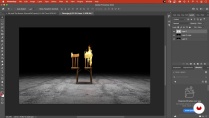
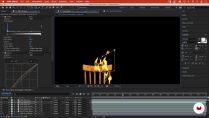
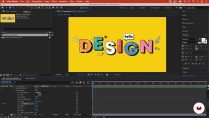
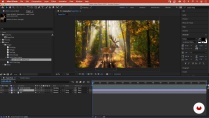
- 92% positive reviews (73)
- 3,944 students
- 18 lessons (3h 53m)
- 14 additional resources (6 files)
- Online and at your own pace
- Available on the app
- Audio: English, Spanish (Latam), French, Italian, Portuguese, Turkish
- English · Spanish · Portuguese · German · French · Italian · Polish · Dutch · Turkish
- Level: Beginner
- Unlimited access forever
Recommended software & tools for this course
 Adobe After Effects
 Adobe Photoshop
What is this course's project?
Create an animated poster for a concert or theater show using Adobe After Effects.

Projects by course students


Who is this online course for?
This course is for anyone with an interest in using digital tools to create animated artwork that captivates an audience.
Requirements and materials
Previous experience with Photoshop is recommended.
In terms of equipment, you will need access to a device with Photoshop and After Effects.

New to Adobe After Effects? In that case, we recommend taking Domestika Basics courses to learn how to use the software: Introduction to After Effects.
Reviews

James Daher
A course by James Daher
James Daher is a motion designer based in New York City. He first started experimenting with design by painting a logo for his brother’s auto body shop and creating themed window displays for a local deli. He went on to study for a bachelor’s of fine arts in design at SVA and later a master's in interactive art at Tisch School Of The Arts.
Since then, he’s worked for companies including BAM and IFC, and on a variety of projects from set design to video systems engineering. He is currently a motion designer at Warner Media, and has worked on HBO titles including The Deuce, Room 104, and Fahrenheit 451. Alongside designing, James shares his expertise with others, working as an adjunct professor of 2D animation at CUNY and a design Professor at SVA.
Content
-
U1
Introduction
-
About Me
-
Influences
-
-
U2
Moving Images and Kinetic Typography
-
Introduction to After Effects 1
-
Introduction to After Effects 2
-
Bumpers and Title Cards
-
Puppet Tool and Anchor Points 1
-
Puppet Tool and Anchor Points 2
-
Parallax and Multiplane Technique
-
-
U3
Animating a Poster
-
Research and Brainstorming
-
Developing Your Poster 1
-
Developing Your Poster 2
-
Refining 1
-
Refining 2
-
Finalizing and Rendering Your Poster
-
To Learn More: Creating a Multilayered PSD File from a Flat Image 1
-
To Learn More: Creating a Multilayered PSD File from a Flat Image 2
-
-
U4
Presentation and Sharing
-
Resizing and Sharing Your Project
-
In Situ
-
-
FP
Final project
-
Motion Design in After Effects: Make Compelling Cinemagraphs
-
What to expect from a Domestika course
-
Learn at your own pace
Enjoy learning from home without a set schedule and with an easy-to-follow method. You set your own pace.
-
Learn from the best professionals
Learn valuable methods and techniques explained by top experts in the creative sector.
-
Meet expert teachers
Each expert teaches what they do best, with clear guidelines, true passion, and professional insight in every lesson.
-
Certificates
PlusIf you're a Plus member, get a custom certificate signed by your teacher for every course. Share it on your portfolio, social media, or wherever you like.
-
Get front-row seats
Videos of the highest quality, so you don't miss a single detail. With unlimited access, you can watch them as many times as you need to perfect your technique.
-
Share knowledge and ideas
Ask questions, request feedback, or offer solutions. Share your learning experience with other students in the community who are as passionate about creativity as you are.
-
Connect with a global creative community
The community is home to millions of people from around the world who are curious and passionate about exploring and expressing their creativity.
-
Watch professionally produced courses
Domestika curates its teacher roster and produces every course in-house to ensure a high-quality online learning experience.
FAQs
Yes, this course is designed for learners with intermediate After Effects experience who want to advance their motion design and animation techniques for posters, digital displays, and layered compositions.
You'll need access to Adobe After Effects and Photoshop, basic familiarity with both, and experience with digital imaging. An interest in motion graphics or animation for creative projects is recommended.
You’ll learn to create cinemagraphs, kinetic typography, parallax and multiplane animations, animated posters, and advanced masking. The course covers workflows from asset preparation to rendering for various digital environments.
Yes, you’ll learn step-by-step techniques for designing and animating posters specifically for digital displays, including mockup creation and adapting animations to different screen formats.
Yes, the course covers using the Puppet Tool to create organic and lifelike animations from static images, including pin placement and keyframing for realistic movement.
You’ll explore parallax principles and multiplane animation by separating artwork into layers and animating them at different speeds to create depth and dimensionality in After Effects.
Yes, you’ll learn practical workflows for designing, animating, and rendering motion graphics suitable for marketing materials, digital out-of-home screens, and exhibition signage.
 Adobe After Effects
 Adobe Photoshop
Quite informative course. I like the way the author shows the tools while making a really stylish video. The only negative part is that sometimes it is confusing when in the video he works with a file, but it is not in the resource files.
Overall I recommend this course. Thank you so much
Not gonna lie, his voice is very calming, maybe TOO calming. I had to take a coffee before each lesson so I pay a lot of attention.
muy detallado, muy bueno
Nice course!
excelente