Playful Animal Illustration with Photoshop
A course by Gareth Lucas , Illustrator

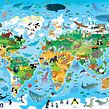


Explore digital tools to create lively works of art filled with texture, patterns, and color

Digital tools like Photoshop can open up a whole world of possibilities when it comes to illustration. Gareth Lucas uses them to create lively artwork which he shares with over 100K followers on Instagram. He has collaborated with clients including Penguin, Birdseye, and Abrams Books.
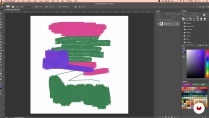
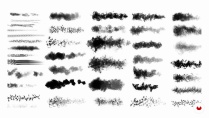
In this course, he teaches you how to explore textures and patterns that elevate your illustrations using Photoshop. Design playful animal illustrations that spark joy and happiness using a variety of digital tools and techniques. Are you ready to bring your artwork to life with vibrant colors and textures?
What will you learn in this online course?
14 lessons & 13 downloads


- 98% positive reviews (123)
- 1,841 students
- 14 lessons (3h 2m)
- 13 additional resources (1 files)
- Online and at your own pace
- Available on the app
- Audio: English
- Spanish · English · Portuguese · German · French · Italian · Polish · Dutch · Turkish · Romanian · Indonesian
- Level: Beginner
- Unlimited access forever
What is this course's project?
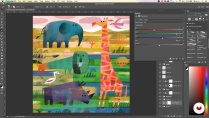
Create an illustration of an animal of your choice using Photoshop to add color, patterns, and layers that bring it to life.

Projects by course students


Who is this online course for?
This course is for anyone with an interest in learning to illustrate using digital tools.
Requirements and materials
No previous experience is required to take this course.
You will need sketching tools and access to a computer with Photoshop.

Reviews

Gareth Lucas
A course by Gareth Lucas
Gareth Lucas is a freelance illustrator from Essex, England. As a child, he loved to draw and eventually went on to study illustration at Brighton University. After graduating, Gareth worked on everything from label designs to anthology illustrations before going back to university to study for an MA in illustration. During that time, he taught graphic design alongside his studies and began experimenting with digital tools which allowed him to take his freelance career full-time in 2014.
Since then, Gareth has worked with clients including Abrams Books, Penguin, Birdseye, and Simon and Schuster. He also shares his illustrations with over 100K followers on Instagram.
Content
-
U1
Introduction
-
About Me
-
Influences
-
-
U2
Getting to Know Photoshop
-
Setting up Your Workspace
-
Introduction to Brushes
-
Patterns and Blend Modes
-
Playing with "Adjustment Layers"
-
Inspiration and Initial Sketches
-
-
U3
Bringing Your Image to Life
-
Drawing on Photoshop
-
Colours
-
Pattern Work
-
Textures
-
Finishing Touches
-
-
U4
Last Steps
-
Saving the Image Correctly
-
Customising with Typography
-
-
FP
Final project
-
Playful Animal Illustration with Photoshop
-
What to expect from a Domestika course
-
Learn at your own pace
Enjoy learning from home without a set schedule and with an easy-to-follow method. You set your own pace.
-
Learn from the best professionals
Learn valuable methods and techniques explained by top experts in the creative sector.
-
Meet expert teachers
Each expert teaches what they do best, with clear guidelines, true passion, and professional insight in every lesson.
-
Certificates
PlusIf you're a Plus member, get a custom certificate signed by your teacher for every course. Share it on your portfolio, social media, or wherever you like.
-
Get front-row seats
Videos of the highest quality, so you don't miss a single detail. With unlimited access, you can watch them as many times as you need to perfect your technique.
-
Share knowledge and ideas
Ask questions, request feedback, or offer solutions. Share your learning experience with other students in the community who are as passionate about creativity as you are.
-
Connect with a global creative community
The community is home to millions of people from around the world who are curious and passionate about exploring and expressing their creativity.
-
Watch professionally produced courses
Domestika curates its teacher roster and produces every course in-house to ensure a high-quality online learning experience.
FAQs
What are Domestika's online courses?
Domestika courses are online classes that allow you to learn new skills and create incredible projects. All our courses include the opportunity to share your work with other students and/or teachers, creating an active learning community. We offer different formats:
Original Courses: Complete classes that combine videos, texts, and educational materials to complete a specific project from start to finish.
Basics Courses: Specialized training where you master specific software tools step by step.
Specialization Courses: Learning paths with various expert teachers on the same topic, perfect for becoming a specialist by learning from different approaches.
Guided Courses: Practical experiences ideal for directly acquiring specific skills.
Intensive Courses (Deep Dives): New creative processes based on artificial intelligence tools in an accessible format for in-depth and dynamic understanding.
When do the courses start and when do they finish?
All courses are 100% online, so once they're published, courses start and finish whenever you want. You set the pace of the class. You can go back to review what interests you most and skip what you already know, ask questions, answer questions, share your projects, and more.
What do Domestika's courses include?
The courses are divided into different units. Each one includes lessons, informational text, tasks, and practice exercises to help you carry out your project step by step, with additional complementary resources and downloads. You'll also have access to an exclusive forum where you can interact with the teacher and with other students, as well as share your work and your course project, creating a community around the course.
Have you been given a course?
You can redeem the course you received by accessing the redeeming page and entering your gift code.

This course was absolutely wonderful, I enjoyed every minute and can't wait to go through again making my own style of illustration as I follow the prompts as the first time I was just watching for the joy of watching such lovely process and artwork come together. I hope that Gareth makes more lessons as I will definitely buy them. A very generous teacher and very easy to follow
Un curso bastante b ueno e inspirador, con muchos recursos para tanto en el uso de photoshop, como en la teoria en el uso de formas y colores.
Un corso davvero divertente e piacevole da seguire. L'approccio è chiaro, gli esempi estremamente comprensibili, tutto risulta accessibile anche per un neofita. Aggiungo anche che si tratta di un insegnante generoso che non sembra interessato a trattenere informazioni fondamentali come a volte purtroppo avviene.
muito bommm
El curso es maravilloso, Gareth Lucas nos comparte todos los conocimientos que usa para crear sus fantásticas ilustraciones. Todo muy bien explicado y con ejemplos muy claros. Es muy divertido e interesante ver los videos de las lecciones. No tengo Photoshop pero también se puede aplicar lo aprendido aquí en Clip Studio Paint. He tenido que ver y practicar los videos varias veces para poder asimilar y hacer mía tanta información que tiene el curso.