Architectural Animation in 3D
A course by AMO 3D Visual , 3D Artists

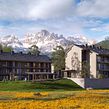



Create 3D videos for your architectural visualization projects

Being able to recreate the sensation a space transmits when you visit it for the first time is the objective of the photorealistic architectural video projects of the AMO 3D Visual studio. The studio is run by architects Antonio Martínez and Jesús Sanz, who have extensive experience in the field of animated and static info-architecture, as demonstrated in their first course Infoarchitecture in 3D.
In this online course, learn the entire process of animation, rendering, and assembly of a photorealistic 3D architectural video.
What will you learn in this online course?
12 lessons & 5 downloads
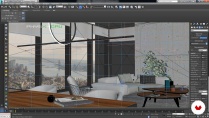
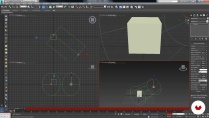
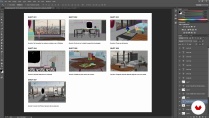
- 97% positive reviews (131)
- 4,183 students
- 12 lessons (2h 25m)
- 5 additional resources (1 files)
- Online and at your own pace
- Available on the app
- Audio: Spanish, German, English, French, Indonesian, Italian, Polish, Portuguese, Romanian, Turkish
- Spanish · English · Portuguese · German · French · Italian · Polish · Dutch · Turkish · Romanian · Indonesian
- Level: Intermediate
- Unlimited access forever
Recommended software & tools for this course
 3ds Max
 Adobe After Effects
 V-Ray
V-RayWhat is this course's project?
Create a photorealistic architectural 3D animation of a previously created interior.

Projects by course students


Who is this online course for?
Architects, interior designers, and people with a good foundation in 3D who want to take their video creation a step further.
Requirements and materials
You need a computer with 3ds Max, V-Ray, and Adobe After Effects installed. You should also have intermediate knowledge of these programs.

New to Adobe After Effects? In that case, we recommend taking Domestika Basics courses to learn how to use the software: Introduction to After Effects.
Reviews

AMO 3D Visual
A course by AMO 3D Visual
AMO 3D Visual is a studio specialized in 3D infographics from Zaragoza, Spain, with extensive experience in info-architecture, product visualization, and the development of graphic solutions for real estate promotions. Founded by Antonio Martínez and Jesús Sanz, their work is characterized mainly by photorealism and attention to detail, whether in a static or animated image.
Content
-
U1
Presentation
-
Presentation
-
Influences
-
-
U2
Cameras and Storyboard
-
References
-
Search for cameras
-
Animation
-
Storyboard
-
-
U3
Optimization and render
-
Cleaning of models
-
Scripts + Relink
-
Render tips and settings
-
Rendering
-
-
U4
Postproduction and Assembly
-
Postproduction of a plane
-
Mounting
-
-
FP
Final project
-
3D architectural animation
-
What to expect from a Domestika course
-
Learn at your own pace
Enjoy learning from home without a set schedule and with an easy-to-follow method. You set your own pace.
-
Learn from the best professionals
Learn valuable methods and techniques explained by top experts in the creative sector.
-
Meet expert teachers
Each expert teaches what they do best, with clear guidelines, true passion, and professional insight in every lesson.
-
Certificates
PlusIf you're a Plus member, get a custom certificate signed by your teacher for every course. Share it on your portfolio, social media, or wherever you like.
-
Get front-row seats
Videos of the highest quality, so you don't miss a single detail. With unlimited access, you can watch them as many times as you need to perfect your technique.
-
Share knowledge and ideas
Ask questions, request feedback, or offer solutions. Share your learning experience with other students in the community who are as passionate about creativity as you are.
-
Connect with a global creative community
The community is home to millions of people from around the world who are curious and passionate about exploring and expressing their creativity.
-
Watch professionally produced courses
Domestika curates its teacher roster and produces every course in-house to ensure a high-quality online learning experience.
FAQs
Domestika courses are online classes that allow you to learn new skills and create incredible projects. All our courses include the opportunity to share your work with other students and/or teachers, creating an active learning community. We offer different formats:
Original Courses: Complete classes that combine videos, texts, and educational materials to complete a specific project from start to finish.
Basics Courses: Specialized training where you master specific software tools step by step.
Specialization Courses: Learning paths with various expert teachers on the same topic, perfect for becoming a specialist by learning from different approaches.
Guided Courses: Practical experiences ideal for directly acquiring specific skills.
Intensive Courses (Deep Dives): New creative processes based on artificial intelligence tools in an accessible format for in-depth and dynamic understanding.
All courses are 100% online, so once they're published, courses start and finish whenever you want. You set the pace of the class. You can go back to review what interests you most and skip what you already know, ask questions, answer questions, share your projects, and more.
The courses are divided into different units. Each one includes lessons, informational text, tasks, and practice exercises to help you carry out your project step by step, with additional complementary resources and downloads. You'll also have access to an exclusive forum where you can interact with the teacher and with other students, as well as share your work and your course project, creating a community around the course.
You can redeem the course you received by accessing the redeeming page and entering your gift code.
 3ds Max
 Adobe After Effects
 V-Ray
V-Ray
“It helps you understand the big picture and the essential techniques for creating effective video shots.”
Excellent course. The instructors have knowledge of the tools.
Excellent course. The instructors have knowledge of the tools.
Interesting course, would be great if they added english audio as well
Muy buen curso, muy interesante!