Children’s Digital Illustration: Colors and Textures
A course by John Joven, Designer and Illustrator


Learn to create illustrations that tell endearing stories by combining the use of analog textures and digital tools

Illustration is a creative tool for decoding a message into images, and for illustrator and graphic designer John Joven, it's his way of connecting young readers with stories and piquing their curiosity through fantastical scenes, imaginary characters, and exciting new worlds.
In this course, learn to create larger-than-life children's illustrations in Adobe Photoshop. John teaches you how to combine analog techniques with digital tools, making textures by hand and turning them into digital brushes to produce vibrant pieces with charming characters that captivate readers.
What will you learn in this online course?
16 lessons & 32 downloads
What's included in this course?
Get to know freelance illustrator John Joven as he talks you through his career and explains how, thanks to his influences and professional experiences, he ended up exploring and working with a modern style of illustration and storytelling.
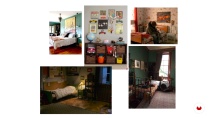
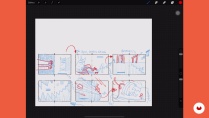
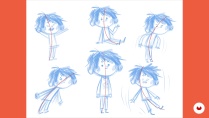
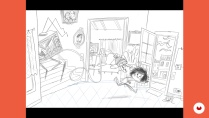
Next, go through the materials you need to complete the final project. Search for and compile references into a mood board and start shaping your story with sketches of characters and scenes.
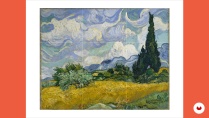
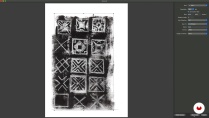
Continue by experimenting with textures for your illustration and see how to digitize the ones you like best. Choose a color palette that conveys the atmosphere of your scene and learn how to use the brushes created in Adobe Photoshop to bring it to life.
To round out the course, John shares some tips on what to avoid during the printing process, as well as some considerations about dimensions and folds in the final product. He wraps things up by showing you how to properly save your work and send it to a client.
- 100% positive reviews (51)
- 1,025 students
- 16 lessons (2h 5m)
- 32 additional resources (10 files)
- Online and at your own pace
- Available on the app
- Audio: Spanish
- Spanish · English · Portuguese · German · French · Italian · Polish · Dutch · Turkish · Romanian · Indonesian
- Level: Beginner
- Unlimited access forever
Recommended software & tools for this course
 Adobe Photoshop
What is this course's project?
Illustrate a scene from a story or idea you had for a two-page spread.

Who is this online course for?
Anyone interested in telling stories through illustrations for children.
Requirements and materials
Basic notions of Photoshop are necessary for this course.
The only materials you need are a computer, a scanner, and some stationery items.

Reviews

John Joven
A course by John Joven
John Joven started drawing at a young age and is now a graphic designer by trade and an illustrator at heart. With more than 22 years of experience in the industry, his characters and illustrations have appeared in magazine and newspaper articles, children's books, and animation projects around the world.
Throughout his career, he has created illustrations for children's stories published by major companies like McGraw Hill, Planeta, and Macmillan. He has also designed images for Amazon, Avianca, and National Geographic Channel.
Content
-
U1
Introduction
-
About Me
-
Influences
-
-
U2
The history
-
Text and inspiration
-
Composition and storyboard 1
-
Composition and storyboard 2
-
Character sketch
-
Stage sketch and final idea
-
-
U3
Let's do it
-
How to create and digitize textures
-
Create brushes in Photoshop
-
Color choice
-
A stage 1
-
A stage 2
-
Finish a character
-
-
U4
Final details
-
Color profile
-
The trim guides
-
Save your work
-
-
FP
Final project
-
Children’s Digital Illustration: Colors and Textures
-
What to expect from a Domestika course
-
Learn at your own pace
Enjoy learning from home without a set schedule and with an easy-to-follow method. You set your own pace.
-
Learn from the best professionals
Learn valuable methods and techniques explained by top experts in the creative sector.
-
Meet expert teachers
Each expert teaches what they do best, with clear guidelines, true passion, and professional insight in every lesson.
-
Certificates
PlusIf you're a Plus member, get a custom certificate signed by your teacher for every course. Share it on your portfolio, social media, or wherever you like.
-
Get front-row seats
Videos of the highest quality, so you don't miss a single detail. With unlimited access, you can watch them as many times as you need to perfect your technique.
-
Share knowledge and ideas
Ask questions, request feedback, or offer solutions. Share your learning experience with other students in the community who are as passionate about creativity as you are.
-
Connect with a global creative community
The community is home to millions of people from around the world who are curious and passionate about exploring and expressing their creativity.
-
Watch professionally produced courses
Domestika curates its teacher roster and produces every course in-house to ensure a high-quality online learning experience.
FAQs
You’ll learn how to blend traditional and digital techniques to create children’s illustrations—from sketching and character composition to digitizing textures, using Photoshop, crafting color palettes, and preparing files for professional printing.
This course is designed for those with intermediate illustration skills, so it’s best if you have basic drawing experience and are familiar with digital tools like Photoshop.
You’ll need basic drawing skills, a computer with Photoshop installed, materials for making physical textures (like paper, acrylics, and inks), and a scanner or camera to digitize your work.
The course covers techniques such as acrylic painting, dry brush, collage, and washes, explaining how to replicate and digitize them to enhance children’s illustrations in digital formats.
You’ll learn how to conceptualize, create, and present professional children’s illustrations by combining visual storytelling, composition, and high-quality digital finishing—strengthening your editorial portfolio.
You’ll discover how to design expressive characters, stylize proportions, build coherent settings, and plan narrative scenes using composition and visual storytelling principles tailored to children’s illustration.
Yes, the course teaches you how to optimize illustrated files, manage color profiles (RGB and CMYK), apply bleeds and margins, and create print-ready files.
 Adobe Photoshop
Este curso responde a muchas dudas que tenía. Muchas gracias profesor.
This course is excellent. I am learning so much. The brushes are great as well. Hoping to include the technique in my first drawing of a building in Photoshop.
I’ve just started this course, and I must say it is packed with invaluable insights! From the very beginning of a project to its final execution, every aspect is covered in detail. The explanations are clear and engaging, guiding you through the entire creative process—developing initial ideas, planning, sketching, structuring a story, selecting colors, and even using scanners and software like Photoshop. I’m truly enjoying this learning journey. Thank you, John!
Amazing
Excelente curso