Filter Design for Instagram and Facebook with Spark AR
A course by Jeferson Araujo , Augmented Reality Developer


Develop fun and sophisticated augmented reality filters to add flair to your stories on social media

Instagram and Facebook filters are no longer just a game, they're very often included in marketing strategies of large corporations and businesses. Augmented reality designer Jeferson Araujo specializes in creating innovative, immersive experiences combining fantasy and reality. His creations have been used by brands like Disney and Cartier, as well as celebrities like Madonna, Maluma, and Cara Delevingne.
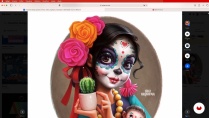
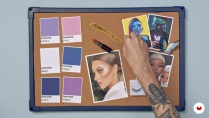
In this course, learn to create an augmented reality filter using Spark AR Studio. Jeferson guides you through the process step-by-step, from searching for reference materials to effects creation and applying 3D objects such as eyelashes, glasses, and different types of makeup including glitter, lipstick, eyeshadow, eyeliner, and much more.
What will you learn in this online course?
15 lessons & 19 downloads


- 94% positive reviews (17)
- 631 students
- 15 lessons (57m)
- 19 additional resources (6 files)
- Online and at your own pace
- Available on the app
- Audio: Portuguese
- Portuguese · Spanish · English · German · French · Italian · Polish · Dutch
- Level: Beginner
- Unlimited access forever
Recommended software for this course
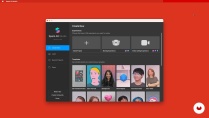
 Spark AR Studio
What is this course's project?
Create an augmented reality filter for your Instagram and Facebook Stories using fantasy filter elements.

Who is this online course for?
For computing and image editing professionals and anyone interested in creating AR effects for Instagram and Facebook.
Requirements and materials
You don't need any experience to take this course.
In terms of materials, all you need is a computer installed with Spark AR Studio.

Reviews

Jeferson Araujo
A course by Jeferson Araujo
Jeferson Araujo, also known as Jeph, is a freelance AR filter developer. He began developing augmented reality pieces using Spark AR Studio in 2019 while finishing an architecture and urban planning course. He ended up falling in love with the world of AR and 3D and since 2020, his effects have been enjoyed by millions of people around the world including celebrities like Madonna, Maluma, and Cara Delevingne.
In 2021, Snapchat invited him to become an Official Lens Creator (OLC) and he currently creates Snapchat Lenses as well as Instagram effects.
Content
-
U1
Introduction
-
Presentation
-
Influences
-
-
U2
Starting your career in AR
-
Digital filters and reference search
-
Mood board assembly
-
Planning the filter
-
Software interface and neon effect
-
-
U3
Augmenting reality
-
Segmentations
-
Creating a Realistic Illuminator
-
Eye area make-up
-
Using 3D Blocks and Objects
-
Creating a realistic lipstick and gloss effect
-
Particles
-
-
U4
Adding a track and ending the file
-
Adding background music
-
Finalizing, optimizing the fancy filter and exporting
-
Filter reuse
-
-
FP
Final project
-
Filter Design for Instagram and Facebook with Spark AR
-
What to expect from a Domestika course
-
Learn at your own pace
Enjoy learning from home without a set schedule and with an easy-to-follow method. You set your own pace.
-
Learn from the best professionals
Learn valuable methods and techniques explained by top experts in the creative sector.
-
Meet expert teachers
Each expert teaches what they do best, with clear guidelines, true passion, and professional insight in every lesson.
-
Certificates
PlusIf you're a Plus member, get a custom certificate signed by your teacher for every course. Share it on your portfolio, social media, or wherever you like.
-
Get front-row seats
Videos of the highest quality, so you don't miss a single detail. With unlimited access, you can watch them as many times as you need to perfect your technique.
-
Share knowledge and ideas
Ask questions, request feedback, or offer solutions. Share your learning experience with other students in the community who are as passionate about creativity as you are.
-
Connect with a global creative community
The community is home to millions of people from around the world who are curious and passionate about exploring and expressing their creativity.
-
Watch professionally produced courses
Domestika curates its teacher roster and produces every course in-house to ensure a high-quality online learning experience.
FAQs
Domestika's courses are online classes that provide you with the tools and skills you need to complete a specific project. Every step of the project combines video lessons with complementary instructional material, so you can learn by doing. Domestika's courses also allow you to share your own projects with the teacher and with other students, creating a dynamic course community.
All courses are 100% online, so once they're published, courses start and finish whenever you want. You set the pace of the class. You can go back to review what interests you most and skip what you already know, ask questions, answer questions, share your projects, and more.
The courses are divided into different units. Each one includes lessons, informational text, tasks, and practice exercises to help you carry out your project step by step, with additional complementary resources and downloads. You'll also have access to an exclusive forum where you can interact with the teacher and with other students, as well as share your work and your course project, creating a community around the course.
You can redeem the course you received by accessing the redeeming page and entering your gift code.
 Spark AR Studio
anaisbarbieri
Muito bom!
View translation
Hide translation
magiafonte
eu gostei, mas poderia da possiblidades de outras artes como filtro
View translation
Hide translation
brend_alise
Eu amei o curso! Super recomendo
View translation
Hide translation
tanyadraws
It is a great opportunity to learn from one of the best professionals in the industry.
Looking forward for the next lesson from Jeferson!
mona_araujo
Amei o curso! Conteúdo de excelente qualidade. E o professor tem domínio do assunto, sabendo repassar isso muito bem!
View translation
Hide translation