Branding Design for Mock-ups from Scratch
A course by Debut , Brand Specializing in Branding and Packaging


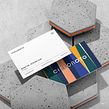

Learn how to bring your projects closer to reality easily and professionally by exploring different scenarios and products

In design, visualizing a project is fundamental if we want to be able to measure impact and functionality. That's why mock-ups are such an invaluable tool. According to graphic designer and founder of Debut, Jorge Espinoza, they give you the chance to share your ideas with the world in a way that is simple, effective, and direct.
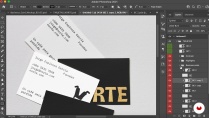
In this course, learn to create your own mock-ups from scratch to present your branding proposals. To do this, your teacher shows you how to build mock-ups using downloadable resources and canvases in Photoshop. By the end of the course, you'll have all the skills to produce impressive visualizations adapted to the requirements of any project.
What will you learn in this online course?
19 lessons & 13 downloads

- 99% positive reviews (93)
- 3,883 students
- 19 lessons (3h 22m)
- 13 additional resources (2 files)
- Online and at your own pace
- Available on the app
- Audio: Spanish, English, French, Italian, Portuguese, Turkish
- Spanish · English · Portuguese · German · French · Italian · Polish · Dutch · Turkish · Romanian · Indonesian
- Level: Beginner
- Unlimited access forever
Recommended software & tools for this course
 Adobe Illustrator
 Adobe Photoshop
What is this course's project?
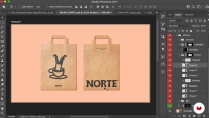
Create 10 mock-ups for branding, using free resources and manipulating images.

Projects by course students


Who is this online course for?
Design professionals and students who want to learn to create mock-ups with a quality finish using free resources.
Requirements and materials
To take this course you need basic knowledge of graphic design, Adobe Photoshop, and Adobe Illustrator, as well as a computer with the programs installed.

Reviews

Debut
A course by Debut
Debut is the personal project of graphic designer Jorge Espinoza in which he brings sport and design together in the same team. With more than 10 years' experience in advertising agencies under his belt and currently working in a renowned design studio in Costa Rica, Jorge Espinoza has become a branding and packaging specialist.
Throughout his career he has worked for clients such as Ball Player, Instinto Estudio, and Iden Fisio. He has also been nominated for the Bienal Iberoamericana de Diseño in Madrid with the Cieloroto project.
Content
-
U1
Introduction
-
Presentation
-
influences
-
-
U2
Heating
-
Importance of mock-ups in our presentations
-
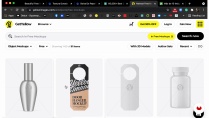
Search for resources for the final project
-
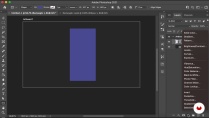
Canvas Preparation
-
-
U3
Development of our mock-ups
-
Handling finishes in downloadable mock-ups 1
-
Handling finishes in downloadable mock-ups 2
-
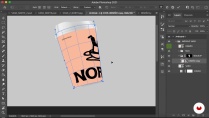
Smart objects and warp on cardboard and glass 1
-
Smart objects and warp on cardboard and glass 2
-
Reflections and blending modes in glass 1
-
Reflections and blending modes in glass 2
-
Volumes and layer styles for labels 1
-
Volumes and layer styles for labels 2
-
Textures and styles of layers and effects in textiles 1
-
Textures and styles of layers and effects in textiles 2
-
Fusion modes in textiles 1
-
Blending modes in textiles 2
-
-
U4
communicating your work
-
How to present our projects
-
Free and paid mockup banks
-
-
FP
Final project
-
mockup design
-
What to expect from a Domestika course
-
Learn at your own pace
Enjoy learning from home without a set schedule and with an easy-to-follow method. You set your own pace.
-
Learn from the best professionals
Learn valuable methods and techniques explained by top experts in the creative sector.
-
Meet expert teachers
Each expert teaches what they do best, with clear guidelines, true passion, and professional insight in every lesson.
-
Certificates
PlusIf you're a Plus member, get a custom certificate signed by your teacher for every course. Share it on your portfolio, social media, or wherever you like.
-
Get front-row seats
Videos of the highest quality, so you don't miss a single detail. With unlimited access, you can watch them as many times as you need to perfect your technique.
-
Share knowledge and ideas
Ask questions, request feedback, or offer solutions. Share your learning experience with other students in the community who are as passionate about creativity as you are.
-
Connect with a global creative community
The community is home to millions of people from around the world who are curious and passionate about exploring and expressing their creativity.
-
Watch professionally produced courses
Domestika curates its teacher roster and produces every course in-house to ensure a high-quality online learning experience.
FAQs
Domestika courses are online classes that allow you to learn new skills and create incredible projects. All our courses include the opportunity to share your work with other students and/or teachers, creating an active learning community. We offer different formats:
Original Courses: Complete classes that combine videos, texts, and educational materials to complete a specific project from start to finish.
Basics Courses: Specialized training where you master specific software tools step by step.
Specialization Courses: Learning paths with various expert teachers on the same topic, perfect for becoming a specialist by learning from different approaches.
Guided Courses: Practical experiences ideal for directly acquiring specific skills.
Intensive Courses (Deep Dives): New creative processes based on artificial intelligence tools in an accessible format for in-depth and dynamic understanding.
All courses are 100% online, so once they're published, courses start and finish whenever you want. You set the pace of the class. You can go back to review what interests you most and skip what you already know, ask questions, answer questions, share your projects, and more.
The courses are divided into different units. Each one includes lessons, informational text, tasks, and practice exercises to help you carry out your project step by step, with additional complementary resources and downloads. You'll also have access to an exclusive forum where you can interact with the teacher and with other students, as well as share your work and your course project, creating a community around the course.
You can redeem the course you received by accessing the redeeming page and entering your gift code.
 Adobe Illustrator
 Adobe Photoshop
Super cours je le recommande vivement
Excellent course with many useful advices and a great teacher!
Excelente, todo muy bien explicado
Me gusta como esta dirigido y te hace sentir parte en todo momento , muy interesante
Excelente! Me aclaro muchas de las ideas que tenia en mente. RECOMIENDO