Artistic Mixed-media Collages
A course by Petra Zehner , Illustrator and Collage Artist

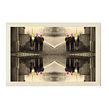

Create unique collages that are both vintage and contemporary, and blur the line between traditional art and digital illustration

“Collage is much more than cutting and pasting — it’s a way to make sense of your world, thoughts, and emotions” says illustrator and collage artist, Petra Zehner. She experiments with different styles, media, time periods, and techniques to create unique pieces. She specializes in collage art for different projects and is the creative director and founder of Paris Collage Collective, which is a worldwide community that sets regular creative challenges to connect local and global artists.
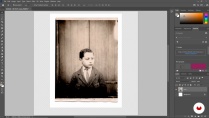
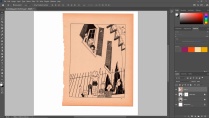
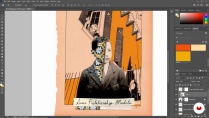
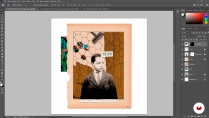
In this course, she teaches you how to create digital mixed-media collages that seamlessly combine traditional materials and tools with digital illustration in Photoshop. Explore the differences and possibilities of crafting digitally with analog elements. Learn to collect, mix, match, and make things your own.
What will you learn in this online course?
17 lessons & 14 downloads
- 98% positive reviews (382)
- 13,510 students
- 17 lessons (1h 49m)
- 14 additional resources (4 files)
- Online and at your own pace
- Available on the app
- Audio: English, Spanish (Latam), French, Italian, Portuguese, Turkish
- Spanish · English · Portuguese · German · French · Italian · Polish · Dutch · Turkish · Romanian · Indonesian
- Level: Beginner
- Unlimited access forever
Recommended software & tools for this course
 Adobe Photoshop
What is this course's project?
Create different mixed-media collage portraits based on the same photograph.

Projects by course students


Who is this online course for?
This course is for anyone who is curious about collages, as well as for those who want to explore combining digital and traditional illustration techniques, including illustrators, artists, and designers
Requirements and materials
No previous experience with drawing or digital illustration is required. However, a basic knowledge of Photoshop and familiarity with a graphics tablet is recommended.
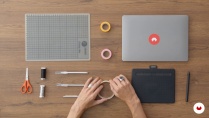
In terms of equipment, you need a device with access to Photoshop, a graphics tablet, a scanner (or camera), scissors, a scalpel, and tape.

Reviews

Petra Zehner
A course by Petra Zehner
Petra Zehner is a German illustrator and collage artist. After studying literature and linguistics in Berlin, Petra experimented with writing, photography, and illustration, which led her to study graphic design in London. Since then, she has moved back and forth between Germany, the UK, Malaysia, and Singapore, before basing herself in Paris. During this time, Petra rediscovered collage as a medium that combines all of her interests. For Petra, collage is also a metaphor for life as a whole, and the way we collect, mix, match, and make things our own.
Petra discovered that she didn’t want to work exclusively with traditional collage methods and created her own combination of analog and digital elements. She is the creative director and founder of Paris Collage Collective, a community that sets regular creative challenges to connect local and global artists, and encourage creative expression that goes “further than likes and shares on social media platforms”. Petra has also worked on various art projects, including Elleree, her own series of 365 images based on the same photo of an unknown woman taken in the early 1900s. She says that having to try new things repetitively in such a way pushes her to look at things with different eyes
Content
-
U1
Introduction
-
About Me
-
Influences
-
-
U2
Preparation
-
Introduction to Digital Mixed Media Collage
-
Digital vs Analog Tools
-
Where to Find Materials
-
Creating Material Libraries
-
-
U3
Production
-
Portrait Preparation
-
Background Preparation
-
Adding Colour
-
Adding Visual Elements
-
-
U4
Final Pieces
-
Breaking the Frame
-
Multiples
-
Scaling
-
Inversion
-
Composition
-
-
U5
Last Details
-
Printing
-
Hand-Finishing Your Digital Prints
-
-
FP
Final project
-
Artistic Mixed-Media Collages
-
What to expect from a Domestika course
-
Learn at your own pace
Enjoy learning from home without a set schedule and with an easy-to-follow method. You set your own pace.
-
Learn from the best professionals
Learn valuable methods and techniques explained by top experts in the creative sector.
-
Meet expert teachers
Each expert teaches what they do best, with clear guidelines, true passion, and professional insight in every lesson.
-
Certificates
PlusIf you're a Plus member, get a custom certificate signed by your teacher for every course. Share it on your portfolio, social media, or wherever you like.
-
Get front-row seats
Videos of the highest quality, so you don't miss a single detail. With unlimited access, you can watch them as many times as you need to perfect your technique.
-
Share knowledge and ideas
Ask questions, request feedback, or offer solutions. Share your learning experience with other students in the community who are as passionate about creativity as you are.
-
Connect with a global creative community
The community is home to millions of people from around the world who are curious and passionate about exploring and expressing their creativity.
-
Watch professionally produced courses
Domestika curates its teacher roster and produces every course in-house to ensure a high-quality online learning experience.
FAQs
Domestika courses are online classes that allow you to learn new skills and create incredible projects. All our courses include the opportunity to share your work with other students and/or teachers, creating an active learning community. We offer different formats:
Original Courses: Complete classes that combine videos, texts, and educational materials to complete a specific project from start to finish.
Basics Courses: Specialized training where you master specific software tools step by step.
Specialization Courses: Learning paths with various expert teachers on the same topic, perfect for becoming a specialist by learning from different approaches.
Guided Courses: Practical experiences ideal for directly acquiring specific skills.
Intensive Courses (Deep Dives): New creative processes based on artificial intelligence tools in an accessible format for in-depth and dynamic understanding.
All courses are 100% online, so once they're published, courses start and finish whenever you want. You set the pace of the class. You can go back to review what interests you most and skip what you already know, ask questions, answer questions, share your projects, and more.
The courses are divided into different units. Each one includes lessons, informational text, tasks, and practice exercises to help you carry out your project step by step, with additional complementary resources and downloads. You'll also have access to an exclusive forum where you can interact with the teacher and with other students, as well as share your work and your course project, creating a community around the course.
You can redeem the course you received by accessing the redeeming page and entering your gift code.
 Adobe Photoshop
Excelente, de los mejores cursos que he hecho!
Güzel anlatım ve yararlı bilgiler,teşekkürler
Muy buen curso, enseña de manera clara y sencilla, me gusta mucho
Excellent course! Exactly what I was looking for. Learned many new digital, composition and design tools.
Einfach großartig- super erklärt, strukturiert und mit Liebe zur Collage vermittelt... danke sehr!