Professional Portrait Retouching with Photoshop
Course 2: Selection and Retouching Tools : Using Dissolver (Liquify)
By Robson Batista , Graphic Designer and Digital Photo Editor





About the video: Using Dissolver (Liquify)
Overview
“Here you will learn how to use the Dissolve tool (Liquify).”
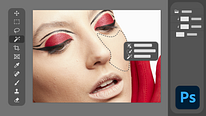
In this video lesson Robson Batista addresses the topic: Using Dissolver (Liquify), which is part of the Domestika online course: Course 2: Selection and Retouching Tools . Learn how to spot imperfections and use the main selection and retouching tools.
Partial transcription of the video
“Hello! In this class. i'll teach you how to use one of the most important tools in Photoshop. the liquify filter. also known as liquefy. Alright folks. we're back in Photoshop. I've already got two images open here. ready to dive into our next Today. we will demonstrate a little about the tool's functionality. liquify. for those familiar with English it's liquify. for those in Portuguese. it's the liquify tool. The liquify tool is located in the filter menu. right over here. dissolve. Okay? What's the liquify tool for? It's used to distort and reshape images creatively. the image. We can tw...”
This transcript is automatically generated, so it may contain mistakes.
Course summary for: Course 2: Selection and Retouching Tools
Robson Batista
By Robson Batista
Robson Batista has more than 20 years of professional experience as a photo editor and has worked on a range of projects for photography studios, catalogs, and fashion campaigns.
All those years of experience with digital retouching in Photoshop have allowed him to explore new forms of expression and develop a streamlined workflow. He has created projects for major Brazilian brands and shares his expertise with professional photographers and retouchers in his classes.
- 0% positive reviews (0)
- 10 students
- 7 lessons (1h 17m)
- 4 additional resources (3 files)
- Online and at your own pace
- Available on the app
- Audio: Portuguese, Turkish, Spanish (Latam), English, French, Italian
- Portuguese · Spanish · English · German · French · Italian · Polish · Dutch · Turkish · Romanian · Indonesian
- Level: {beginner: "Beginner", intermediate: "Intermediate", advanced: "Advanced"}
- Unlimited access forever