Illustrated Portraits: Adobe Fresco for Beginners
A course by Carina Lindmeier , Digital Illustrator and Artist


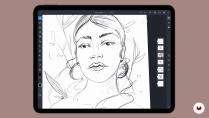
Create a digital portrait with floral elements using references on topics such as female empowerment, positivity, and relationships

The artwork of digital illustrator Carina Lindmeier, who works primarily with Adobe Fresco, stands out for its hearty textures, detailed patterns, and vibrant colors which give it a hand-drawn appearance. Carina has worked with big-name brands such as Bombay Sapphire, Adobe, and Refinery29.
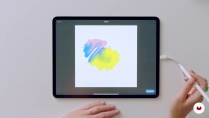
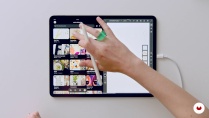
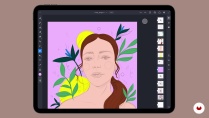
If you'd like to develop your own style for portrait illustration and discover the endless possibilities of this digital art form, then this Domestika course is the one for you. Illustrate your own digital portrait in Adobe Fresco and learn how to design mood boards, create sketches, select color palettes, and add shading and lighting effects.
What will you learn in this online course?
13 lessons & 21 downloads

- 98% positive reviews (46)
- 1,537 students
- 13 lessons (1h 34m)
- 21 additional resources (3 files)
- Online and at your own pace
- Available on the app
- Audio: German
- German · Spanish · English · Portuguese · French · Italian · Polish · Dutch
- Level: Beginner
- Unlimited access forever
Recommended software for this course
 Adobe Fresco
What is this course's project?
Following Carina's instructions, illustrate a digital portrait in color that inspires confidence with bold details.

Projects by course students


Who is this online course for?
Any creative mind interested in drawing and digital illustration. No prior knowledge is necessary, but some experience with digital drawing on an iPad or similar tablet will be helpful.
Requirements and materials
You need an iPad or a tablet, a compatible stylus, and the Adobe Fresco app.

Reviews

Carina Lindmeier
A course by Carina Lindmeier
Carina Lindmeier is an Austrian artist who fell in love with drawing at an early age. After several years working as a communication and graphic designer, she started sharing her work online and it wasn't long before she was receiving job requests. Through these projects, she began defining herself as a digital illustrator and gradually developed her signature style.
Carina's illustrations stand out for their varied textures, patterns, and colors, which give them a hand-drawn appearance, and depict concepts such as female empowerment, positivity, relationships, health, and well-being. The artists she draws on for inspiration in her work include Olaf Hajek, Kelly Anna, and Frida Kahlo. Throughout her career, Carina has collaborated with major brands like Bombay Sapphire, Adobe, Refinery29, and more.
Content
-
U1
introduction
-
presentation
-
Influences
-
-
U2
Introduction to digital illustration, portrait and color in Fresco
-
Brainstorm your project and create your mood board
-
User interface and tools
-
Setting up your document and choosing the brushes
-
Rough sketching
-
-
U3
Creation of the composition
-
Getting started with your composition
-
Let's start with the color selection
-
Lines, shadows and depth 1
-
Lines, shadows and depth 2
-
Brush, structure and layers
-
-
U4
The finishing touch
-
Textures and handcrafted elements to complete details
-
Time to go out into the world!
-
-
FP
Final project
-
Illustrated Portraits: Adobe Fresco for Beginners
-
What to expect from a Domestika course
-
Learn at your own pace
Enjoy learning from home without a set schedule and with an easy-to-follow method. You set your own pace.
-
Learn from the best professionals
Learn valuable methods and techniques explained by top experts in the creative sector.
-
Meet expert teachers
Each expert teaches what they do best, with clear guidelines, true passion, and professional insight in every lesson.
-
Certificates
PlusIf you're a Plus member, get a custom certificate signed by your teacher for every course. Share it on your portfolio, social media, or wherever you like.
-
Get front-row seats
Videos of the highest quality, so you don't miss a single detail. With unlimited access, you can watch them as many times as you need to perfect your technique.
-
Share knowledge and ideas
Ask questions, request feedback, or offer solutions. Share your learning experience with other students in the community who are as passionate about creativity as you are.
-
Connect with a global creative community
The community is home to millions of people from around the world who are curious and passionate about exploring and expressing their creativity.
-
Watch professionally produced courses
Domestika curates its teacher roster and produces every course in-house to ensure a high-quality online learning experience.
FAQs
Domestika's courses are online classes that provide you with the tools and skills you need to complete a specific project. Every step of the project combines video lessons with complementary instructional material, so you can learn by doing. Domestika's courses also allow you to share your own projects with the teacher and with other students, creating a dynamic course community.
All courses are 100% online, so once they're published, courses start and finish whenever you want. You set the pace of the class. You can go back to review what interests you most and skip what you already know, ask questions, answer questions, share your projects, and more.
The courses are divided into different units. Each one includes lessons, informational text, tasks, and practice exercises to help you carry out your project step by step, with additional complementary resources and downloads. You'll also have access to an exclusive forum where you can interact with the teacher and with other students, as well as share your work and your course project, creating a community around the course.
You can redeem the course you received by accessing the redeeming page and entering your gift code.
 Adobe Fresco
blackstone1363
This course is amazing. Very detailed, and although I could not use the program she was using, I was able to use the skills she taught within another program to create my art. She uses the iPad, but my iPad is broken so I used my laptop and a drawing pad and I was able to complete my drawing. I love my new skills...
catherinejuge
Un cours très intéressant, j'ai beaucoup appris. Carina est clair et précise. Allez maintenant au travail.
View translation
Hide translation
xeniasapountzi
I really enjoyed this course! Learned a lot and felt really confident diving into illustrating portraits with Carinas help!
soogoor18
I have learned a lot in this course. I was so scared of illustrating portraits but now I am skilled with the techniques. Great course
anamainar
El curso es bueno, si que tendrían que mejorar las traducciones de los subtítulos. Y los documentos adjuntos tampoco tienen versión en español. Así ya sería perfecto.
View translation
Hide translation