Illustrated Stories with Procreate: Explore Brushes and Textures
A course by Daniela Hernández , Illustrator





Create a collection of analog textures and learn to use them in Procreate to illustrate an everyday scene

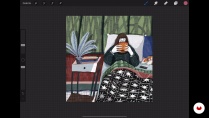
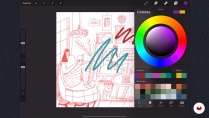
Want to learn to turn your daily experiences into illustrations using Procreate? Colombian graphic designer and illustrator Daniela Ilustra, who has worked with clients like Editorial Planeta, KUPA, and the Ministry of Culture in Bogotá, teaches you her method as well as the basic techniques for creating colorful brushstrokes full of volume using your iPad.
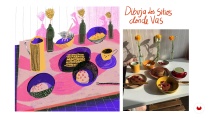
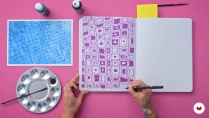
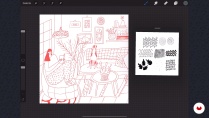
In this course, learn to illustrate an everyday scene with Procreate using both manual materials and the main tools in the app. Daniela shows you how to create analogical textures using reference photos to add to your digital composition and experiment with colors, shadows, and other elements for a stunning social media-ready piece.
What will you learn in this online course?
12 lessons & 25 downloads
- 100% positive reviews (102)
- 2,645 students
- 12 lessons (2h 5m)
- 25 additional resources (8 files)
- Online and at your own pace
- Available on the app
- Audio: Spanish
- Spanish · English · Portuguese · German · French · Italian · Polish · Dutch · Turkish · Romanian · Indonesian
- Level: Beginner
- Unlimited access forever
Recommended software & tools for this course
 Procreate
What is this course's project?
Create a digital composition of an everyday space in Procreate using yourself as the central figure.

Projects by course students


Who is this online course for?
Anyone interested in storytelling related to everyday life using digital software such as Procreate.
Requirements and materials
No prior drawing experience is needed as your teacher takes you through everything step by step.
For this course, you need an iPad with Procreate installed, an Apple Pencil, and some basic drawing materials such as colored pencils or a technical pen and a notebook or sketchbook.

Reviews

Daniela Hernández
A course by Daniela Hernández
Daniela Hernández, better known as Daniela Ilustra, is a graphic designer and illustrator from Armenia, Colombia. She composes illustrations that tell the stories of her day-to-day with a personal touch. She loves exploring different materials and mediums such as clay and hand-poked tattoos and draws inspiration for her own work from their patterns.
She moves between analog and digital illustration with Procreate and her artwork seeks to revive and foster themes such as femininity and daily life. She has collaborated with Colombian brands such as KUPA, Saturno, and Que Buenas Las Tengo, on editorial projects for Planeta, the Colombian Ministry of Culture, Vice, and Bacánika, as well as with human rights organizations like Dejusticia, Ítaca, Baudó, and CEJIL.
Content
-
U1
Introduction
-
Presentation
-
Influences
-
-
U2
Tools and brushes in Procreate
-
Procreate for digital illustration
-
Where does the inspiration come from?
-
Collection of textures in a blog and digitization
-
Sketch and composition
-
-
U3
Color your image
-
Color palette
-
Brushes and color 1
-
Brushes and color 2
-
Final picture
-
-
U4
Publish and explore new formats
-
Export for Instagram
-
Transform your ideas
-
-
FP
Final project
-
Illustration in Procreate: Textures and Composition
-
What to expect from a Domestika course
-
Learn at your own pace
Enjoy learning from home without a set schedule and with an easy-to-follow method. You set your own pace.
-
Learn from the best professionals
Learn valuable methods and techniques explained by top experts in the creative sector.
-
Meet expert teachers
Each expert teaches what they do best, with clear guidelines, true passion, and professional insight in every lesson.
-
Certificates
PlusIf you're a Plus member, get a custom certificate signed by your teacher for every course. Share it on your portfolio, social media, or wherever you like.
-
Get front-row seats
Videos of the highest quality, so you don't miss a single detail. With unlimited access, you can watch them as many times as you need to perfect your technique.
-
Share knowledge and ideas
Ask questions, request feedback, or offer solutions. Share your learning experience with other students in the community who are as passionate about creativity as you are.
-
Connect with a global creative community
The community is home to millions of people from around the world who are curious and passionate about exploring and expressing their creativity.
-
Watch professionally produced courses
Domestika curates its teacher roster and produces every course in-house to ensure a high-quality online learning experience.
FAQs
Domestika courses are online classes that allow you to learn new skills and create incredible projects. All our courses include the opportunity to share your work with other students and/or teachers, creating an active learning community. We offer different formats:
Original Courses: Complete classes that combine videos, texts, and educational materials to complete a specific project from start to finish.
Basics Courses: Specialized training where you master specific software tools step by step.
Specialization Courses: Learning paths with various expert teachers on the same topic, perfect for becoming a specialist by learning from different approaches.
Guided Courses: Practical experiences ideal for directly acquiring specific skills.
Intensive Courses (Deep Dives): New creative processes based on artificial intelligence tools in an accessible format for in-depth and dynamic understanding.
All courses are 100% online, so once they're published, courses start and finish whenever you want. You set the pace of the class. You can go back to review what interests you most and skip what you already know, ask questions, answer questions, share your projects, and more.
The courses are divided into different units. Each one includes lessons, informational text, tasks, and practice exercises to help you carry out your project step by step, with additional complementary resources and downloads. You'll also have access to an exclusive forum where you can interact with the teacher and with other students, as well as share your work and your course project, creating a community around the course.
You can redeem the course you received by accessing the redeeming page and entering your gift code.
 Procreate
Recomiendo mucho este curso, mis conocimientos partían de cero, y gracias al curso he sido capaz de hacer una ilustración súper bonita. Muchas gracias a la impartidora del curso Daniela, por compartir tus conocimientos y tu paciencia en explicarlo paso a paso. ❤️
Me gustó el curso y aprendí cosas de Procreate que no sabía antes. El proyecto final también me gustó mucho
I recommend this course!
I like this course. She explains step by step how to sketch in Procreate.
I really like this course and how she explains her sketching process in Procreate step by step. That was really helpful to finally get me going! However, as of course all features on her tablet are in Spanish, it was hard to set up my settings and follow her along sometimes. Apart from that very beginner friendly. Thank you!