Cinematography with Natural Light
A course by Albin Sjödin , Cinematographer


Craft beautiful images using available light to enhance your story and awaken a sense of curiosity within the viewer

Lighting in cinematography has the power to seamlessly convey the message of a narrative and move the viewer with emotion. Cinematographer and director of photography Albin Sjödin is fascinated by the possibilities that lighting brings to a scene. He is known for his delicate yet striking use of lighting and has worked on music videos for labels like Sony Music, and for brands such as adidas and The Absolut Company.
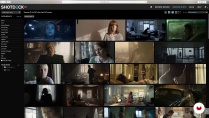
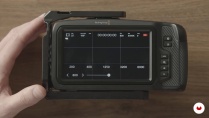
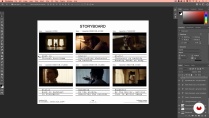
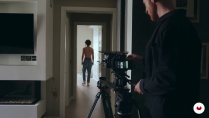
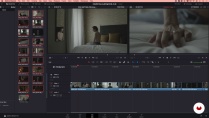
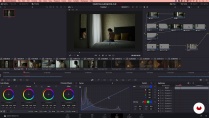
In this course, Albin shows you his entire process when working with available light. From the pre-production process and working with mood boards and storyboards; the shooting stage using different intensities of light; to the post-production in DaVinci Resolve.
What will you learn in this online course?
17 lessons & 25 downloads
- 95% positive reviews (203)
- 8,641 students
- 17 lessons (3h 8m)
- 25 additional resources (9 files)
- Online and at your own pace
- Available on the app
- Audio: English, Spanish (Latam), French, Indonesian, Italian, Portuguese, Romanian, Turkish
- Spanish · English · Portuguese · German · French · Italian · Polish · Dutch · Turkish · Romanian · Indonesian
- Level: Beginner
- Unlimited access forever
What is this course's project?
Plan and create images for a scene, using available light in daytime and nighttime.

Projects by course students


Who is this online course for?
This course is for aspiring cinematographers or for anyone interested in expanding their perspective on cinematography.
Requirements and materials
To take this course, you don’t need any previous experience in cinematography.
As for materials, you will need basic camera equipment, a computer with DaVinci Resolve and Adobe Photoshop, an idea for a scene, an actor, and some basic light-shaping tools.

Reviews

Albin Sjödin
A course by Albin Sjödin
Albin Sjödin is a cinematographer based in Stockholm, Sweden, who works mainly for commercials, music videos, and short films. He began filmmaking at nineteen, after studying cinematography for three years in high school. What began as a passionate hobby gradually became a full-time career, shooting music videos and commercials in Stockholm and New York.
Albin’s distinct tone and style as a director of photography can be found in music videos for Universal Music Group, Sony Music, and Warner Music, as well as in commercials for adidas, The Absolut Company, Paypal, and more.
Content
-
U1
Introduction
-
About Me
-
Influences
-
-
U2
Pre Production
-
Introduction and Mood board
-
Lenses and Equipment
-
Storyboard
-
Location Scouting and Recce
-
-
U3
The Shoot: High Key (Daytime) Lighting
-
High Key (Daytime) Lighting Preparation
-
High Key (Daytime) Lighting Closeups
-
High Key (Daytime) Lighting Wide Shots
-
-
U4
The Shoot: Low Key (Nighttime) Lighting
-
Low Key (Nighttime) Lighting Preparation
-
Low Key (Nighttime) Lighting Close Ups
-
Low Key (Nighttime) Lighting Wide Shots
-
-
U5
Post Production
-
Quick Edit
-
Color Grading High Key (Daytime) Footage 1
-
Color Grading High Key (Daytime) Footage 2
-
Color Grading Low Key Footage
-
How to Curate Your Work as an Independent Filmmaker
-
-
FP
Final project
-
Cinematography with Natural Light
-
What to expect from a Domestika course
-
Learn at your own pace
Enjoy learning from home without a set schedule and with an easy-to-follow method. You set your own pace.
-
Learn from the best professionals
Learn valuable methods and techniques explained by top experts in the creative sector.
-
Meet expert teachers
Each expert teaches what they do best, with clear guidelines, true passion, and professional insight in every lesson.
-
Certificates
PlusIf you're a Plus member, get a custom certificate signed by your teacher for every course. Share it on your portfolio, social media, or wherever you like.
-
Get front-row seats
Videos of the highest quality, so you don't miss a single detail. With unlimited access, you can watch them as many times as you need to perfect your technique.
-
Share knowledge and ideas
Ask questions, request feedback, or offer solutions. Share your learning experience with other students in the community who are as passionate about creativity as you are.
-
Connect with a global creative community
The community is home to millions of people from around the world who are curious and passionate about exploring and expressing their creativity.
-
Watch professionally produced courses
Domestika curates its teacher roster and produces every course in-house to ensure a high-quality online learning experience.
FAQs
Domestika courses are online classes that allow you to learn new skills and create incredible projects. All our courses include the opportunity to share your work with other students and/or teachers, creating an active learning community. We offer different formats:
Original Courses: Complete classes that combine videos, texts, and educational materials to complete a specific project from start to finish.
Basics Courses: Specialized training where you master specific software tools step by step.
Specialization Courses: Learning paths with various expert teachers on the same topic, perfect for becoming a specialist by learning from different approaches.
Guided Courses: Practical experiences ideal for directly acquiring specific skills.
Intensive Courses (Deep Dives): New creative processes based on artificial intelligence tools in an accessible format for in-depth and dynamic understanding.
All courses are 100% online, so once they're published, courses start and finish whenever you want. You set the pace of the class. You can go back to review what interests you most and skip what you already know, ask questions, answer questions, share your projects, and more.
The courses are divided into different units. Each one includes lessons, informational text, tasks, and practice exercises to help you carry out your project step by step, with additional complementary resources and downloads. You'll also have access to an exclusive forum where you can interact with the teacher and with other students, as well as share your work and your course project, creating a community around the course.
You can redeem the course you received by accessing the redeeming page and entering your gift code.

muy bueno
Une approche intimiste et très cinématographique. Très intéressant pour tenter de produire des vidéos avec un look différent. Une méthodologie inspirante pour utiliser au mieux les ressources de la lumière naturelle.
Très instructif !
great profesor and fantastic lessons
Muito bom gostei muito ajudou muito a organizar minhas filmagens, mas gostaria de mais praticas
In fact, there is nothing new under the sky. It is to see his process as a filmmaker and how he does to switch lights while filming. In addition he creates atmospheres with lenses and other stuff beyond the lights.