Fundamentals of Animation in After Effects
A course by Michael Tierney, Motion Designer




Master the basics of animation and motion graphics to create a unique showreel with After Effects

Adobe After Effects is a powerful software that lets you explore the endless possibilities of animation design. From dynamic typography to character animation and motion tracking, mastering its features can open a new door into a growing digital industry.
Motion designer Michael Tierney is here to teach you the principles of motion design so you can share your work with the world. Discover how to take full advantage of the power of After Effects, explore techniques for being more efficient, and build a strong motion graphics portfolio.
What will you learn in this online course?
18 lessons & 45 downloads
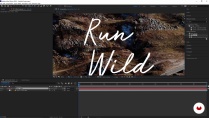
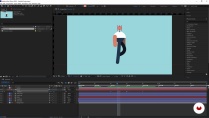
What's included in this course?
Meet Michael Tierney, a freelance motion designer and self-proclaimed minimalist. Learn about his background as a designer and how he has learned to streamline his creative workflow when developing original animations and motion graphics.
Michael introduces you to the concept and purpose of a showreel and why it’s so important. Discover what you need to get started by exploring the tools and interface of After Effects. Learn how to use the essentials and practice techniques for developing your project.
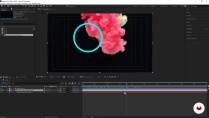
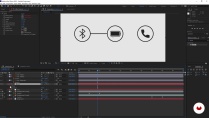
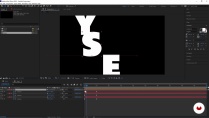
Start by animating simple icons and typography. Then move on to character rigging and character walk cycles. Michael shows you his tricks and tips for working more efficiently and introduces a wide range of resources that you can reference to dive deeper into specific techniques.
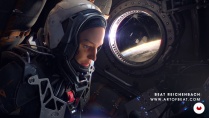
Take a look at After Effects through the eyes of a visual effects artist or filmmaker. Learn about green screening, title sequences, and creating dynamic transitions. See how to work with a 3D space and add movement and depth to any photo or illustration. Explore HUD (heads-up display) design and motion tracking—ideal for attaching text and icons to a moving object.
It’s time to share your project with the world! Take a look at what makes a good motion design showreel and define the look and feel of yours. Then, see how to import your animations before building and editing your own showreel.
- 4.9 99% positive ratings (197)
- 7,216 students
- 18 lessons (2h 52m)
- 45 additional resources (13 files)
- Online and at your own pace
- Available on the app
- Audio: English, Turkish, Spanish (Latam), French, Portuguese, Italian
- English · Spanish · Portuguese · German · French · Italian · Polish · Dutch · Turkish
- Level: Beginner
- Unlimited access forever
Recommended software & tools for this course
 Adobe After Effects
What is this course's project?
Create your own showreel for an animation and motion graphics portfolio.

Projects by course students



Who is this online course for?
This course is for anyone interested in design and animation, from complete beginners to professional graphic designers and illustrators looking to create a more dynamic portfolio.
Requirements and materials
No prior knowledge is needed to take this course.
You will need a computer with the following software installed: Adobe After Effects, Illustrator, Photoshop, and Media Encoder.

New to Adobe After Effects? In that case, we recommend taking Domestika Basics courses to learn how to use the software: Introduction to After Effects.
Reviews

Michael Tierney
A course by Michael Tierney
Michael Tierney is a motion designer, traveller, and speaker. Inspired by the new countries and cultures he encounters during his travels, he creates motion graphics and animations that are fun, colorful, and engaging using After Effects and Cinema 4D.
Following a decade in the industry working for a range of high-profile brands like Nike and Sony, Michael began working as a freelance motion designer focused on promoting social enterprises and organizations built on strong ethical principles.
Content
-
U1
Introduction
-
About Me
-
Influences
-
What Will We Do in This Course?
-
-
U2
Preparation
-
What Is a Showreel?
-
Animation Basics: Hardware and Software
-
Animation Basics: The Interface
-
-
U3
Motion Graphics and Animation
-
Connect Objects and Expressions
-
Kinetic Typography
-
Handwriting Animation
-
Character Rigging and Walk Cycle
-
-
U4
VFX and Film
-
Green Screen and Colour Grading
-
Titles and Transitions
-
The Parallax Effect
-
HUD Design and Motion Tracking
-
-
U5
Making a Showreel
-
Finding Your Song
-
Block Out the Showreel
-
Putting It All Together
-
Sharing Your Showreel
-
-
FP
Final project
-
Fundamentals of Animation in After Effects
-
What to expect from a Domestika course
-
Learn at your own pace
Enjoy learning from home without a set schedule and with an easy-to-follow method. You set your own pace.
-
Learn from the best professionals
Learn valuable methods and techniques explained by top experts in the creative sector.
-
Meet expert teachers
Each expert teaches what they do best, with clear guidelines, true passion, and professional insight in every lesson.
-
Certificates
PlusIf you're a Plus member, get a custom certificate signed by your teacher for every course. Share it on your portfolio, social media, or wherever you like.
-
Get front-row seats
Videos of the highest quality, so you don't miss a single detail. With unlimited access, you can watch them as many times as you need to perfect your technique.
-
Share knowledge and ideas
Ask questions, request feedback, or offer solutions. Share your learning experience with other students in the community who are as passionate about creativity as you are.
-
Connect with a global creative community
The community is home to millions of people from around the world who are curious and passionate about exploring and expressing their creativity.
-
Watch professionally produced courses
Domestika curates its teacher roster and produces every course in-house to ensure a high-quality online learning experience.
FAQs
This course is designed for intermediate users who have basic familiarity with After Effects and want to advance their skills in motion graphics and animation workflows.
You’ll need a computer capable of running Adobe After Effects, an active Creative Cloud subscription, and a basic understanding of After Effects’ interface and tools.
You’ll learn motion design principles, dynamic animation techniques, character rigging, kinetic typography, color theory for emotion, showreel creation, and professional workflow strategies in After Effects.
Topics include dynamic movement, minimalism in workflow, color palette building, character animation, handwriting effects, HUD design, green screen removal, kinetic typography, and showreel development.
Some lessons introduce free plugins like Animation Composer and Connect Layers Pro, but plugins are optional—core techniques can be completed with standard After Effects tools.
Yes, the course is suitable if you have a basic understanding of After Effects. It will help you move from beginner to intermediate by introducing advanced workflows and creative processes.
Yes, you’ll learn to design, edit, and export a professional animation showreel that showcases your skills and personal style.
 Adobe After Effects


Excelente
Muy buen curso para empezar
The course was helpful to start working with After Effects
The course was helpful for me to start working with After Effects with the basic but crucial techniques. The teacher is super easy to follow.
Magnifico!