Interior Renders with SketchUp and V-Ray Next
A course by Giancarlo Pava Durand , Architect Specializing in Architectural Visualization

Joined September 2020
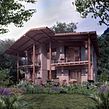
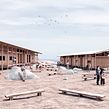
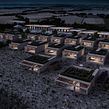

Learn to work with lighting and materials to create impressive renders of architectural projects
Joined September 2020

The key to designing realistic architectural renders is all in the details. Giancarlo Pava, architect and ArchViz expert, teaches you everything you need to know to bring your interior design projects to life using SketchUp and V-Ray.
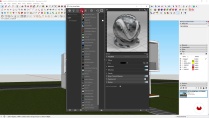
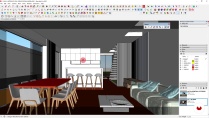
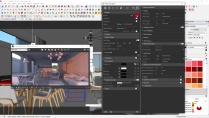
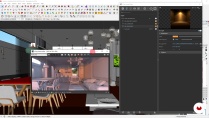
In this course, learn how to create renders for interior architectural projects. Discover the secrets to architectural visualization and master lighting, textures, and materials to create an impressive final image.
What will you learn in this online course?
16 lessons & 30 downloads

- 98% positive reviews (201)
- 8,297 students
- 16 lessons (1h 52m)
- 30 additional resources (21 files)
- Online and at your own pace
- Available on the app
- Audio: Spanish, English, French, Italian, Portuguese, Turkish
- Spanish · English · Portuguese · German · French · Italian · Polish · Dutch · Turkish · Romanian · Indonesian
- Level: Beginner
- Unlimited access forever
Recommended software & tools for this course
 Camera Raw
 SketchUp
 V-Ray
V-RayWhat is this course's project?
Design a render of a residential interior scene applying key concepts to create realistic lighting and textures in a 3D model using SketchUp.

Projects by course students


Who is this online course for?
Interior design and architecture students and professionals, or anyone interested in learning how to create interior renders using V-Ray for SketchUp.
Requirements and materials
You need basic knowledge of SketchUp and Adobe Photoshop.
The materials needed for this course are a computer with Photoshop CS6, SketchUp 2018, and V-Ray Next (later versions can also be used).

Reviews

Giancarlo Pava Durand
A course by Giancarlo Pava Durand
Giancarlo Pava studied architecture at the Applied Sciences University of Peru and specialized in ArchViz. He works with architecture, real-estate, and construction studios and helps them make important decisions on their projects using his impressive renders.
His goal is to create the most realistic images possible using digital tools, which allows him to combine his architectural visualization projects with one of his greatest passions: photography.
Content
-
U1
Introduction
-
Presentation
-
Influences
-
What Will We Do in the Course?
-
-
U2
Addressing the 3D Project
-
Project Optimization and Organization
-
Component Optimization and Organization
-
V-Ray interface
-
Scene Creation and Image Format
-
-
U3
Lighting with V-Ray Next
-
Natural Lighting with a HDRI Map
-
Artificial Lighting with IES Lights
-
Illumination with Mesh Lights and Correction Controls
-
-
U4
Asset Creation
-
Materials 1: Wood
-
Materials 2: Glass
-
Materials 3: Fabrics
-
Materials 4: Metals
-
-
U5
Final Render and Image Post-production
-
Final Render Settings
-
Photoshop and Camera Raw
-
-
FP
Final project
-
Interior Renders with SketchUp and V-Ray Next
-
What to expect from a Domestika course
-
Learn at your own pace
Enjoy learning from home without a set schedule and with an easy-to-follow method. You set your own pace.
-
Learn from the best professionals
Learn valuable methods and techniques explained by top experts in the creative sector.
-
Meet expert teachers
Each expert teaches what they do best, with clear guidelines, true passion, and professional insight in every lesson.
-
Certificates
PlusIf you're a Plus member, get a custom certificate signed by your teacher for every course. Share it on your portfolio, social media, or wherever you like.
-
Get front-row seats
Videos of the highest quality, so you don't miss a single detail. With unlimited access, you can watch them as many times as you need to perfect your technique.
-
Share knowledge and ideas
Ask questions, request feedback, or offer solutions. Share your learning experience with other students in the community who are as passionate about creativity as you are.
-
Connect with a global creative community
The community is home to millions of people from around the world who are curious and passionate about exploring and expressing their creativity.
-
Watch professionally produced courses
Domestika curates its teacher roster and produces every course in-house to ensure a high-quality online learning experience.
FAQs
What are Domestika's online courses?
Domestika courses are online classes that allow you to learn new skills and create incredible projects. All our courses include the opportunity to share your work with other students and/or teachers, creating an active learning community. We offer different formats:
Original Courses: Complete classes that combine videos, texts, and educational materials to complete a specific project from start to finish.
Basics Courses: Specialized training where you master specific software tools step by step.
Specialization Courses: Learning paths with various expert teachers on the same topic, perfect for becoming a specialist by learning from different approaches.
Guided Courses: Practical experiences ideal for directly acquiring specific skills.
Intensive Courses (Deep Dives): New creative processes based on artificial intelligence tools in an accessible format for in-depth and dynamic understanding.
When do the courses start and when do they finish?
All courses are 100% online, so once they're published, courses start and finish whenever you want. You set the pace of the class. You can go back to review what interests you most and skip what you already know, ask questions, answer questions, share your projects, and more.
What do Domestika's courses include?
The courses are divided into different units. Each one includes lessons, informational text, tasks, and practice exercises to help you carry out your project step by step, with additional complementary resources and downloads. You'll also have access to an exclusive forum where you can interact with the teacher and with other students, as well as share your work and your course project, creating a community around the course.
Have you been given a course?
You can redeem the course you received by accessing the redeeming page and entering your gift code.
 Camera Raw
 SketchUp
 V-Ray
V-Ray
Excelente curso, todo muy claro. Me sirvió bastante
me parece un muy buen urso para quiennes no tienes much experieni o conocimientos nulos sobre el uso de estas apps me encanta y estoy emocinad por conocer y terminar este curso
Es un curso basico pero te ayuda mucho para entrar al área de renderizado, bastante completo y muy claro.
Gran curso y muy buena ayuda para iniciar el mundo del renderizado
Excelente curso para iniciarse en este bello mundo.