Editorial Design 101
A course by Friendhood StudioBrand and Design Studio
A course by Friendhood Studio, Brand and Design Studio

Learn the fundamentals of designing purposeful editorial pieces for books, magazines, newspapers, and online publications.
Creating visually stunning editorial content has never been easier with the help of design experts Alex Reece and Isabella Bunnell. The pair are cofounders of the renowned Friendhood Studio in Scotland, and their focus is to define their client’s purpose when crafting editorial work.
Dive into the editorial world and bring your own designs to life. Learn how to analyze a brief and define the visual identity of your work. Explore InDesign and discover how to create a striking editorial piece.
What will you learn in this online course?
17 lessons & 19 downloads
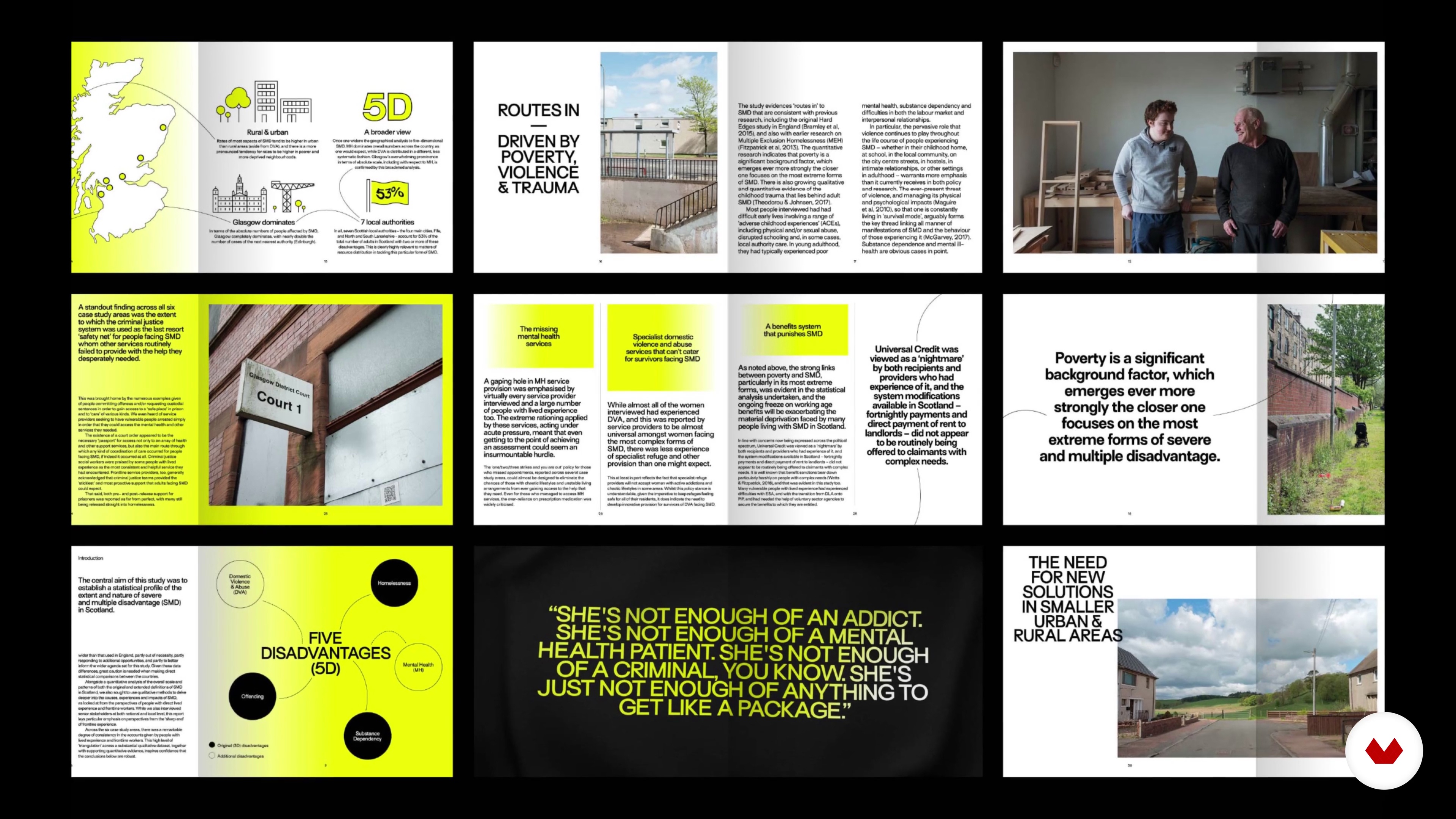
Find Your Purpose in the Brief
4 minutes, 26 seconds
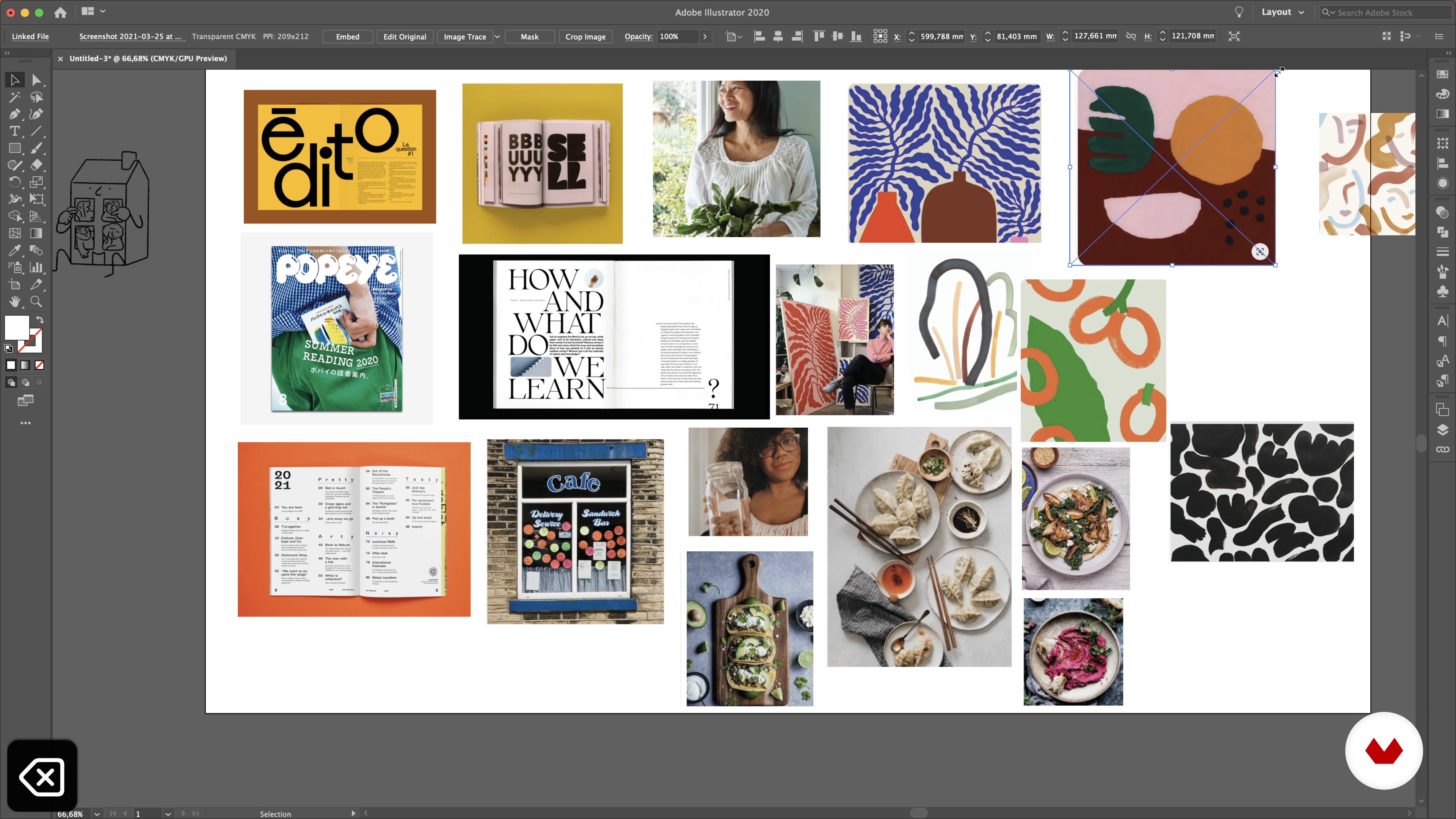
Look and Feel
18 minutes, 36 seconds
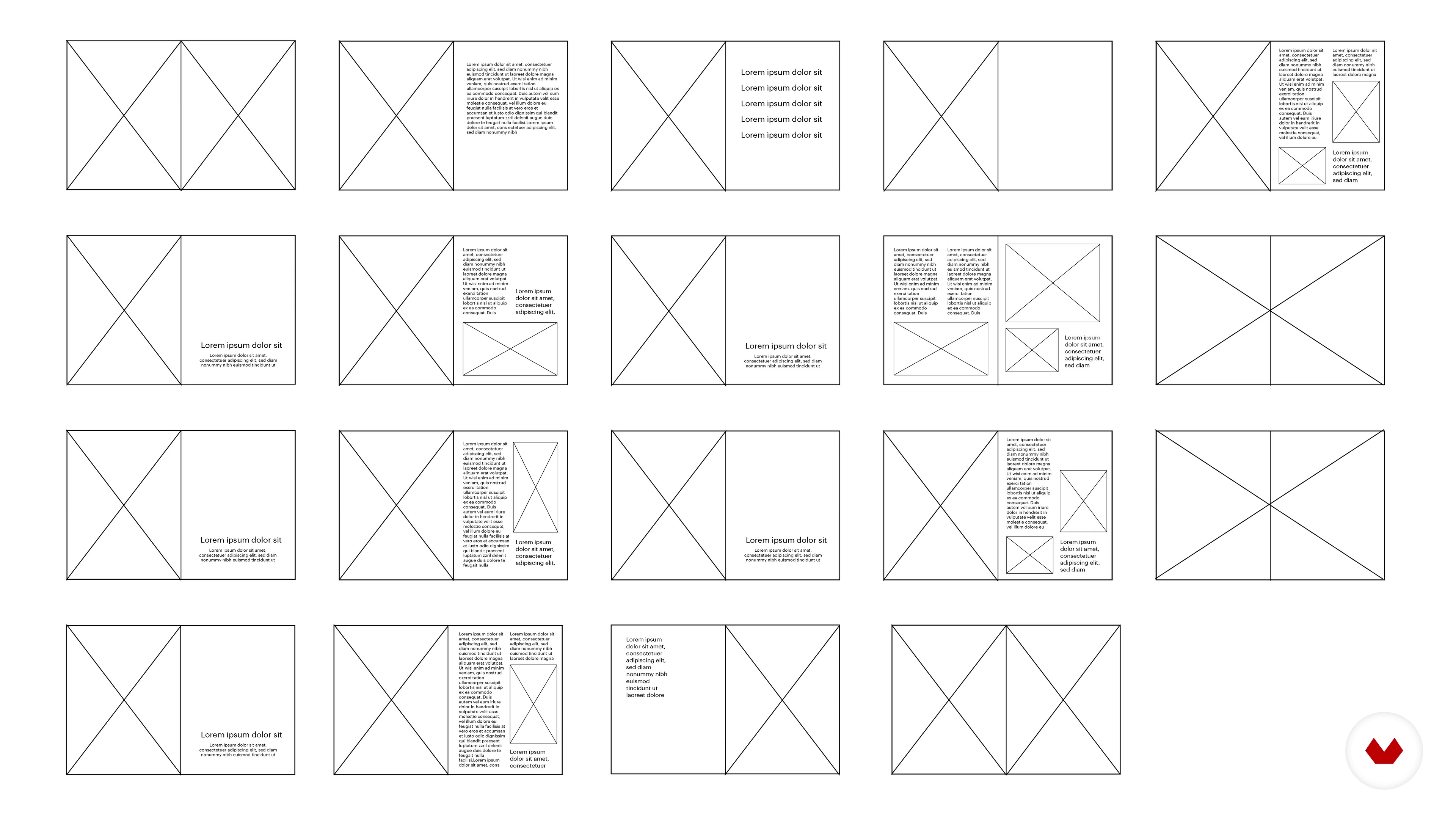
Planning Your Mag
7 minutes, 43 seconds
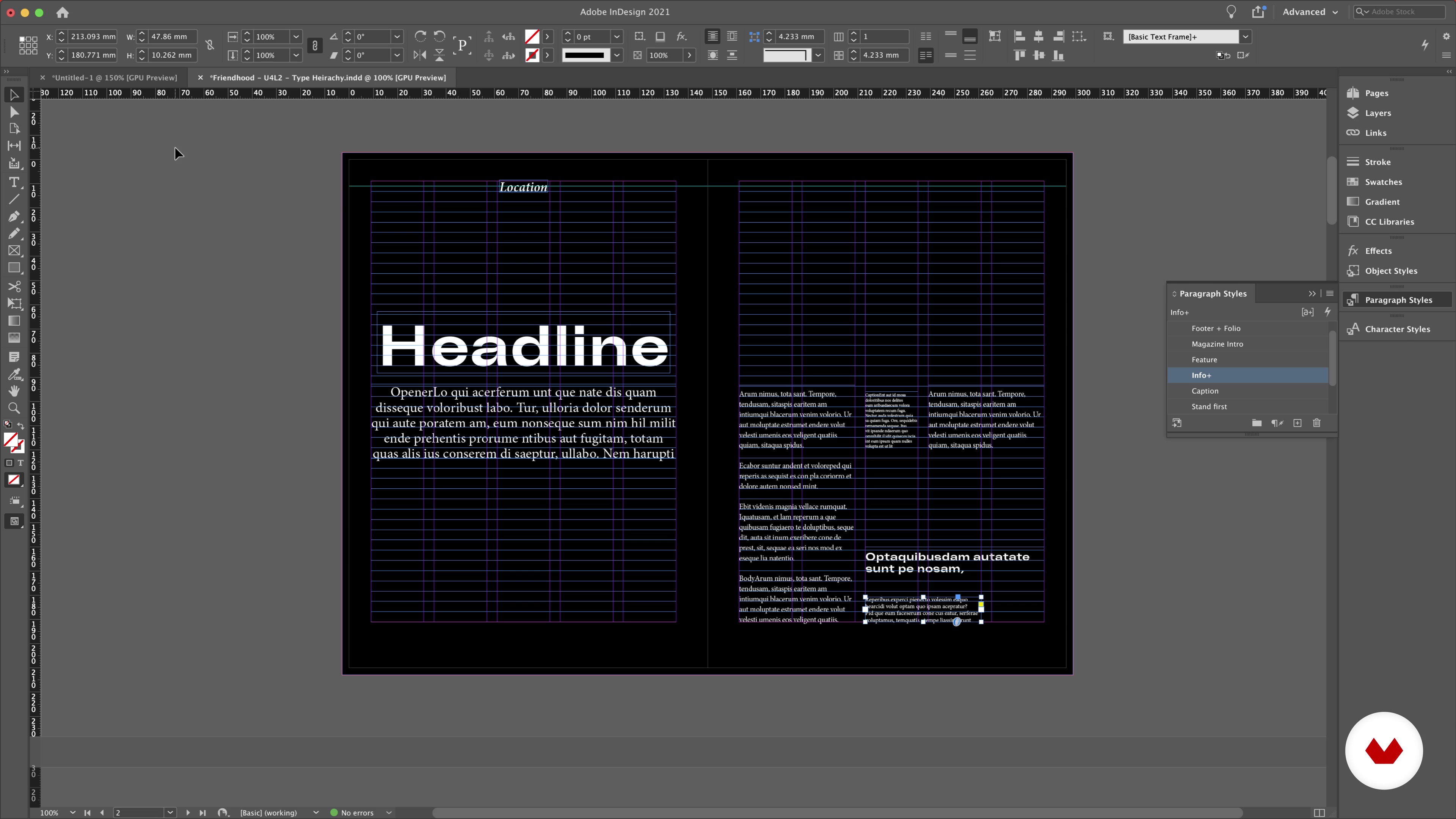
Type Hierarchy and Paragraph Styles
13 minutes, 37 seconds
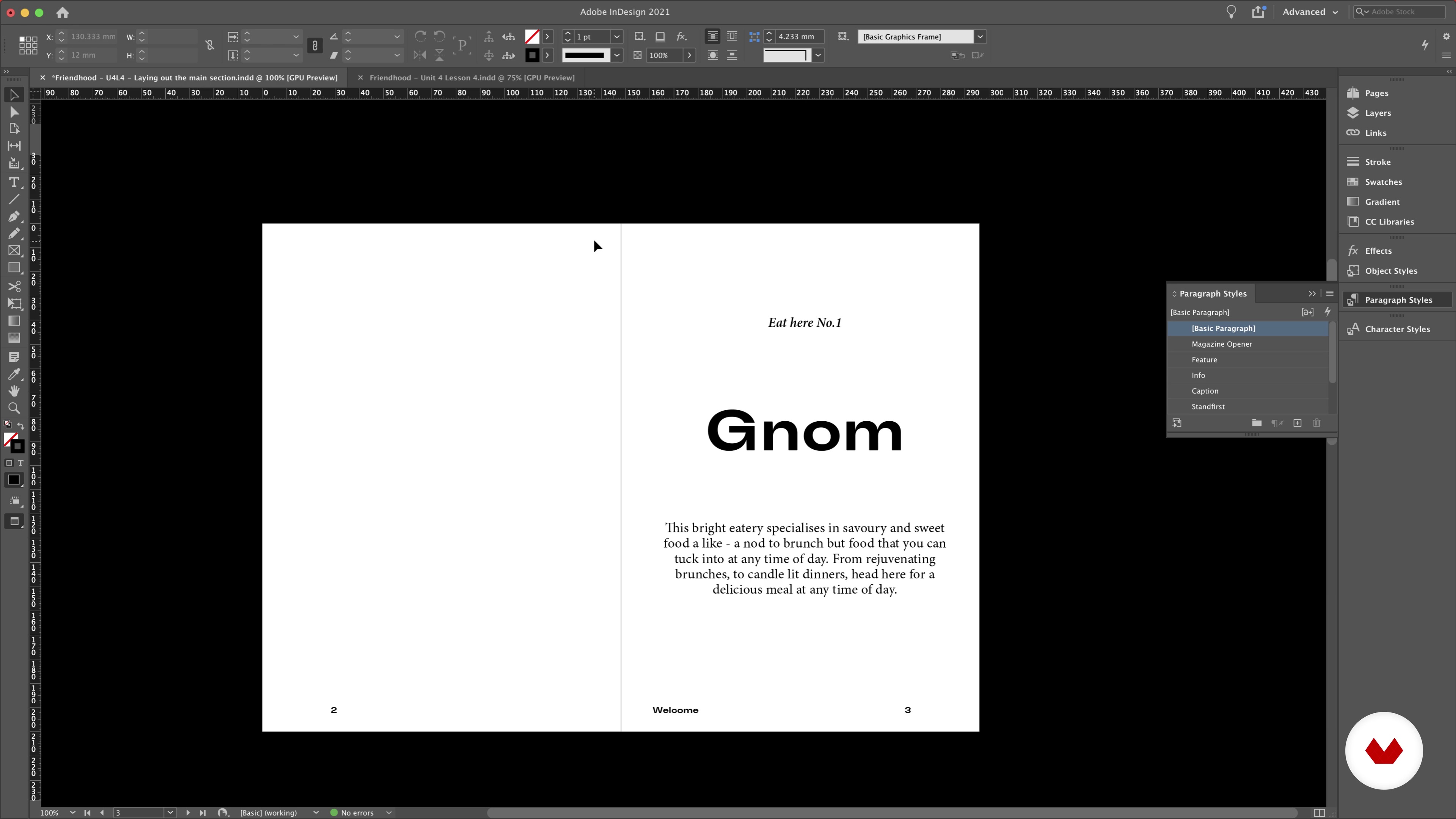
Laying Out the Main Sections
8 minutes, 19 seconds
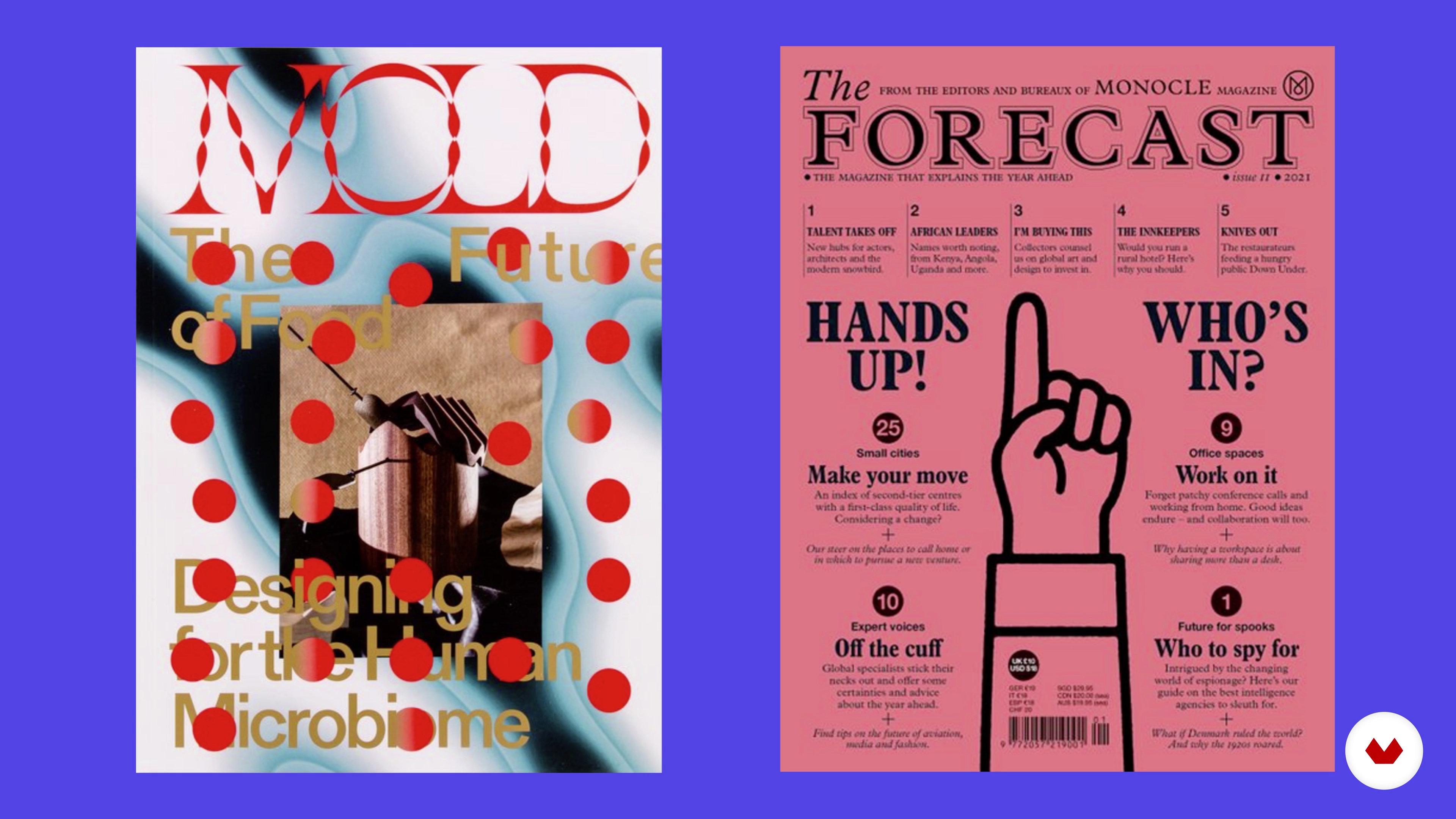
Creating the Cover
7 minutes, 44 seconds
What's included in this course?
Begin by getting to know Alex and Isabella. They share their artistic journey and how they started Friendhood Studio. Hear about their influences and the inspiration that has shaped their style.
Explore how to establish your project’s purpose by analyzing the different components of a brief. Get inspired by searching for references online and creating a mood board that defines your editorial style. Isabella guides you through different ways to find photographic and illustrative content that matches your design.
Start building the foundation of your project by planning the layout of your magazine. Get familiar with the different elements of magazines and newspapers and start planning your written content. Discover the importance of choosing the right typography and learn to use a color palette that conveys your visual identity.
Bring everything together on InDesign to start creating your final magazine. Alex guides you through how to set up your document and establish its structure step-by-step. See how to define type hierarchy and paragraph styles to make the reading experience easier and more enjoyable. Learn how to lay out the main sections of the magazine before adding imagery and details to your design.
Next, focus on creating one of the most important editorial elements: the magazine cover. Isabella and Alex go through the essentials for creating a visually impactful cover that communicates your brand identity. Finalize your project by ensuring your color palette is seamless throughout the entire magazine. Wrap up the course by hearing Isabella and Alex’s tips on sharing your work with the world.
Recommended software & tools for this course
What is this course's project?
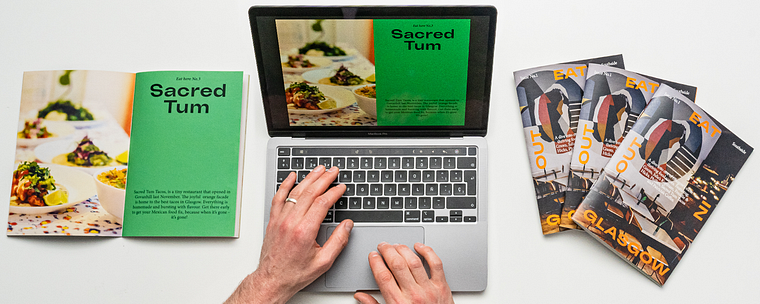
Create a magazine that showcases a theme of your choice. Alex and Isabella use local eateries as an example.
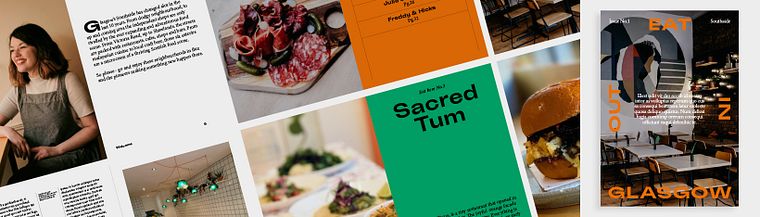
Projects by course students


Who is this online course for?
Anyone interested in creating editorial content from scratch.
Requirements and materials
No previous experience is necessary.
To take this course, you need access to a computer with InDesign, or a similar software. Isabella and Alex recommend having a sketchbook for ideas and something to write with.
Reviews
- 2 months ago
A well-explained course with a lot of tips, just exactly what I needed!
- 7 months ago
very useful
- 1 year ago
muy explicativo y te guia muy bien los pasos a seguir, te ayuda a ordenarte para diseñar
- 1 year ago
C'est un cours parfait pour débuter en douceur et en toute confiance :)
- 1 year ago
Es un curso simpático para iniciarse en el mundillo del diseño editorial. Me lo he pasado muy bien haciéndolo. Es recomendable, eso sí, invertir algún tiempo en aprender a manejar los básicos de Ilustrator porque la profesora ya da por hecho que sabes algo de la herramienta. Me hubiese gustado que en esos vídeos explicase con detalle cómo corta, pega, cambia el tamaño de la imágenes sin alterar su forma, etc. Me habría ahorrado tiempo.

Friendhood Studio has been featured in Graphik, Creative Review, It's Nice That, Osso Magazine, Mag Culture, The Skinny, The Guardian Culture Guide, and Central Station. Their client list includes Penguin Random House India, Hush Womenswear, Anatomy Brands, among others.
Content
- U1
Hello, It’s Nice to Meet You!
- About Us
- Influences
- U2
Get Ready to Explore
- Intro and Materials
- Find Your Purpose in the Brief
- Look and Feel
- Photographic and Illustrative Content
- U3
Building the Foundation for Your Project
- Planning Your Mag
- Typography
- Colours
- U4
Let’s Start Creating!
- Setting Up
- Type Hierarchy and Paragraph Styles
- Adding Folios and Little Page Furniture
- Laying Out the Main Sections
- Inserting Imagery
- U5
Vision and Identity
- Creating the Cover
- Colour and Final Touches
- Putting Your Work Out There
- FP
Final project
- Editorial Design 101
What to expect from a Domestika course
Learn at your own pace
Enjoy learning from home without a set schedule and with an easy-to-follow method. You set your own pace.
Learn from the best professionals
Learn valuable methods and techniques explained by top experts in the creative sector.
Meet expert teachers
Each expert teaches what they do best, with clear guidelines, true passion, and professional insight in every lesson.
Certificates
PLUSIf you're a Plus member, get a custom certificate signed by your teacher for every course. Share it on your portfolio, social media, or wherever you like.
Get front-row seats
Videos of the highest quality, so you don't miss a single detail. With unlimited access, you can watch them as many times as you need to perfect your technique.
Share knowledge and ideas
Ask questions, request feedback, or offer solutions. Share your learning experience with other students in the community who are as passionate about creativity as you are.
Connect with a global creative community
The community is home to millions of people from around the world who are curious and passionate about exploring and expressing their creativity.
Watch professionally produced courses
Domestika curates its teacher roster and produces every course in-house to ensure a high-quality online learning experience.
FAQs
Yes, this course is designed for beginners and covers foundational concepts in editorial design, branding, and visual storytelling, making it accessible to those with little or no prior experience.
You don't need advanced skills, but basic familiarity with graphic design software like Adobe Illustrator, InDesign, or Procreate is helpful. The course will guide you through essential tools and techniques.
You'll learn how to build brand strategy, create editorial layouts, develop mood boards, select color palettes, pair fonts with illustrations, and design visually engaging publications for print and digital formats.
Yes, the course includes step-by-step guidance on building digital mood boards, organizing references, extracting colors from images, and editing imagery using tools like Illustrator.
Absolutely. The course teaches how to develop cohesive color palettes, apply color theory, and use resources like Adobe Color Wheel to communicate tone and brand identity.
Yes, you'll explore how to balance creative design with sustainability and social value, integrating purpose-driven principles into your projects.
Typography is central to this course. You'll learn to select, pair, and experiment with fonts for headlines and body text, ensuring readability, hierarchy, and strong brand identity.