Mixed Illustration Techniques: Combine Watercolor and Photoshop
A course by Camino López , Illustrator and Print Designer

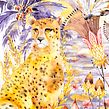
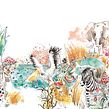
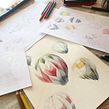

Learn to paint elements with watercolor and integrate them into a scene digitally
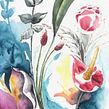

The magic of watercolors lies in knowing how to experiment with water and transparencies. However, illustrator Camino López discovered that digital editing is a great tool for fixing mistakes and unlocks the door to even more possibilities for experimentation. It allows her to sharpen details and play with volume, light, and color to create unique works of art.
Learn how to illustrate with watercolors and create attractive, balanced compositions with some help from technology. Experiment with basic watercolor techniques to paint different compositional elements and transform them into a stunning digital illustration.
What will you learn in this online course?
24 lessons & 32 downloads

- 98% positive reviews (51)
- 860 students
- 24 lessons (5h 18m)
- 32 additional resources (17 files)
- Online and at your own pace
- Available on the app
- Audio: Spanish
- Spanish · English · Portuguese · German · French · Italian · Polish · Dutch
- Level: Beginner
- Unlimited access forever
Recommended software for this course
 Adobe Photoshop
What is this course's project?
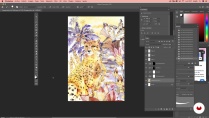
Paint an illustration from scratch, inspired by a topic of your choice, using primarily watercolors and retouch it in Photoshop to create your final composition.

Projects by course students


Who is this online course for?
Artists, designers, illustrators, and other graphic artists, as well as drawing and watercolor enthusiasts, interested in this technique and learning how to complement it with digital editing.
Requirements and materials
You don’t need any previous experience with watercolors to take this course, but you do need to be familiar with some type of design program or digital environments to be able to follow your teacher’s instructions in Photoshop.
The materials for this course include paper and pencil, a ruler, watercolor materials (at least 300 GSM paper and some pigments), two or three paint brushes (one of them a thick size 12 or 14 brush), colored pencils, and a computer with Photoshop installed.

Reviews

Camino López
A course by Camino López
Camino López studied interior architecture and graphic design, but decided to take another direction when she created her own brand: Mi Clo. Since 2011, she has worked as a freelance artist illustrating her own prints and creating a whole line of products and collections.
Over the course of her career, she has worked on all sorts of creative projects including printmaking (especially for textiles) branding, illustrations in different formats, and even tableware. She shares her passion for illustration by giving workshops at her studio in Madrid where she teaches watercolor illustration and printmaking.
Content
-
U1
Introduction
-
Presentation
-
Influences
-
What Will We Do in this Course?
-
-
U2
Illustration Preparation
-
Documentation, Conceptualization and Selection of References
-
Material
-
Previous Sketch
-
Color Palette
-
-
U3
Let's Start Drawing and Painting
-
Color Fades and Layers 1
-
Color Fades and Layers 2
-
Volumes by Accumulation 1
-
Volumes by Accumulation 2
-
Textures and Types of Stains 1
-
Textures and Types of Stains 2
-
Textures and Types of Stains 3
-
Stain Painting and Wet on Wet 1
-
Stain Painting and Wet on Wet 2
-
-
U4
Digital Post-Production
-
Edition of Our Elements 1
-
Edition of Our Elements 2
-
Edition of Our Elements 3
-
Composition 1
-
Composition 2
-
Last Steps and Final Details 1
-
Last Steps and Final Details 2
-
Last Steps and Final Details 3
-
-
FP
Final project
-
Mixed Illustration Techniques: Combine Watercolor and Photoshop
-
What to expect from a Domestika course
-
Learn at your own pace
Enjoy learning from home without a set schedule and with an easy-to-follow method. You set your own pace.
-
Learn from the best professionals
Learn valuable methods and techniques explained by top experts in the creative sector.
-
Meet expert teachers
Each expert teaches what they do best, with clear guidelines, true passion, and professional insight in every lesson.
-
Certificates
PlusIf you're a Plus member, get a custom certificate signed by your teacher for every course. Share it on your portfolio, social media, or wherever you like.
-
Get front-row seats
Videos of the highest quality, so you don't miss a single detail. With unlimited access, you can watch them as many times as you need to perfect your technique.
-
Share knowledge and ideas
Ask questions, request feedback, or offer solutions. Share your learning experience with other students in the community who are as passionate about creativity as you are.
-
Connect with a global creative community
The community is home to millions of people from around the world who are curious and passionate about exploring and expressing their creativity.
-
Watch professionally produced courses
Domestika curates its teacher roster and produces every course in-house to ensure a high-quality online learning experience.
FAQs
Domestika's courses are online classes that provide you with the tools and skills you need to complete a specific project. Every step of the project combines video lessons with complementary instructional material, so you can learn by doing. Domestika's courses also allow you to share your own projects with the teacher and with other students, creating a dynamic course community.
All courses are 100% online, so once they're published, courses start and finish whenever you want. You set the pace of the class. You can go back to review what interests you most and skip what you already know, ask questions, answer questions, share your projects, and more.
The courses are divided into different units. Each one includes lessons, informational text, tasks, and practice exercises to help you carry out your project step by step, with additional complementary resources and downloads. You'll also have access to an exclusive forum where you can interact with the teacher and with other students, as well as share your work and your course project, creating a community around the course.
You can redeem the course you received by accessing the redeeming page and entering your gift code.
 Adobe Photoshop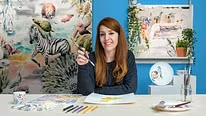
keyam
I haven't completed the course yet. I enjoy learning the combination of watercolor and Photoshop at my own pace. Thank you.
happycumplesbolsadechuches
Ha sido fabuloso me ha encantado, he aprendido mucho en este curso, me encantaría aprender con Camino más cosas sobre la acuarela romántica flores fondos, rostros, sombras y luces.
Gracias por la enseñanza. Espero poder encontrar algún otro curso que complemente estas técnicas de acuarela. estoy muy contenta de haberlo hecho. Un saludo.
View translation
Hide translation
dannykris
Gostei das aulas,mas achei meio devagar.Mas o conteúdo me agregou bastante conhecimento.
View translation
Hide translation
franoliveira
Plusótimo curso.
View translation
Hide translation
koutna_marianna
I am passionate about combining the watercolor process with digital methods. Great course, excellent lecturer - I recommend it!