Interactive Prototyping with Adobe XD

Course final project

A course by José Galeano , Product Designer

Product Designer. Mexico City, Mexico.
Joined November 2017
96% positive reviews (77)
1,992 students
Audio: Spanish
Spanish · English · Portuguese · German · French · Italian · Polish · Dutch · Turkish · Romanian · Indonesian

About the final project for: Interactive Prototyping with Adobe XD

Interactive prototyping with Adobe XD

“We have reached the end of the course, I hope you enjoyed it as much as I did. Now you have learned everything you need to do to make animated prototypes with Adobe XD. I invite you to create your own prototype, you can use any problem that exists or use an imaginary one as I did. Do not worry because you will not walk this path alone, I will be guiding you and supporting you through the forum. I share with you the series of steps that I would love to see from your project. What do you want to solve? Everything stems from this question, so take your time and think about the problem you want to solve, think about it calmly, remember that many Apps have obtained their success thanks to their proposals for resolution.

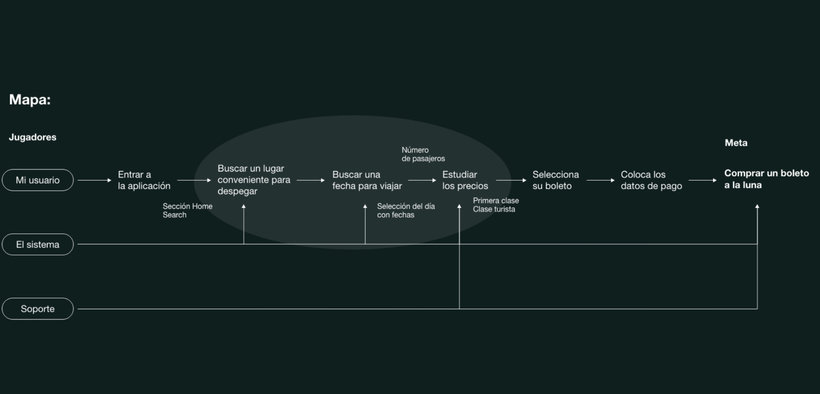
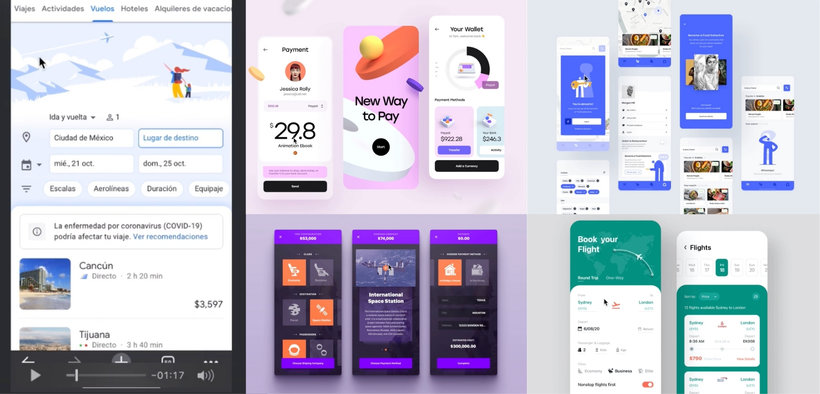
Create and research Once you have your problem defined, it is time to start creating an experience map, use it to download all the information that can help your user to solve the problem, as well as the variants that may arise along the way. Remember that your "players" must reach the goal! With this defined then, it is time to start investigating, go to the task of seeing if there are other people who solve the same thing as you, if there are then take a look at what they have created, look for the gaps that their proposals have and think of a differentiator for your proposal. If, on the contrary, you are the first, then look for those that you consider that solve problems that are similar to yours. Finally, with all the information from your research, create a mood board that can serve as a reference and inspiration.
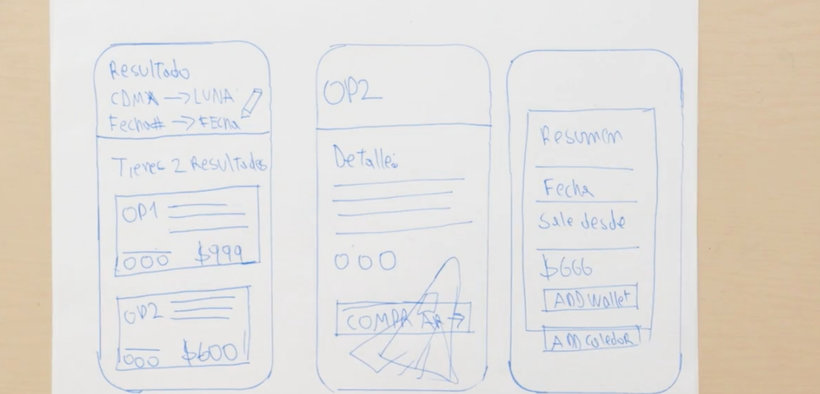
The sketches Go over your flow to see if there are any gaps. If you did not find them, then now yes, start making the sketches of your screens that have the characteristics that you consider important. Do your screens solve your goal? Are you satisfied with how your sketch looks?
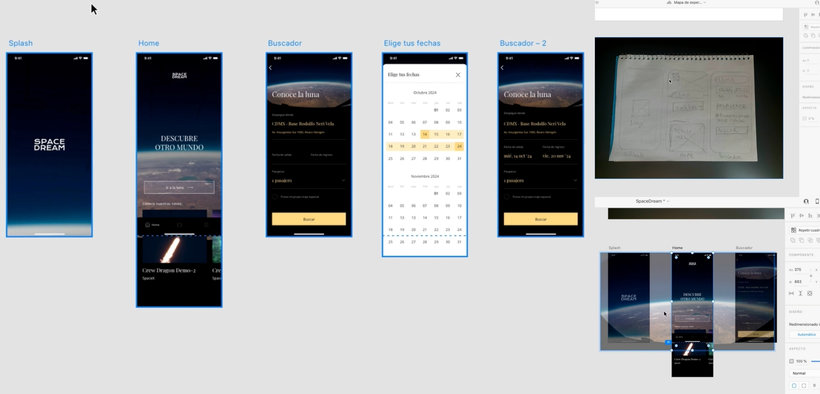
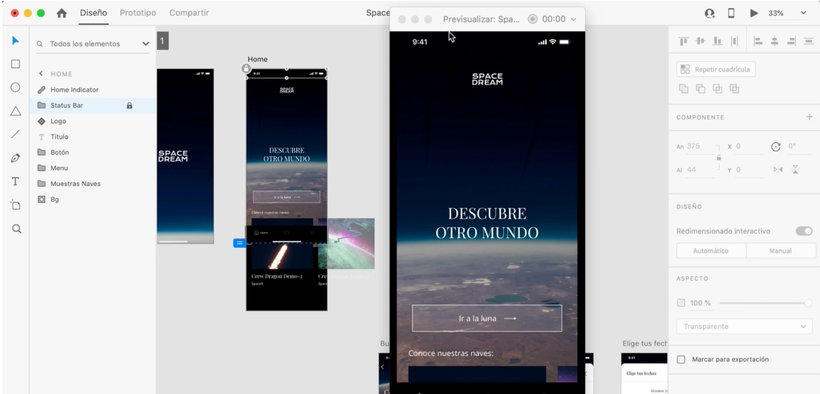
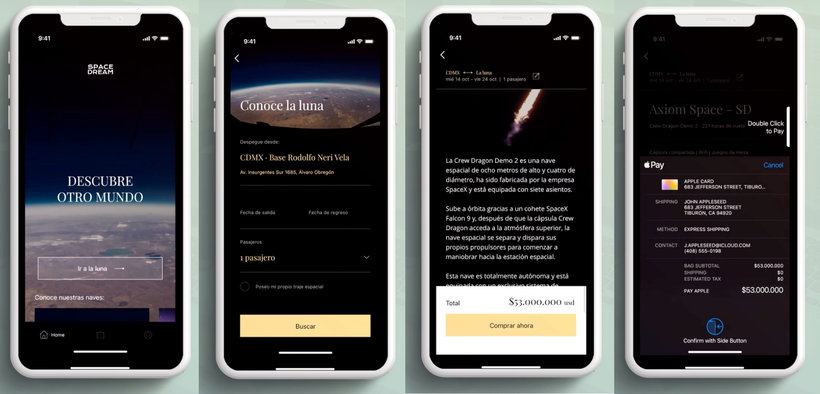
Digitization Take your sketches to Adobe XD. Explore visual paths, until you get to the path that you like the most. Remember that everything must be consistent, that is, try to use the same font and size for all your screens. With your mood board at hand, choose your fonts, your icons, everything. Remember to keep an order and take care that everything is on the screen you want.
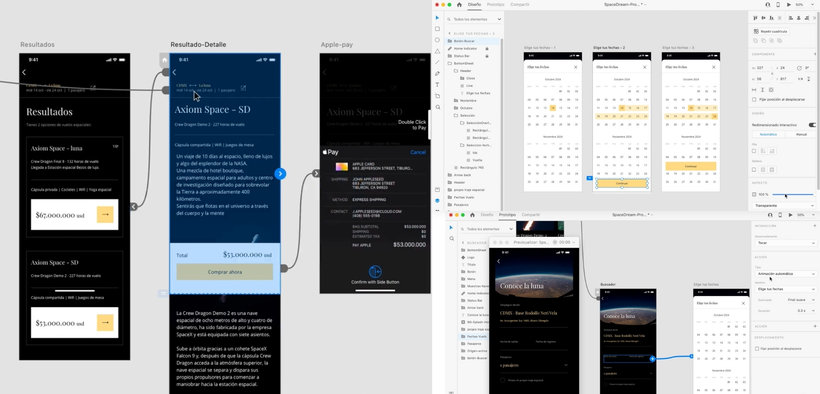
The prototype is born You already know how your product will look, now is the time to start linking the buttons with the target screens. To do this, organize your screens in Adobe Xd. When testing how your buttons are working, do not worry if you make a mistake, you can learn everything. Organize your flow! What goes first and what comes next?
Animate your prototype Within Adobe XD go to the Autoanimate option, so you will begin to give life to your prototype. Make sure to repeat the target screen components to previous screens. Test that what you are preparing is actually done. Be patient and orderly, this will make the animation easier!
Everything works! Using mirror with your computer and your mobile test your prototype, this will be super important because it will help you identify some areas of opportunity. Remember also that you can export your prototype to perform some user tests. If you decide to do your user test, make sure you know if your prototype solves the problem and if your experience is good, also take the opportunity to obtain more information that adds to your project.
Your prototype is ready! Remember that it does not matter if you do not have a project at the door, you can practice carrying out a hypothetical problem. I invite you to not stop building or developing other prototypes. Do not be discouraged if it is not perfect the first time, you will always find something to improve, this helps us to grow, learn and be better. Don't stop creating, testing, erring and learning! I heartily thank you for being part of this course. Keep practicing, don't give up. I will be waiting to see your project, I will be answering you in the forum as soon as possible. See you soon! ”

Partial transcription of the video

“Final project Let's do a summary of the course. First I told you about me and my influences and we talk about the project that we will work on in the course. We define what is a digital product and how we interact with them. as well as what is a prototype and why it is useful to animate it. I gave you the benefits of Adobe XD to create animated prototypes. Later, we raised the project and created a navigation map. We define a main objective and look for possible solutions. We sketch the screens to review the experience and then we pass the sketches to Adobe XD to work on them. We fix alignm...”

This transcript is automatically generated, so it may contain mistakes.


Course summary for: Interactive Prototyping with Adobe XD

  • Level: Beginner
  • 96% positive reviews (77)
  • 1992 students
  • 5 units
  • 17 lessons (2h 36m)
  • 11 downloads
  • Category

    Web & App Design
  • Software

    Adobe XD
  • Areas

    App Design, Digital Design, Interactive Design, UX / UI, Web Design

José Galeano

José Galeano
A course by José Galeano

Teacher Plus
Product Designer

Product designer José Galeano has spent years using his work as a way to solve problems. Throughout this time, he has learned that the process is key to achieving successful results, working with important advertising agencies in Venezuela, Colombia, and Mexico, and collaborating with brands like Uber, Asus, ROG, Heineken, and others. He is also part of the Awwwards community as a juror.

He combines his profession as a product designer working at @laboxmx, (a mystery box company that distributes the work of Latin artists) and recording “Todo va a estar bien”, a podcast which he co-hosts.


  • 96% positive reviews (77)
  • 1,992 students
  • 17 lessons (2h 36m)
  • 22 additional resources (11 files)
  • Online and at your own pace
  • Available on the app
  • Audio: Spanish
  • Spanish · English · Portuguese · German · French · Italian · Polish · Dutch · Turkish · Romanian · Indonesian
  • Level: Beginner
  • Unlimited access forever

Category

Areas

Interactive Prototyping with Adobe XD. Web, and App Design course by José Galeano

Interactive Prototyping with Adobe XD

A course by José Galeano
Product Designer. Mexico City, Mexico.
Joined November 2017
  • 96% positive reviews (77)
  • 1,992 students