Logotype Design for Brand Identity
A course by Steve Wolf , Graphic Designer

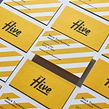



Learn how to create a timeless logotype for a brand or product by exploring typography and logo design


A brand’s visual identity begins with its logo, and it’s usually the first impression a potential customer has with a brand. Graphic designer Steve Wolf is dedicated to creating meaningful logotypes for brands and businesses that communicate with their audience.
In this course, explore the creative process behind creating successful logos. Get a walkthrough of the principles of typography, the digital tools needed to make a visually striking logo, and the best ways to reach potential clients.
What will you learn in this online course?
12 lessons & 16 downloads
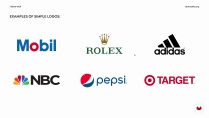
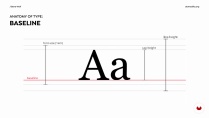
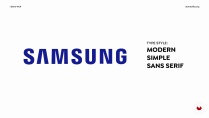

- 97% positive reviews (149)
- 3,696 students
- 12 lessons (1h 48m)
- 16 additional resources (9 files)
- Online and at your own pace
- Available on the app
- Audio: English, German, Spanish, Spanish (Latam), French, Indonesian, Italian, Dutch, Polish, Portuguese, Romanian, Turkish
- Spanish · English · Portuguese · German · French · Italian · Polish · Dutch · Turkish · Romanian · Indonesian
- Level: Beginner
- Unlimited access forever
What is this course's project?
Create your own custom logotype for a brand or company.

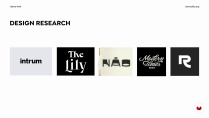
Projects by course students


Who is this online course for?
This course is great for graphic designers that want to learn how to create visual identities for brands, or for anyone who wants to create their own logo for a personal brand.
Requirements and materials
Previous experience using Illustrator and InDesign is recommended.
To take this course, you need access to a computer with Illustrator and InDesign, and some sketching material like a pencil and paper.

Reviews

Steve Wolf
A course by Steve Wolf
Steve Wolf is a graphic designer and founder of Steve Wolf Studios based in Austin, Texas. The studio’s aim is to create timeless and meaningful branding designs that connect with their clients’ audience. Their clients include global brands, small businesses, restaurants, tech companies, and even a professional soccer team.
Steve Wolf Studios focuses on developing brand identity, packaging, illustration and prints. They have held workshops at the University of Texas at Austin and Texas A&M; and have also been guest speakers at SXSW Lettering and Lattes. Steve’s work has been featured in publications like Voyage Dallas, Mâché, and DesignWoop.
Content
-
U1
Introduction
-
About Me
-
Influences
-
-
U2
Preparation and Tips to Know before You Start Designing
-
Principles of a Good Logo Design
-
The Basic Concepts and Anatomy of Typography Design
-
Add Meaning into Your Logotype and Make It Relevant to Your Client’s Industry
-
Knowing Which Letters to Customize for Your Logotype
-
-
U3
The Process of Executing a Custom Logotype
-
My Creative Brief
-
Getting Inspired and Sketching Your Ideas Out
-
Executing Your Final Logotype Designs
-
-
U4
Presenting Your Logotype to a Client
-
How to Evaluate Your Work and Make Small Adjustments to Refine
-
Best Ways to Present Your Logotype Work to Clients
-
How to Share Your Work on Social Media and Design Portfolio Sites
-
-
FP
Final project
-
Logotype Design for Brand Identity
-
What to expect from a Domestika course
-
Learn at your own pace
Enjoy learning from home without a set schedule and with an easy-to-follow method. You set your own pace.
-
Learn from the best professionals
Learn valuable methods and techniques explained by top experts in the creative sector.
-
Meet expert teachers
Each expert teaches what they do best, with clear guidelines, true passion, and professional insight in every lesson.
-
Certificates
PlusIf you're a Plus member, get a custom certificate signed by your teacher for every course. Share it on your portfolio, social media, or wherever you like.
-
Get front-row seats
Videos of the highest quality, so you don't miss a single detail. With unlimited access, you can watch them as many times as you need to perfect your technique.
-
Share knowledge and ideas
Ask questions, request feedback, or offer solutions. Share your learning experience with other students in the community who are as passionate about creativity as you are.
-
Connect with a global creative community
The community is home to millions of people from around the world who are curious and passionate about exploring and expressing their creativity.
-
Watch professionally produced courses
Domestika curates its teacher roster and produces every course in-house to ensure a high-quality online learning experience.
FAQs
Domestika courses are online classes that allow you to learn new skills and create incredible projects. All our courses include the opportunity to share your work with other students and/or teachers, creating an active learning community. We offer different formats:
Original Courses: Complete classes that combine videos, texts, and educational materials to complete a specific project from start to finish.
Basics Courses: Specialized training where you master specific software tools step by step.
Specialization Courses: Learning paths with various expert teachers on the same topic, perfect for becoming a specialist by learning from different approaches.
Guided Courses: Practical experiences ideal for directly acquiring specific skills.
Intensive Courses (Deep Dives): New creative processes based on artificial intelligence tools in an accessible format for in-depth and dynamic understanding.
All courses are 100% online, so once they're published, courses start and finish whenever you want. You set the pace of the class. You can go back to review what interests you most and skip what you already know, ask questions, answer questions, share your projects, and more.
The courses are divided into different units. Each one includes lessons, informational text, tasks, and practice exercises to help you carry out your project step by step, with additional complementary resources and downloads. You'll also have access to an exclusive forum where you can interact with the teacher and with other students, as well as share your work and your course project, creating a community around the course.
You can redeem the course you received by accessing the redeeming page and entering your gift code.

Very simple and easy to understand
Great course! Clear instruction supported by solid examples.
Very useful and great
Great teacher Steve Wolf
El curso es bueno pero si ya tienes conocimiento básico de diseño de logos o lettering la verdad no te aportará mucho. Si eres principiante este cuso te ayudara!