Creating a Website on Squarespace
A course by Mónica Durán · Visual Bloom , Designer





Learn how to set up and design an attractive professional website from start to finish

What if you could learn how to design and manage your own website, all while enjoying the entire process? Mónica Durán—founder of the branding and web design studio Visual Bloom— shows you how to create a website with Squarespace that not only represents you visually but also serves as a powerful marketing tool to promote your work, and without using any code in the process.
Discover how to build and design your own portfolio website with Squarespace by getting a full overview of the platform’s features and how to use them, with expert tips and advice from Mónica, founder of the Visual Bloom design studio, who has been designing impactful websites for her clients for over 8 years.
What will you learn in this online course?
31 lessons & 30 downloads

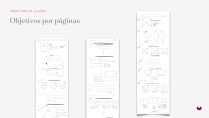

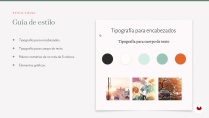
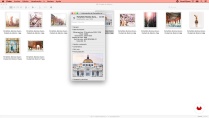
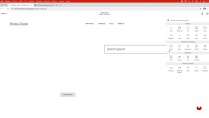
- 98% positive reviews (160)
- 4,571 students
- 31 lessons (6h 34m)
- 30 additional resources (9 files)
- Online and at your own pace
- Available on the app
- Audio: Spanish, German, English, French, Indonesian, Italian, Dutch, Polish, Portuguese, Romanian, Turkish
- Spanish · English · Portuguese · German · French · Italian · Polish · Dutch · Turkish · Romanian · Indonesian
- Level: Beginner
- Unlimited access forever
Recommended software & tools for this course
 Squarespace
What is this course's project?
Create a website on Squarespace—without using any code—to use as your professional portfolio as well as a marketing and promotional tool for your work or services.

Projects by course students


Who is this online course for?
For photographers, designers, illustrators, decorators, architects, artisans, or anyone with a creative project that wants to create a website that serves as a portfolio to show their work or services, including elements such as a blog and mailing list to promote their project.
Requirements and materials
Previous knowledge is not required to take the course, as Mónica starts with the basics of both the creation and design process until the website is finished. No coding will be used to create your website, so no prior coding experience is needed. Knowledge in design, marketing, and how to use software such as Adobe Illustrator or XD will be useful.
You will need a computer and an internet connection.

Reviews

Mónica Durán · Visual Bloom
A course by Mónica Durán · Visual Bloom
Mónica Durán was born and raised in Havana, Cuba, but has been living and working in Mexico City for 8 years, where she initially came to do her doctorate. Visual Bloom, a design studio that focuses on branding and website designs for small, conscientious businesses, was born once she finished her studies.
Visual Bloom works with small businesses that seek to reflect the soul of their brands through designs that are born from honesty, slow life, beauty, and love for nature.
Content
-
U1
Introduction
-
Presentation (Who am I)
-
Influences
-
What will we do in the course?
-
-
U2
Preparing the content and style of the web
-
Defining the objective and structure of our website P1
-
Defining the objective and structure of our P2 website
-
The general style of our site
-
Creation, organization and preparation of graphic files
-
-
U3
Knowing Squarespace
-
Changes to the Squarespace content block interface
-
How to choose the template for your website
-
Initial settings in Squarespace
-
Creating pages in Squarespace: their properties and settings
-
The content blocks in Squarespace
-
The page sections in Squarespace
-
-
U4
Create and configure content and styles
-
Design and configuration of the Home, Services, About Me and Contact pages P1
-
Design and configuration of the Home, Services, About me and Contact pages P1
-
Design and configuration of the Home, Services, About me and Contact P2 pages
-
Portfolio P1 Page Settings
-
Portfolio P2 Page Settings
-
P1 Blog Settings
-
P2 Blog Settings
-
P3 Blog Settings
-
Footer creation and main navigation adjustments
-
Setting the fonts and colors of the site P1
-
Setting the fonts and colors of the P2 site
-
Image Settings and Other Settings
-
Bonus: Web Styles in Squarespace 7.0
-
-
U5
Final adjustments and web launch
-
Marketing settings
-
General privacy settings
-
Let's make the P1 public site
-
Let's make the P2 public site
-
Site analytics tracking
-
-
FP
Final project
-
Creating a Website on Squarespace
-
What to expect from a Domestika course
-
Learn at your own pace
Enjoy learning from home without a set schedule and with an easy-to-follow method. You set your own pace.
-
Learn from the best professionals
Learn valuable methods and techniques explained by top experts in the creative sector.
-
Meet expert teachers
Each expert teaches what they do best, with clear guidelines, true passion, and professional insight in every lesson.
-
Certificates
PlusIf you're a Plus member, get a custom certificate signed by your teacher for every course. Share it on your portfolio, social media, or wherever you like.
-
Get front-row seats
Videos of the highest quality, so you don't miss a single detail. With unlimited access, you can watch them as many times as you need to perfect your technique.
-
Share knowledge and ideas
Ask questions, request feedback, or offer solutions. Share your learning experience with other students in the community who are as passionate about creativity as you are.
-
Connect with a global creative community
The community is home to millions of people from around the world who are curious and passionate about exploring and expressing their creativity.
-
Watch professionally produced courses
Domestika curates its teacher roster and produces every course in-house to ensure a high-quality online learning experience.
FAQs
You’ll learn how to build and customize professional websites on Squarespace, covering everything from choosing templates and setting up navigation to managing portfolios, blogs, visual branding, and optimizing graphic and content resources.
This is an intermediate-level course, perfect for those with basic web design knowledge who want to specialize in creating and customizing Squarespace sites.
All you need is a computer with internet access and a Squarespace account. Basic familiarity with design tools like Canva or Adobe XD is helpful but not required.
The course walks you through creating, organizing, and customizing portfolio sections and galleries, optimizing how your projects look on both mobile and desktop.
Yes, you’ll learn how to define and apply color palettes, fonts, and style guides to create a consistent, professional visual identity tailored to your brand or business.
Squarespace is more user-friendly, requires less technical upkeep, and lets you customize sites without coding—ideal for entrepreneurs who want professional results with ease.
Yes, the course teaches you how to link social media accounts, add subscription forms, calls to action, and manage project promotion directly from Squarespace.
 Squarespace
Muy bien explicado, la profesora es minuciosa y muy profesional. Mi única objeción es que el curso está bastante desfasado. A pesar de que la profesora ha añadido un video de update de la versión 7.1 de Squarespace, hay muchas cosas diferentes a las explicadas en el curso. Esto significó un obstáculo importante a la hora de construir mi página web.
bastante explicito tenho pena que não aborde as funções e-commerce.
Muy buena exposición. Bien explicado
I´m loving this class!!
Would you recommend this class? Absolutely! Already did several times. > 12er.at