Graphite Portraits with Digital Design
A course by Patricia Escalante , Visual Artist and Designer

Joined October 2019

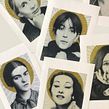
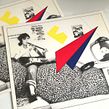

Create a graphite portrait from a photograph and color it with digital mixed media
Joined October 2019

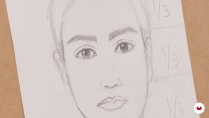
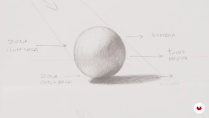
Graphite is a material that allows you to capture deep, powerful expressions in portraits thanks to its textures and strong contrasts. Designer and visual artist Patricia Escalante teaches you how to combine traditional and modern drawing techniques to fill your work with life and color.
In this course, learn how to create a portrait from a photograph and add color by experimenting with techniques in Photoshop. Discover the unique qualities of graphite and put a personal touch on your portraits by exploring the possibilities of digital media.
What will you learn in this online course?
22 lessons & 9 downloads

- 95% positive reviews (22)
- 327 students
- 22 lessons (3h 20m)
- 9 additional resources (1 files)
- Online and at your own pace
- Available on the app
- Audio: Spanish, German, English, French, Indonesian, Italian, Dutch, Polish, Portuguese, Romanian, Turkish
- Spanish · English · Portuguese · German · French · Italian · Polish · Dutch · Turkish · Romanian · Indonesian
- Level: Beginner
- Unlimited access forever
What is this course's project?
Create a graphite portrait of an artist or person you admire and explore digital techniques to add color and give it a unique style.

Who is this online course for?
Illustration or design professionals and anyone interested in drawing with graphite portrait techniques.
Requirements and materials
You need basic notions of drawing and a working knowledge of Adobe Photoshop.
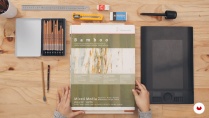
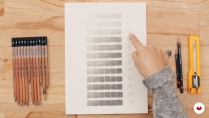
The materials for this course include graphite pencils, an eraser, a pencil sharpener, a cutter, a ruler, drawing paper, a scanner, and a computer with Photoshop.

Reviews

Patricia Escalante
A course by Patricia Escalante
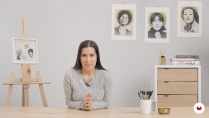
Patricia Escalante studied painting at the Pontifical Catholic University of Peru. However, she spent 12 years of her career pursuing one of her other passions: graphic design. During that time, she worked with companies like Kerzen and Unique/Yanbal.
Now she is fully devoted to art and experiments with graphite drawing and other digital techniques. Much of her work focuses on portraits of artists and people she admires. Inspired by classic magazine graphics and black and white photography, Patricia explores the depth of portraits as an art form and depicts her figures in timeless spaces.
Content
-
U1
Introduction
-
Presentation
-
Influences
-
What will we do in the course?
-
-
U2
Materials and Basic Concepts
-
Presentation of Materials
-
Proportions of a face
-
Light and Shadow Basics
-
Graphite Shading Techniques
-
-
U3
Selection of Visual References and Portrait Modeling
-
Selection of Images for Inspiration and Support Material
-
Retouching the Photograph and Printing to Scale
-
Transfer of the Portrait to Cardboard
-
-
U4
Let's Do It!
-
Shading 1: Base and First Layers
-
Shading 2: Eyes and Eyebrows
-
Shading 3: Hair
-
Shading 4: Neck and Ear
-
Shading 5: Cheek, Nose and Lips
-
Shading 6: Finishing Touches
-
-
U5
Splashes of Color with Digital Painting
-
Drawing scan and retouch
-
Concepts and Ideas for Digital Intervention
-
Basic Texture Tools in Photoshop 1
-
Basic Texture Tools in Photoshop 2
-
Digital Intervention
-
Getting the Drawing Ready to Print or to Publish on Social Media
-
-
FP
Final project
-
Graphite Portraits with Digital Design
-
What to expect from a Domestika course
-
Learn at your own pace
Enjoy learning from home without a set schedule and with an easy-to-follow method. You set your own pace.
-
Learn from the best professionals
Learn valuable methods and techniques explained by top experts in the creative sector.
-
Meet expert teachers
Each expert teaches what they do best, with clear guidelines, true passion, and professional insight in every lesson.
-
Certificates
PlusIf you're a Plus member, get a custom certificate signed by your teacher for every course. Share it on your portfolio, social media, or wherever you like.
-
Get front-row seats
Videos of the highest quality, so you don't miss a single detail. With unlimited access, you can watch them as many times as you need to perfect your technique.
-
Share knowledge and ideas
Ask questions, request feedback, or offer solutions. Share your learning experience with other students in the community who are as passionate about creativity as you are.
-
Connect with a global creative community
The community is home to millions of people from around the world who are curious and passionate about exploring and expressing their creativity.
-
Watch professionally produced courses
Domestika curates its teacher roster and produces every course in-house to ensure a high-quality online learning experience.
FAQs
Domestika courses are online classes that allow you to learn new skills and create incredible projects. All our courses include the opportunity to share your work with other students and/or teachers, creating an active learning community. We offer different formats:
Original Courses: Complete classes that combine videos, texts, and educational materials to complete a specific project from start to finish.
Basics Courses: Specialized training where you master specific software tools step by step.
Specialization Courses: Learning paths with various expert teachers on the same topic, perfect for becoming a specialist by learning from different approaches.
Guided Courses: Practical experiences ideal for directly acquiring specific skills.
Intensive Courses (Deep Dives): New creative processes based on artificial intelligence tools in an accessible format for in-depth and dynamic understanding.
All courses are 100% online, so once they're published, courses start and finish whenever you want. You set the pace of the class. You can go back to review what interests you most and skip what you already know, ask questions, answer questions, share your projects, and more.
The courses are divided into different units. Each one includes lessons, informational text, tasks, and practice exercises to help you carry out your project step by step, with additional complementary resources and downloads. You'll also have access to an exclusive forum where you can interact with the teacher and with other students, as well as share your work and your course project, creating a community around the course.
You can redeem the course you received by accessing the redeeming page and entering your gift code.

Che meraviglia!!! Bella la parte delle grafite ma sicuramente la lavorazione con photoshop rende tutto ancora più magico ed originale!!!!! Devo trovare uno scanner valido e poi si comincia!!!
genial
Muy buen curso, dinámico y bien explicado, la profesora te da la libertad de experimentar en función a sus consejos.
Very interesting course and full of ideas!
Entretenido e interesante.