Studio Lighting 101
A course by Julia Robbs , Photographer



Learn how to capture unique portraits by exploring different professional studio lighting setups

As the very foundation of portrait photography, lighting allows photographers to capture the beauty and authenticity of real people. By understanding how light and shadows work together, photographer Julia Robbs is able to create striking portraits that remain true to her subjects. Using the best lighting for the story, her photography helps beauty, fashion, and lifestyle brands stay authentic, including Erno Lazlo, Dropbox, Harry’s, Urban Outfitters, Refinery29, Etsy, and Mailchimp.
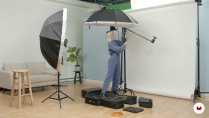
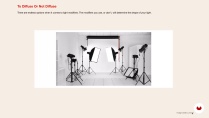
In this course, Julia teaches her go-to studio lighting techniques for achieving high-quality portraits under any indoor setup, including natural light, beauty shots, and experimenting with filters and gels. Learn how to control lighting to create images that are not only aesthetically beautiful, but which also remain faithful to your story.
What will you learn in this online course?
13 lessons & 16 downloads
- 90% positive reviews (39)
- 1,742 students
- 13 lessons (1h 50m)
- 16 additional resources (4 files)
- Online and at your own pace
- Available on the app
- Audio: English
- Spanish · English · Portuguese · German · French · Italian · Polish · Dutch · Turkish · Romanian · Indonesian
- Level: Beginner
- Unlimited access forever
Recommended software & tools for this course
 Adobe Photoshop
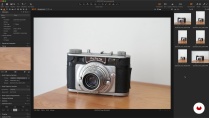
 Capture One
What is this course's project?
Create three final images with three different studio lighting techniques: daylight, beauty, and creative.

Who is this online course for?
This course is for amateur and semi-professional photographers who would like to learn or improve their studio lighting techniques.
Requirements and materials
To take this course, basic knowledge of photography and Adobe Photoshop is recommended.
You will need a DSLR camera with a lens, studio lighting, a USB cable to shoot tethered, and a computer with Capture One and Adobe Photoshop installed.

Reviews

Julia Robbs
A course by Julia Robbs
Julia Robbs is a commercial photographer based in New York City. Before moving to NYC, she was raised in France and studied photography in Chicago and Atlanta. Her work aims to be clean, polished, and thoughtful, while remaining authentic to her subjects.
Julia’s photography allows her to travel the world while developing her craft, and covers a wide range of fields, including lifestyle, portraiture, beauty, and fashion. Her client list includes Erno Laszlo, Odette NY, Refinery29, Etsy, Dropbox, Armand de Brignac, Urban Outfitters, Mailchimp, and more.
Content
-
U1
Introduction
-
Introduction
-
Influences
-
What Will We Do in this Course?
-
-
U2
The Fundamentals
-
Understanding the Basics of Lighting
-
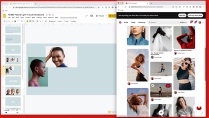
Putting the Mood Board Together
-
Setting up for Tethered Capture
-
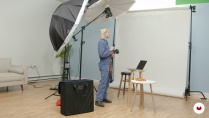
Setting up Your Studio for Shooting
-
-
U3
Studio Lighting
-
Soft Natural Light
-
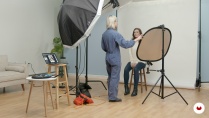
Beauty Lighting: Two Ways
-
Studio Photography Using Gels
-
-
U4
Post-Production
-
Post-Production and Editing
-
Fine-Tune Editing in Photoshop
-
Exporting
-
-
FP
Final project
-
Studio Lighting 101
-
What to expect from a Domestika course
-
Learn at your own pace
Enjoy learning from home without a set schedule and with an easy-to-follow method. You set your own pace.
-
Learn from the best professionals
Learn valuable methods and techniques explained by top experts in the creative sector.
-
Meet expert teachers
Each expert teaches what they do best, with clear guidelines, true passion, and professional insight in every lesson.
-
Certificates
PlusIf you're a Plus member, get a custom certificate signed by your teacher for every course. Share it on your portfolio, social media, or wherever you like.
-
Get front-row seats
Videos of the highest quality, so you don't miss a single detail. With unlimited access, you can watch them as many times as you need to perfect your technique.
-
Share knowledge and ideas
Ask questions, request feedback, or offer solutions. Share your learning experience with other students in the community who are as passionate about creativity as you are.
-
Connect with a global creative community
The community is home to millions of people from around the world who are curious and passionate about exploring and expressing their creativity.
-
Watch professionally produced courses
Domestika curates its teacher roster and produces every course in-house to ensure a high-quality online learning experience.
FAQs
What are Domestika's online courses?
Domestika courses are online classes that allow you to learn new skills and create incredible projects. All our courses include the opportunity to share your work with other students and/or teachers, creating an active learning community. We offer different formats:
Original Courses: Complete classes that combine videos, texts, and educational materials to complete a specific project from start to finish.
Basics Courses: Specialized training where you master specific software tools step by step.
Specialization Courses: Learning paths with various expert teachers on the same topic, perfect for becoming a specialist by learning from different approaches.
Guided Courses: Practical experiences ideal for directly acquiring specific skills.
Intensive Courses (Deep Dives): New creative processes based on artificial intelligence tools in an accessible format for in-depth and dynamic understanding.
When do the courses start and when do they finish?
All courses are 100% online, so once they're published, courses start and finish whenever you want. You set the pace of the class. You can go back to review what interests you most and skip what you already know, ask questions, answer questions, share your projects, and more.
What do Domestika's courses include?
The courses are divided into different units. Each one includes lessons, informational text, tasks, and practice exercises to help you carry out your project step by step, with additional complementary resources and downloads. You'll also have access to an exclusive forum where you can interact with the teacher and with other students, as well as share your work and your course project, creating a community around the course.
Have you been given a course?
You can redeem the course you received by accessing the redeeming page and entering your gift code.
 Adobe Photoshop
 Capture One
i enjoyed it but it could be more detailed!
Muy buen curso, práctico, puntual, muy buenos ejemplos y muy buena edición
Gostei muito! Muito boa explicação sobre as várias formas de iluminação.
ok
Sorry, but I have to say that I found the course very disappointing. I hardly learned anything about studio lighting. She only made rudimentary settings and didn't explain anything in depth. You really can't learn anything from someone saying that she does something that way because she likes it (and that's what she usually says).