A course by Charuca VargasIllustrator and Character Designer
A course by Charuca Vargas, Illustrator and Character Designer
- 900 students
- 15 lessons (1h 44m)
- 1 additional resource (1 file)
- Online and at your own pace
- Available on the app
- Audio: Spanish
- Spanish · English · Portuguese · German · French · Italian · Polish · Dutch · Turkish · Romanian · Indonesian
Level:
Beginner- Unlimited access forever

Learn to design a Kawaii doll. From the idea to sketching the character to achieving the digital format to produce it
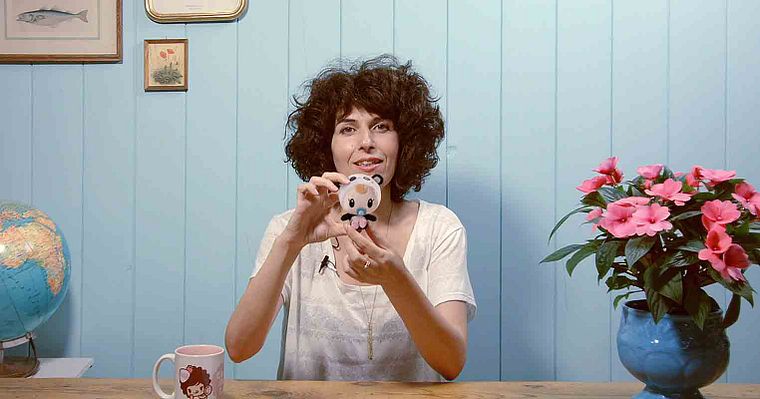
Hello, my name is Charuca and I am a character designer. Welcome to my course of designing a character and creating files for the subsequent creation of a toy, that is, a doll. In this course I will show you my creative process of character design. You will accompany me in the process from the beginning, since the idea comes to the head, going through the sketch phase, digitized step by step and preparing files so that we can make a toy with it. During the course I will give you advice that has helped me a lot, both to design cool characters and to look for ways to turn them into dolls and other beautiful objects.
What will you learn in this online course?
15 lessons & 4 downloads
What's included in this course?
We will learn what this world of Art Toy is, I will give you some tips to make your character better and fill our batteries with some books and web pages. Then we will start to draw our sketches and I will show you how to scan and vectorize our design. In the computer we will prepare the turnaround and we will make a color chart. We will also make our doll a logo and a pack to make it more complete and finally I will give you some tips so that we can take our toy to reality.
Recommended software & tools for this course
What is this course's project?
Your mission is create your own character and make a project with it to present it to companies that produce dolls or so that you can take your doll to reality. I will teach you to prepare the files as vectors, but you can work with this technique or any other that you find comfortable, such as doing the whole process by hand or using an image treatment program such as Photoshop. It is important to clarify that the course covers the entire pre-production phase, I will give you advice on how to take your character to production later, but that only depends on you, your enthusiasm and your work.
Who is this online course for?
Illustrators and designers People who have a toy / doll project in their heads but do not know what steps need to be taken to materialize it. Future promises of illustration and character design. People who want to learn how to make vector digital illustration.
Requirements and materials
A lot of desire to make a character and / or Toy. If you have previous knowledge of Illustrator or a program of creation of vector image (Freehand / Corel), it will be faster to learn to vectorize. If not, I will teach you the indispensable tools.
Materials you will need: Paper and pencil to sketch, a computer to prepare digital files, a mobile phone to scan and a Pantone letter to choose the color. If you do not have a Pantone card, do not worry, I'll attach one in pdf format so you can do your practice.


I have published two books "I love Kawaii", for editorial Monsa Editorial, a compilation of my favorite Kawaii artists, and "Molly & Charuca: Kawaii, Love and cakes" book dedicated to cake design and fondant modeling.
I have worked as a character designer with many brands, producers, publishers and advertising agencies. In 2009 I fulfilled my dream of creating the Charuca brand on a larger scale. Thanks to Edebé, my representatives of Licensing, my products have been on sale internationally.
What to expect from a Domestika course
Learn at your own pace
Enjoy learning from home without a set schedule and with an easy-to-follow method. You set your own pace.
Learn from the best professionals
Learn valuable methods and techniques explained by top experts in the creative sector.
Meet expert teachers
Each expert teaches what they do best, with clear guidelines, true passion, and professional insight in every lesson.
Certificates
PLUSIf you're a Plus member, get a custom certificate signed by your teacher for every course. Share it on your portfolio, social media, or wherever you like.
Get front-row seats
Videos of the highest quality, so you don't miss a single detail. With unlimited access, you can watch them as many times as you need to perfect your technique.
Share knowledge and ideas
Ask questions, request feedback, or offer solutions. Share your learning experience with other students in the community who are as passionate about creativity as you are.
Connect with a global creative community
The community is home to millions of people from around the world who are curious and passionate about exploring and expressing their creativity.
Watch professionally produced courses
Domestika curates its teacher roster and produces every course in-house to ensure a high-quality online learning experience.


