Digital Background Painting for Animation
A course by Susan Yung , Designer, Illustrator, and Background Painter for Animation

Joined January 2020

Learn the entire process of creating digital background scenes for 2D animations in Photoshop
Joined January 2020

When it comes to animation, background painting has the power to enhance a story with meaning and breathe life into each scene through the use of shapes, color, and lighting. Background painter, illustrator, and designer Susan Yung has been passionate about animation since a little girl. And through perseverance and dedication, she turned her passion into her full-time job, working with animation studios such as Netflix, Green Portal Studios, Warner Brothers, Nickelodeon Animation Studios, and Cartoon Network.
Discover how to bring a background painting to life in Photoshop with Susan’s step-by-step creative process. Learn the basic theory behind color and lighting, see how to work with an efficient workflow, and explore Susan’s insider tips and tricks to use Photoshop like a professional. Are you ready to delve into background painting for animation?
What will you learn in this online course?
14 lessons & 19 downloads
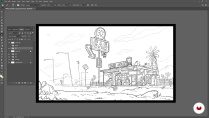
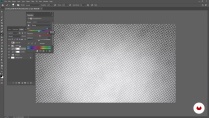
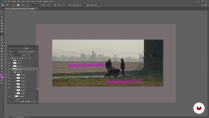
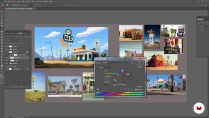
- 99% positive reviews (269)
- 7,624 students
- 14 lessons (2h 20m)
- 19 additional resources (8 files)
- Online and at your own pace
- Available on the app
- Audio: English, Spanish (Latam), French, Italian, Portuguese, Turkish
- English · Spanish · Portuguese · German · French · Italian · Polish · Dutch · Turkish
- Level: Beginner
- Unlimited access forever
Recommended software & tools for this course
 Adobe Photoshop
What is this course's project?
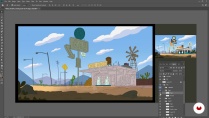
Complete a professional background painting scene for animation production.

Projects by course students


Who is this online course for?
This course is for anyone interested in learning the skills needed to become a background painter in animation production.
Requirements and materials
To take this course, you will need to have a working knowledge of Photoshop.
As for materials, you will need a computer with Adobe Photoshop.

Reviews

Susan Yung
A course by Susan Yung
Since a young girl growing up in Hong Kong, Susan was captivated by eastern and western animations. This sparked a profound curiosity that would send her to art college in Los Angeles, California with the intention to fulfill her dream: working in animation. Although a Design internship at a motion design studio wasn’t what Susan hoped was her first job, it was where she discovered the art of background painting.
Through tons of passion and dedication, Susan got her first job as a background painter at Nickelodeon and hasn’t looked back since. She has worked on animation series for Netflix, Green Portal Studios (Solar Opposites for Hulu), Warner Brothers, Nickelodeon Animation Studios, and Cartoon Network.
Content
-
U1
Introduction
-
About Me
-
Influences
-
What Will We Do in the Course?
-
-
U2
Preparation: Color, Lighting, and Photoshop
-
Principles of Color and Lighting 1
-
Principles of Color and Lighting 2
-
Layers and Shortcuts
-
Photoshop Brushes and Textures
-
Finding References
-
-
U3
Let’s Plan!
-
Grouping Your Composition
-
Color Thumbnails
-
Lighting Practice
-
-
U4
Bringing It to Life!
-
Let’s Add Some Color!
-
Details
-
Light It Up!
-
-
FP
Final project
-
Digital Background Painting for Animation
-
What to expect from a Domestika course
-
Learn at your own pace
Enjoy learning from home without a set schedule and with an easy-to-follow method. You set your own pace.
-
Learn from the best professionals
Learn valuable methods and techniques explained by top experts in the creative sector.
-
Meet expert teachers
Each expert teaches what they do best, with clear guidelines, true passion, and professional insight in every lesson.
-
Certificates
PlusIf you're a Plus member, get a custom certificate signed by your teacher for every course. Share it on your portfolio, social media, or wherever you like.
-
Get front-row seats
Videos of the highest quality, so you don't miss a single detail. With unlimited access, you can watch them as many times as you need to perfect your technique.
-
Share knowledge and ideas
Ask questions, request feedback, or offer solutions. Share your learning experience with other students in the community who are as passionate about creativity as you are.
-
Connect with a global creative community
The community is home to millions of people from around the world who are curious and passionate about exploring and expressing their creativity.
-
Watch professionally produced courses
Domestika curates its teacher roster and produces every course in-house to ensure a high-quality online learning experience.
FAQs
Yes, this course is ideal for intermediate artists looking to develop background painting skills specifically for animation, with a focus on color, lighting, and digital workflows.
You’ll need access to Photoshop or a similar digital painting program, a drawing tablet, and optionally gouache supplies for analog exercises. Basic familiarity with digital art tools is recommended.
You’ll learn how to create compelling animation backgrounds using color theory, lighting, shape language, digital painting techniques, texture creation, and portfolio preparation for animation studios.
Some prior experience with Photoshop is helpful, but the course covers essential tools, shortcuts, and layer organization to help you get started and work efficiently.
The course guides you through creating professional background paintings and teaches visual development techniques, helping you assemble a strong portfolio tailored for animation industry standards.
You’ll explore techniques for painting light, shadow, bounce lighting, atmospheric perspective, and using value to create depth and mood in both digital and traditional mediums.
Yes, the course covers digital painting in Photoshop and introduces traditional gouache and paper art techniques for environmental backgrounds.
 Adobe Photoshop
excellent teacher and course!
MUY BUENO , no abarca partes tecnicas como perspectivas o profundiza en el color pero muestra los procesos que usa ella en la creación de backgrounds , lo recomiendo para saber por donde empezar , es muy buen curso
very great course for beginners in background art!
nice
perfect