Creative Photography and Photocomposition with Photoshop
A course by Pitu López , Photographer


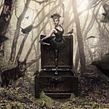


Create a creative self-portrait with simple lighting techniques and digital post-production

The photographer Pitu López, specialist in advertising and editorial portraits, will teach you how to create a fantastic scene using the technique of photocomposition.
From several photographs and an elaborate process of postproduction in Photoshop, you will achieve impressive images that will make the viewer doubt between reality and fiction.
What will you learn in this online course?
20 lessons & 14 downloads
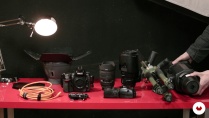
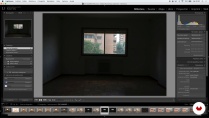
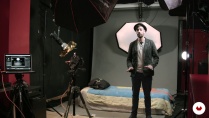
- 99% positive reviews (195)
- 3,110 students
- 20 lessons (5h 12m)
- 14 additional resources (12 files)
- Online and at your own pace
- Available on the app
- Audio: Spanish
- Spanish · English · Portuguese
- Level: Intermediate
- Unlimited access forever
Recommended software for this course
 Adobe Photoshop
What is this course's project?
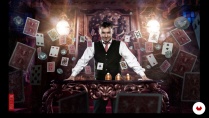
The objective of this course is to create a photocomposition with yourself as a protagonist in which there is a great creative and visual charge.

Projects by course students


Who is this online course for?
To photographers, designers, illustrators and all those people interested in creative photography, illustration, film posters and the world of digital art.
Requirements and materials
You will need a digital camera, basic lighting equipment and a computer with Photoshop. If you also have a graphics tablet, much better, but it is not essential.
No previous knowledge of Photoshop is necessary but knowing the basic aspects of the photographic technique (speed, obturation, ISO, etc).

Reviews

Pitu López
A course by Pitu López
Pitu López is a photographer specialized in photocomposition. Its portfolio includes scenes for advertising, editorial portraits and images for the promotion of different artists and brands.
He has worked for brands such as Clarins, Hendrick's Gin, Mercedes-Benz, Porsche or Banco Santander among others and personalities such as Vinila Von Bismark, Eva Hache, Leo Harlem or Alex O'Dogherty.
In most of his professional projects he develops several artistic disciplines, always with photography as a starting point.
In his personal work always seeks to create scenes with characters to generate an atmosphere from them. His images make the viewer doubt the confusion of the real fiction through the photocomposition.
Content
-
U1
Introduction
-
Presentation
-
Influences
-
-
U2
The idea!
-
Kitchen of ideas, think bigger!
-
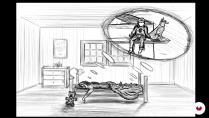
The importance of the sketch
-
Media analysis
-
-
U3
To the mess, the fun begins ...
-
materials
-
Lightroom - Prepare our fund
-
Photo session of characters and elements 1
-
Photo session of characters and elements 2
-
Selection of photos of the session and organization of files
-
-
U4
Photoshop and more Photoshop
-
Convert our background 1
-
Convert our background 2
-
Integration of elements on the background 1
-
Integration of elements on the background 2
-
Integration of elements on the background 3
-
Integration of elements on the background 4
-
Integration of elements on the background 5
-
Integration of elements on the background 6
-
Dodge & Burn, the art of volumes
-
Creation of the atmosphere
-
-
FP
Final project
-
Creative photography and photo composition with Photoshop
-
What to expect from a Domestika course
-
Learn at your own pace
Enjoy learning from home without a set schedule and with an easy-to-follow method. You set your own pace.
-
Learn from the best professionals
Learn valuable methods and techniques explained by top experts in the creative sector.
-
Meet expert teachers
Each expert teaches what they do best, with clear guidelines, true passion, and professional insight in every lesson.
-
Certificates
PlusIf you're a Plus member, get a custom certificate signed by your teacher for every course. Share it on your portfolio, social media, or wherever you like.
-
Get front-row seats
Videos of the highest quality, so you don't miss a single detail. With unlimited access, you can watch them as many times as you need to perfect your technique.
-
Share knowledge and ideas
Ask questions, request feedback, or offer solutions. Share your learning experience with other students in the community who are as passionate about creativity as you are.
-
Connect with a global creative community
The community is home to millions of people from around the world who are curious and passionate about exploring and expressing their creativity.
-
Watch professionally produced courses
Domestika curates its teacher roster and produces every course in-house to ensure a high-quality online learning experience.
FAQs
Domestika's courses are online classes that provide you with the tools and skills you need to complete a specific project. Every step of the project combines video lessons with complementary instructional material, so you can learn by doing. Domestika's courses also allow you to share your own projects with the teacher and with other students, creating a dynamic course community.
All courses are 100% online, so once they're published, courses start and finish whenever you want. You set the pace of the class. You can go back to review what interests you most and skip what you already know, ask questions, answer questions, share your projects, and more.
The courses are divided into different units. Each one includes lessons, informational text, tasks, and practice exercises to help you carry out your project step by step, with additional complementary resources and downloads. You'll also have access to an exclusive forum where you can interact with the teacher and with other students, as well as share your work and your course project, creating a community around the course.
You can redeem the course you received by accessing the redeeming page and entering your gift code.
 Adobe Photoshop
oneshotmedia83
El curso me aporto bagaje creativo, siendo muy accesible en términos de simpleza de ejecución. Me resulta útil y didáctico la manera de desglosar el proceso, sobre todo la parte inicial, la de planificación, que es donde se gesta la riqueza del concepto que se quiere transmitir. Nos acerca un método que dispara una exploración de alternativas a nuestra línea de trabajo, enriquece nuestra mirada de lo que hacemos y como podemos ayornar nuestros proyectos. En mi caso buscaba eso, y lo conseguí. :)
View translation
Hide translation
rafohe
Recomiendo el curso de fotografía creativa y fotocomposición con Photoshop. Ofrece muchas posibilidades. para elevar tu potencial creativo.
View translation
Hide translation
louzada_treinamento_1
Muito bom!
View translation
Hide translation
jolofotodigital
muy bueno, fluye muy bien
View translation
Hide translation
jexposito69
Algo más que fotografía !
View translation
Hide translation