Introduction to Autodesk Maya
Course 5 – UVs: Displaying and Understanding: Unfold Uvs
By Miguel Miranda , 3D Modeler





About the video: Unfold Uvs
Overview
“We will display the UVs of an object to be able to paint or make textures.”
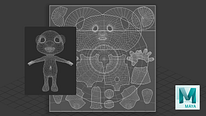
In this video lesson Miguel Miranda addresses the topic: Unfold Uvs, which is part of the Domestika online course: Course 5 – UVs: Displaying and Understanding. Begin to understand UVs, learn how to place them, and create UVs for a character.
Partial transcription of the video
“In this lesson we'll unfold UVs. which means stretching object skins to color them. I'll show you. Before diving into the UV Editor. let's start with a simple example to familiarize ourselves with using UVs. So. first things first. let's open the UV Editor. This initial step will help you get accustomed to the Let's start with an example using a die. which I think is our most effective initial example. This menu here is the UV Editor. which we briefly explored earlier. In it. you have the menu viewer and the toolkit available for use. Shall we proceed? When crafting a cube. we observe that ...”
This transcript is automatically generated, so it may contain mistakes.
Course summary for: Course 5 – UVs: Displaying and Understanding

Miguel Miranda
By Miguel Miranda
Miguel Miranda has been a 3D artist for the past ten years, specializing in 3D character creation. He has modeled characters for advertising, film, video game cinematics, video games, and cartoons.
Throughout his career, he has worked for various studios and currently works as a modeler at 23lunes Animation Studio and on privately commissioned projects.
- 0% positive reviews (0)
- 14 students
- 8 lessons (1h 6m)
- Online and at your own pace
- Available on the app
- Audio: Spanish, Turkish, French, English, Portuguese, Italian
- Spanish · English · Portuguese · German · French · Italian · Polish · Dutch · Turkish · Romanian · Indonesian
- Level: {beginner: "Beginner", intermediate: "Intermediate", advanced: "Advanced"}
- Unlimited access forever