


InDesign Tutorial: How to Create a Printable PDF
Learn the basics of preparing a file for printing with crop and bleed marks, with Leandro Rodrigues
Preparing a file for printing may seem like a simple process, but it requires a little care and attention so that everything goes smoothly. If you are going to need cut marks and bleeds, the process will be a little more complex, but not impossible.
Leandro Rodrigues (@leon_0), graphic designer and art director who has been working in the field for more than 10 years, teaches you step by step how to prepare a file in a simple and efficient way. He explains it to you in the video below:
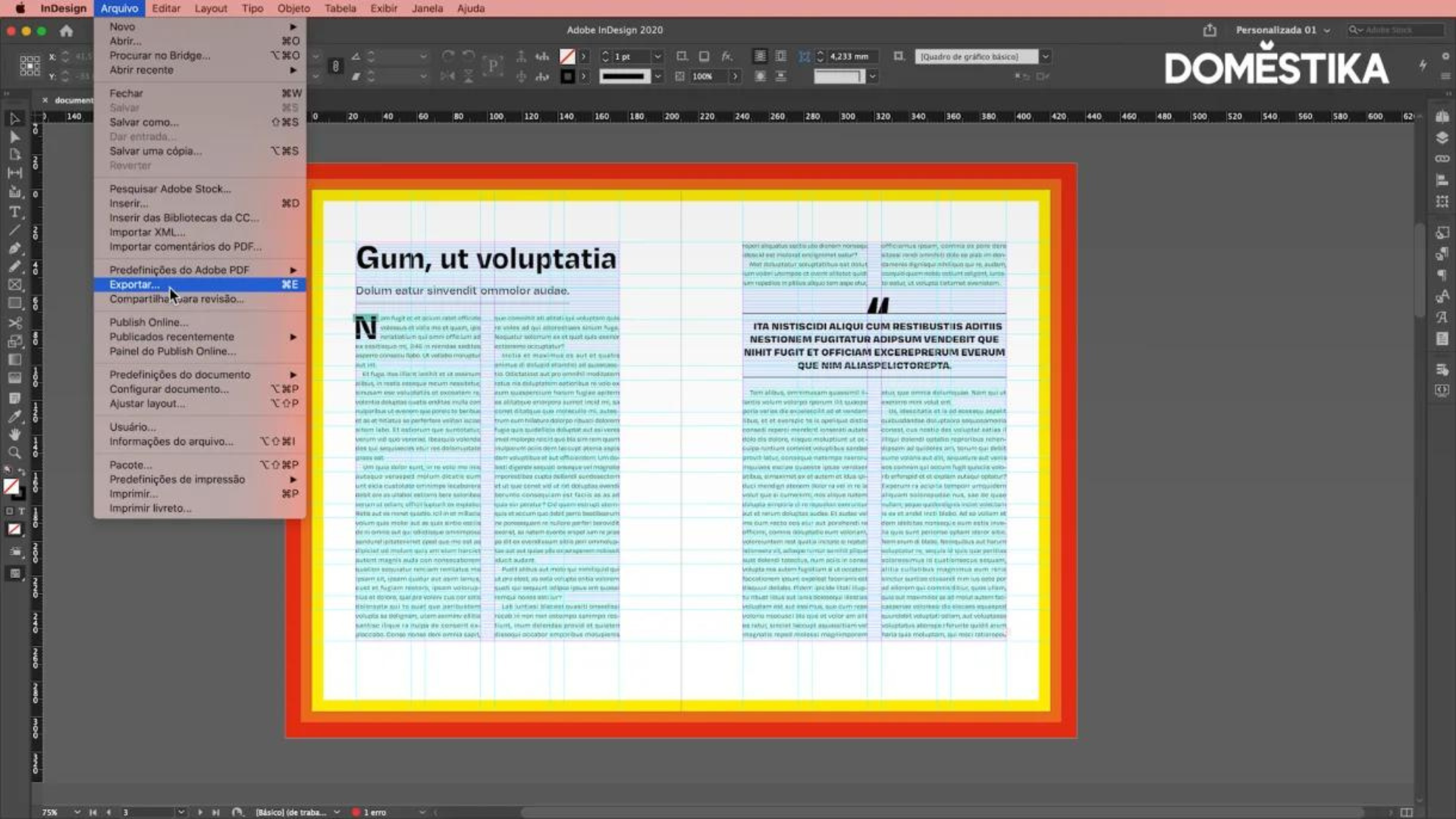
Step 1: Access the menu File > Export or Cmd/Ctrl + E
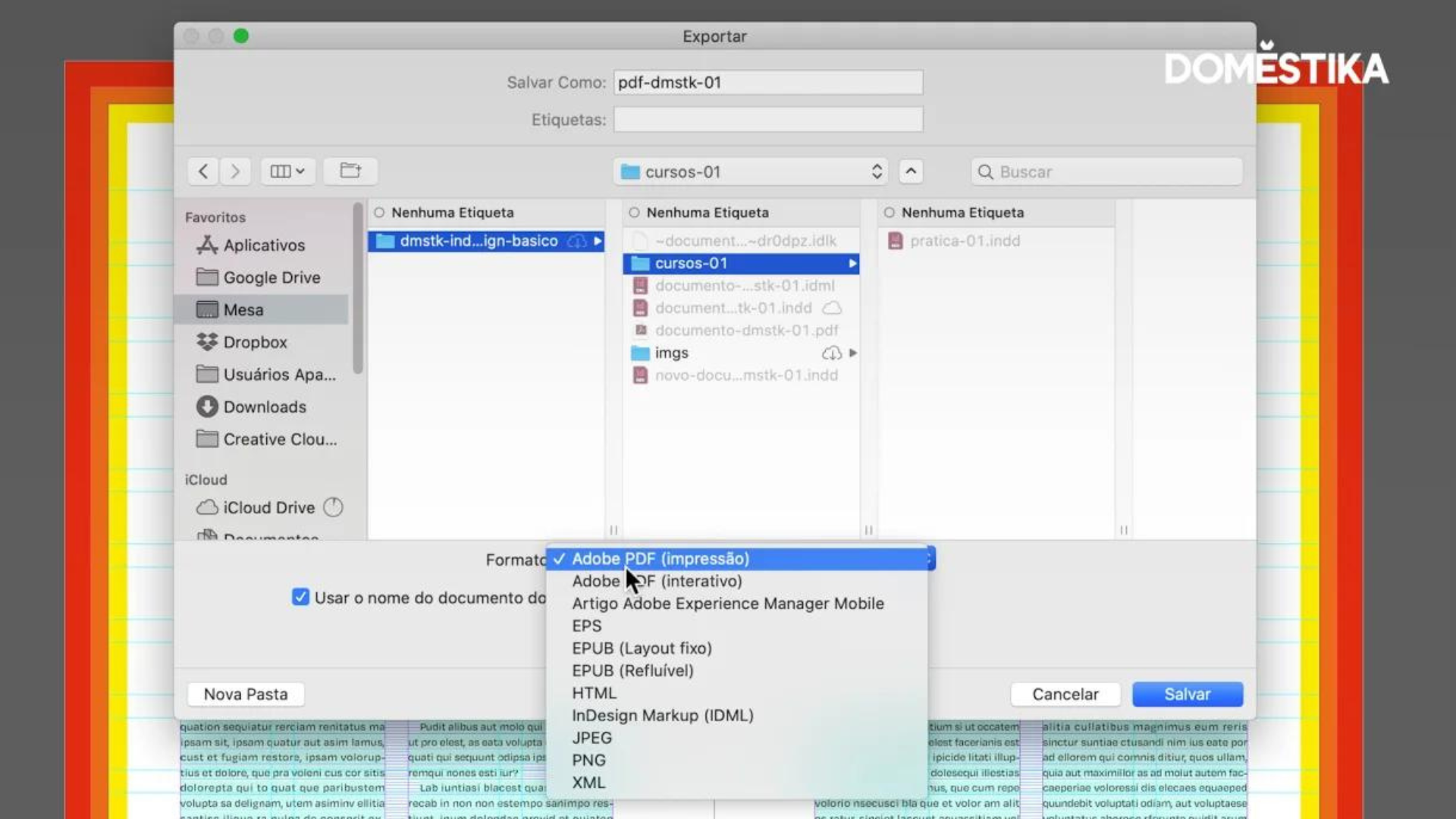
Step 2: Choose the Adobe PDF (print) option, and then click Save
Step 3: In the Export Adobe PDF window, click Marks and Bleeds to choose the settings you need. You can choose each of them independently, depending on the project.

Important information:
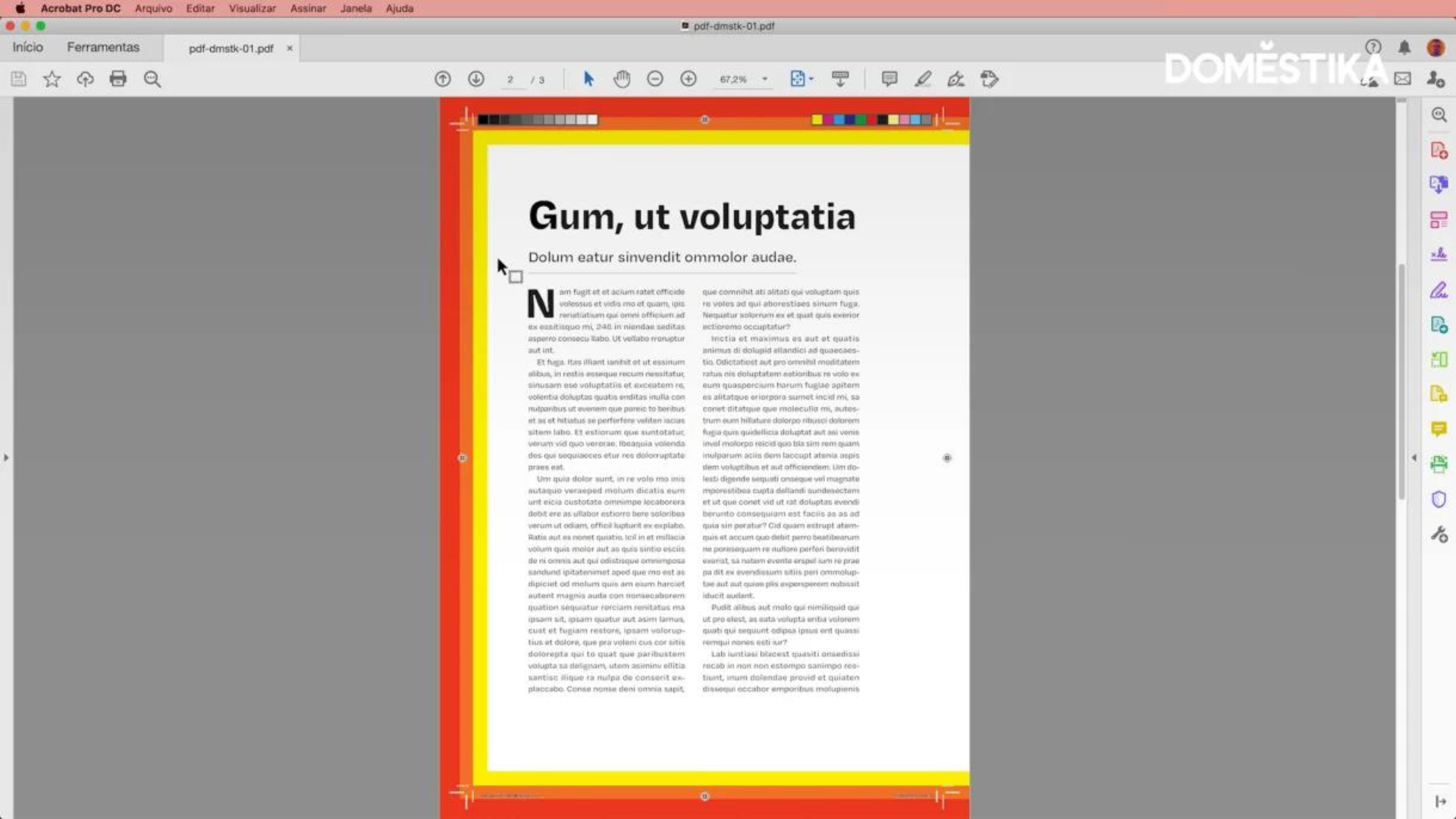
Cut marks: indicate where the printer has to guillotine and define the edges of the paper;
Bleed marks: these are the leftovers of the image that will be cropped once it is printed;
Registration marks: used for printer alignment;
Color bars: they are used to correctly calibrate the colors of your file;
Step 4: Click Use document bleed settings if you want to keep the original file settings, defined at file creation. If you want to customize the bleed, just uncheck the option and edit the measurements you want.

Step 5: Finally, click Export and check in the document folder that the chosen settings are correct.
If you want to learn how to diagram documents and interactive files like a professional with Leandro Rodrigues, don't miss his online course "Adobe InDesign: from zero to advanced".
Spanish version of @laura_bernal_m
You may also be interested in:
- 5 design trends for 2021
- 15 essential online courses to give to lovers of the design
- 5 sustainable graphic design references that you should know


+0 Kommentare