
Digital illustration with coloured pencils
Un curs de Mercedes deBellardIlustrator
Un curs de Mercedes deBellard, Ilustrator

Learn to draw digitally with a traditional finish
The illustrations of Mercedes deBellard became viral thanks to platforms such as Pinterest or Tumblr, nowadays her style is easily recognizable and many customers want to collaborate with her.
In this introductory course in digital drawing, you will learn to imitate the traditional technique of illustration with colored pencils using the computer to make your illustrations of animal themes, obtaining a warm style and full of nuances, like the one Mercedes uses in her work.
Ce vei învăța în acest curs online?
1 lecție & 1 descărcare
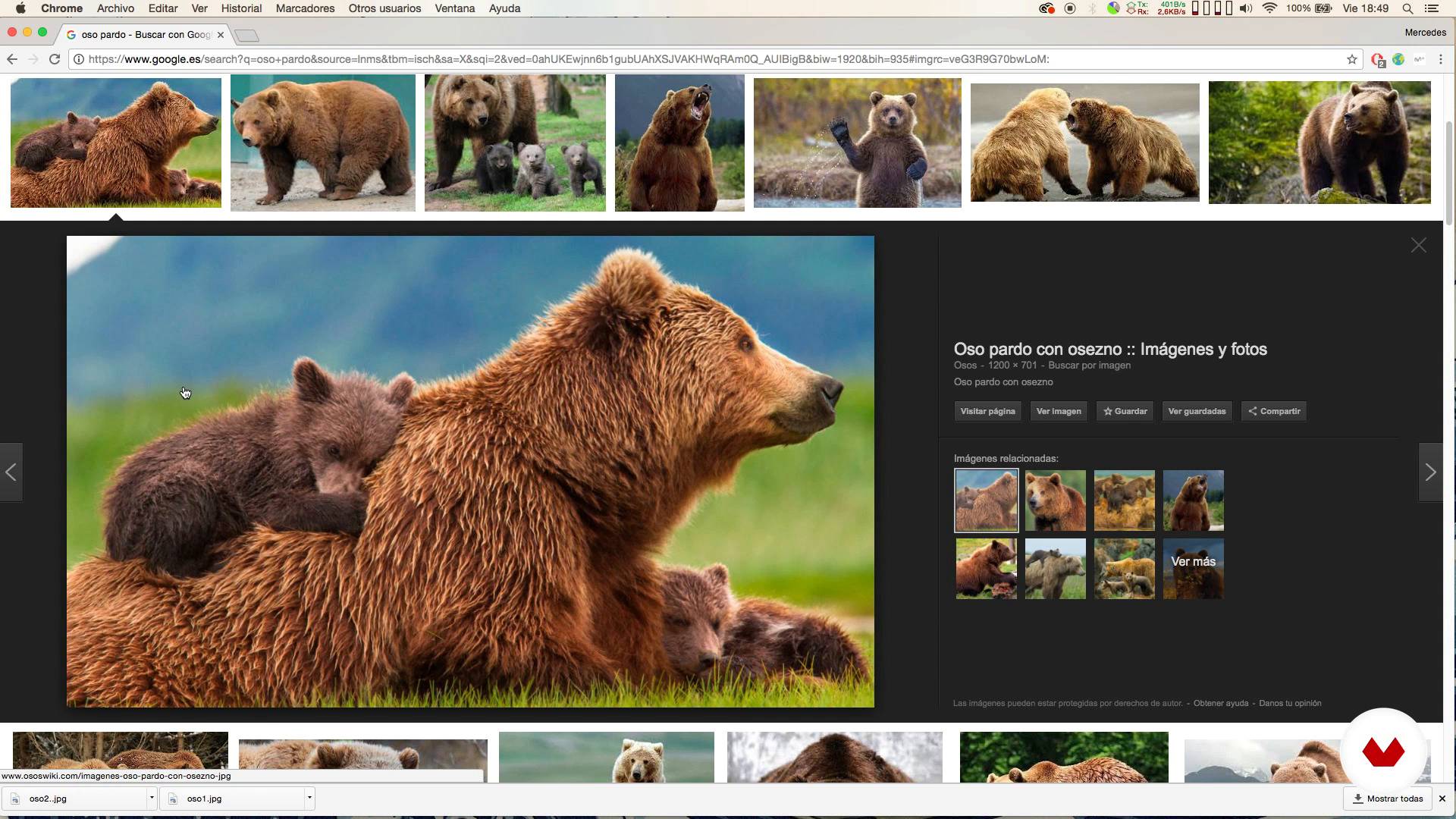
Looking for references
1 minut, 1 secundă
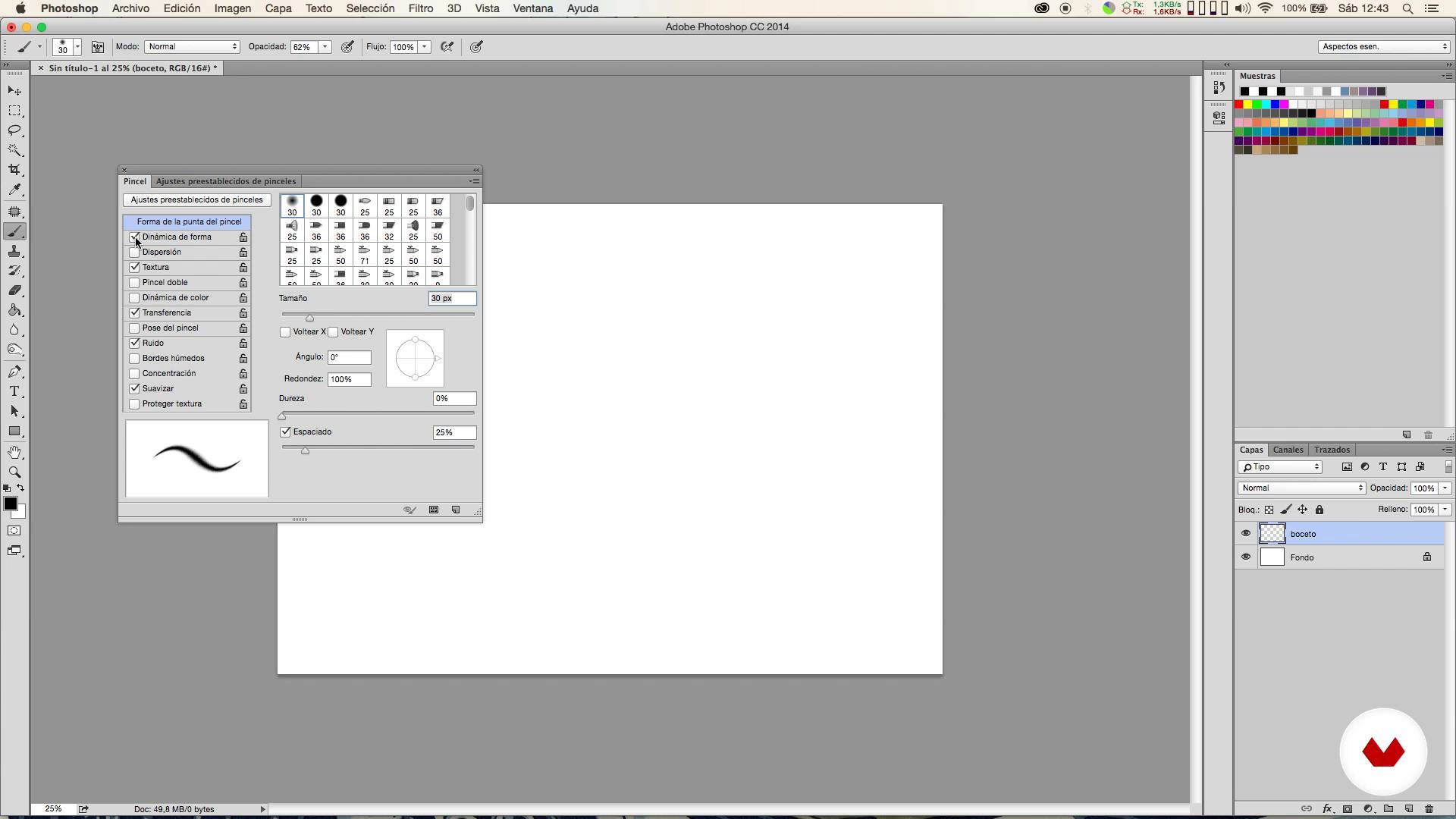
Brushes
1 minut, 1 secundă
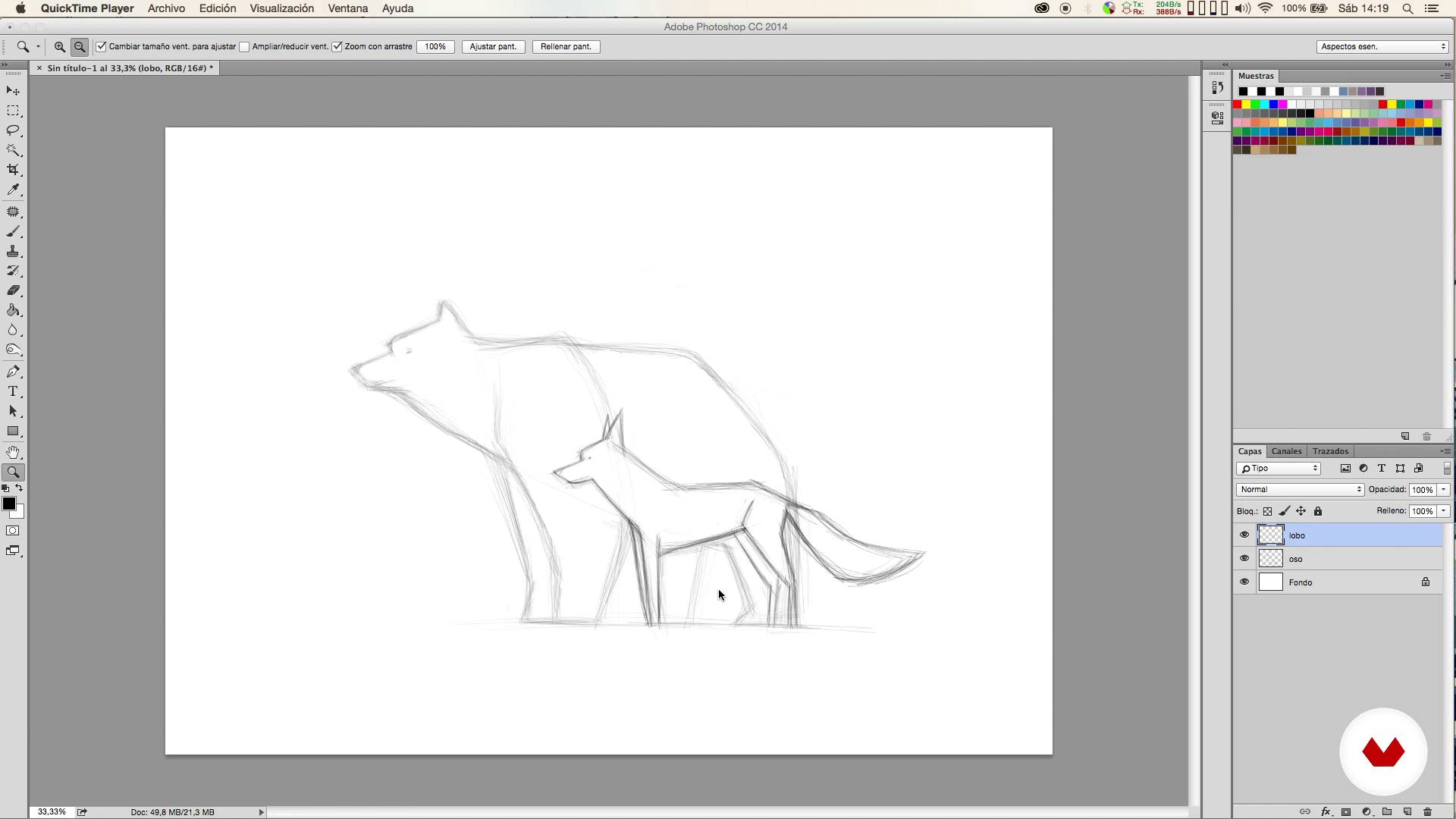
Sketch
1 minut, 1 secundă
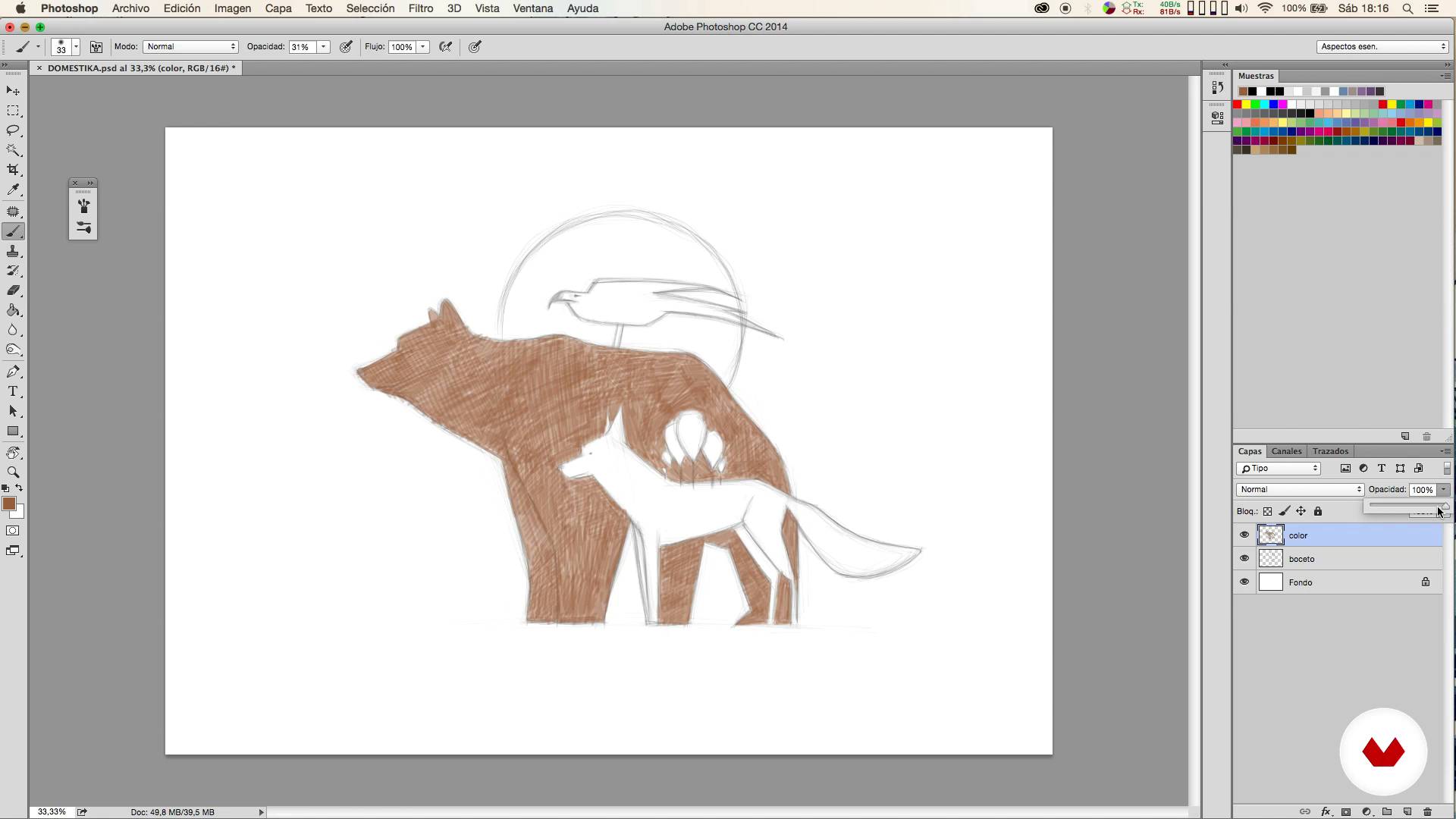
Colored I
1 minut, 1 secundă
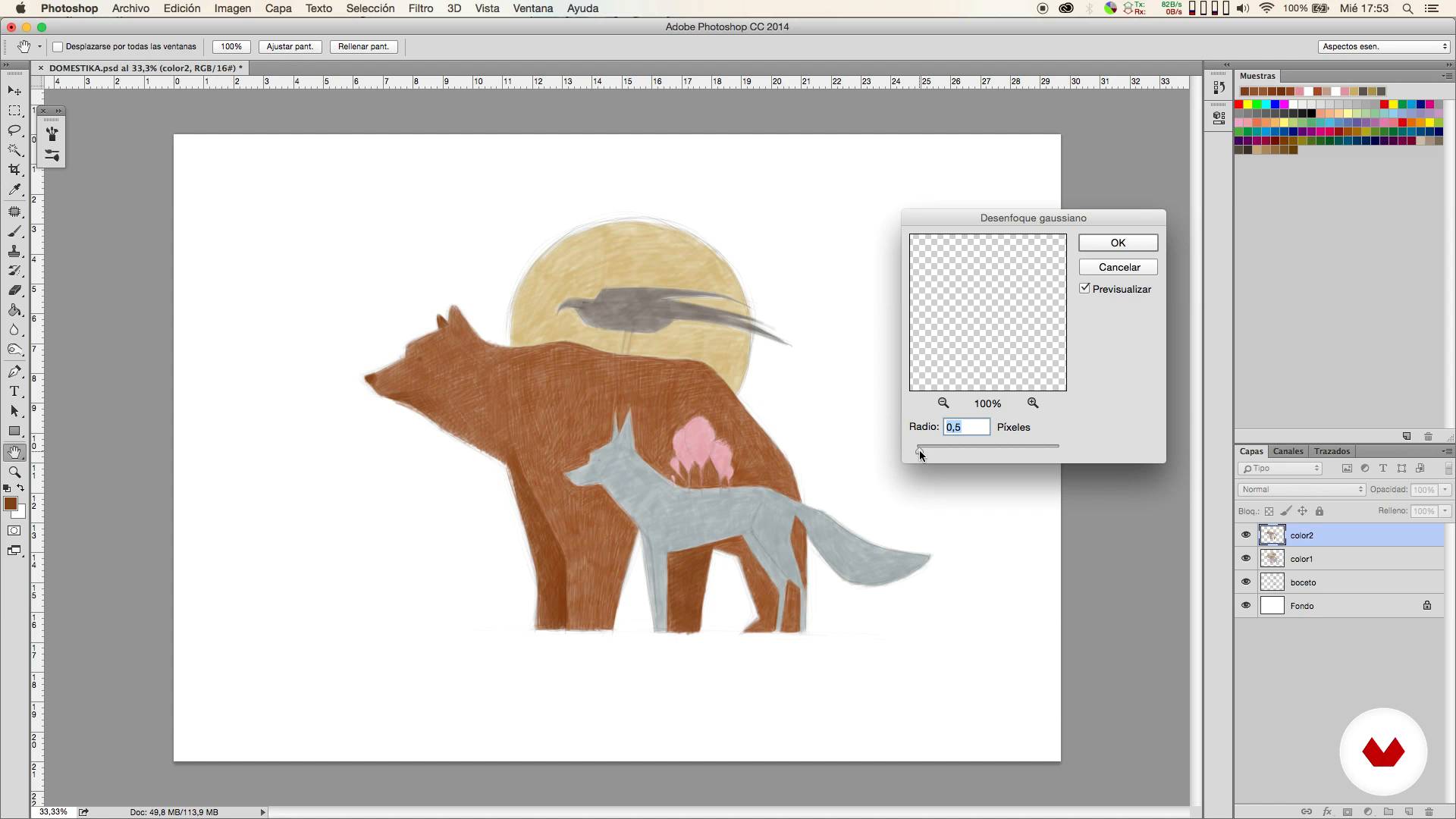
Colored II
1 minut, 1 secundă
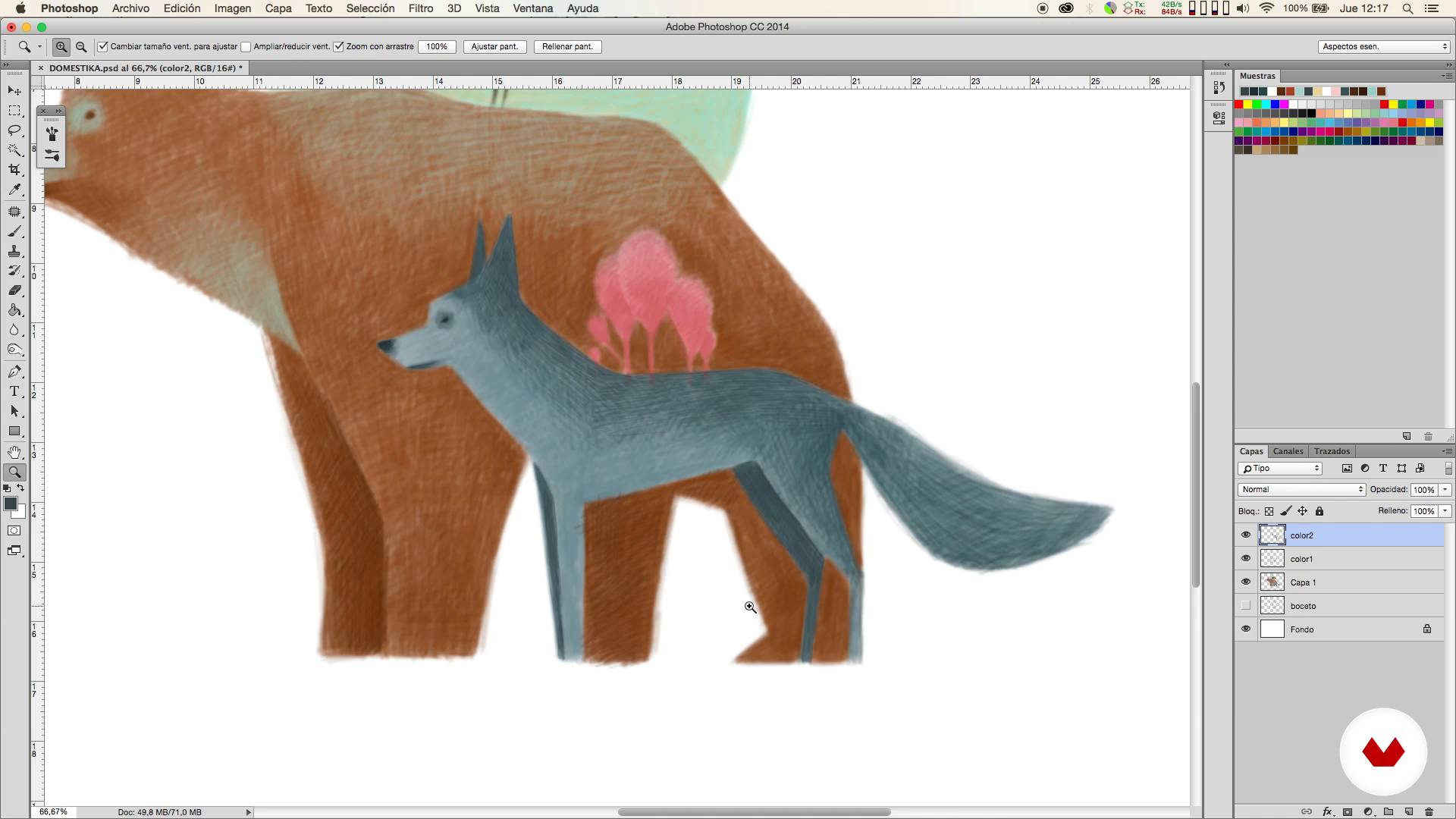
Colored III
1 minut, 1 secundă
Ce include acest curs?
You will start looking for ideas and references that will help you define the type of illustration you want to create.
Then you will prepare the adjustments of the Photoshop brushes and the most suitable format for the work you want to carry out.
It will be then when the sketching phase begins. From here you will carry out your illustration in different stages.
Once the illustration is finished, you will learn how to make corrections in a simple way and Mercedes will teach you how to tint the color to obtain a traditional looking result.
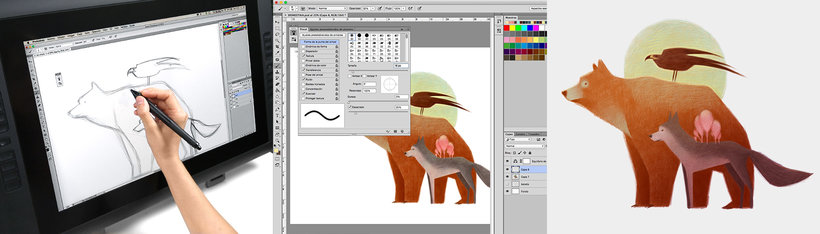
Software și instrumente recomandate pentru acest curs
Care este proiectul acestui curs?
You will draw an illustration of three animals using the digital technique of painting with colored pencils, from the sketch to the final touches.
Proiecte ale studenților cursului


Pentru cine este acest curs online?
To anyone interested in getting started in the digital illustration that wants to obtain very natural results using a very simple technique, simulating the traditional colored pencils.
Cerințe și materiale
Only basic knowledge of Photoshop is necessary, since the technique that Mercedes will explain to you is very simple.
With respect to the materials, you will need a computer with Photoshop and it is also advisable to use a graphic tablet.

Recenzii
- julius_aragornPLUS2 luni în urmă
Me parece un curso muy intuitivo y sencillo, pero genial para aprender a manejar algunas técnicas básicas de la ilustración, además del manejo de ciertos pinceles y técnicas de color muy interesantes.
- 2 luni în urmă
BUENO
- 5 luni în urmă
disfrute mucho el curso, la forma de explicar fue muy clara y concreta.
- 7 luni în urmă
Muy buen curso, ya que a diferencia de los demás que realicé se centra en una ilustración sencilla, y aborda muchos recursos valiosos a la hora de efectuar el dibujo, es encantador. Es para empezar, brinda conocimientos simples pero importantes!
- 8 luni în urmă
Fantastico!

Conţinut
- U 1
Introduction
- Presentation
- Influences
- U 2
First steps
- Looking for references
- Brushes
- Sketch
- U 3
Coloring!
- Colored I
- Colored II
- Colored III
- U 4
Final retouching
- Corrections
- Matize the color
- FP
Proiect final
- Digital illustration with colored pencils
La ce să te aștepți de la un curs Domestika
Învață în ritmul tău propriu
Bucură-te de învățarea de acasă, fără un program fix și cu o metodă ușor de urmat. Tu îți stabilești propriul ritm.
Învață de la cei mai buni profesioniști
Învață metode și tehnici valoroase explicate de experți de top din sectorul creativ.
Întâlnește profesori experți
Fiecare expert predă ceea ce face cel mai bine, cu îndrumări clare, pasiune adevărată și perspicacitate profesională în fiecare lecție.
Certificate
PLUSDacă ești membru Plus, primești un certificat personalizat semnat de profesorul tău pentru fiecare curs. Distribuie-l în portofoliul tău, pe rețelele sociale sau oriunde dorești.
Obțineți locuri în primul rând
Videoclipuri de cea mai înaltă calitate, pentru a nu rata niciun detaliu. Cu acces nelimitat, le poți viziona de câte ori este nevoie pentru a-ți perfecționa tehnica.
Împărtășește cunoștințe și idei
Pune întrebări, solicită feedback sau oferă soluții. Împărtășește-ți experiența de învățare cu alți studenți din comunitate care sunt la fel de pasionați de creativitate ca și tine.
Conectează-te cu o comunitate creativă globală
Comunitatea găzduiește milioane de oameni din întreaga lume, curioși și pasionați de explorarea și exprimarea creativității lor.
Urmărește cursuri produse profesional
Domestika își gestionează lista de profesori și produce fiecare curs intern pentru a asigura o experiență de învățare online de înaltă calitate.
Întrebări frecvente
No, this course is designed for people with intermediate digital illustration skills and basic Photoshop knowledge who want to improve their techniques and workflows for animal art.
You’ll need a computer with Adobe Photoshop installed, a graphics tablet recommended for better precision, and internet access to look up visual references.
You’ll learn how to find and organize references, set up pencil-like brushes, manage layers, create digital sketches, color in stages, correct mistakes, and refine illustrations for professional results.
The course teaches how to sketch animals in Photoshop using layers, custom brushes, visual references, balanced composition, and proportion correction with digital tools.
You’ll be shown how to search for silhouette and pose images, combine photos and illustrations, and build an efficient reference board to boost accuracy and creativity.
Layers, color management, lighting, shadows, Gaussian blur, and brushes with varying opacity are used to create volume and visual depth in your composition.
You’ll learn to tweak brush edges, opacity, shape dynamics, and texture in Photoshop to achieve a stroke that feels like traditional colored pencil.