Design an Interactive Publication with InDesign and Bütton
New document and first tools 1
Un curs de Sergio Ortiz , Designer grafic

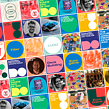
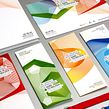

Despre videoclip: New document and first tools 1
Prezentare generală
“In this lesson, I will show you what my workspace looks like and I will show you how to customize it to make it more comfortable to work with. You will also see the ways to preview our documents using the Preview button, Export, or Web Viewer. I will also start by explaining some tools to help you become confident with their use. You will learn how to use: Add Page, Text Scrolling, Article Properties, and Bounce.”
În această lecție video, Sergio Ortiz abordează subiectul: New document and first tools 1 , care face parte din cursul online Domestika: Design an Interactive Publication with InDesign and Bütton . Turn reading catalogs, magazines or portfolios into a unique experience by adding animations, music, links and a wide variety of effects .
Rezumatul cursului pentru: Design an Interactive Publication with InDesign and Bütton
-
Categorie
Design -
Software
Adobe InDesign, Adobe Photoshop -
Zone
Design digital, Design editorial, Design grafic, Proiectarea informațiilor

Sergio Ortiz
Un curs de Sergio Ortiz
Născut în Barcelona, Sergio Ortiz nu este doar un designer grafic, ci și un pasionat de design și tot ce are legătură cu acesta. În munca sa, își propune să creeze produse inovatoare și atrăgătoare din punct de vedere vizual, îmbunătățind imaginea graf...
- 94% recenzii pozitive ( 362 )
- 1 elev
- 1 lecție ( 1 oră 1 metru )
- 1 descărcare
- Online și în ritmul tău propriu
- Disponibil în aplicație
- Sunet: Spaniolă, Engleză, franceză, italian, Portugheză, turc
- Spaniolă · Engleză · Portugheză · german · franceză · italian · Lustrui · Olandeză · turc · Română · Indoneziană
- Nivel: Începător
- Acces nelimitat pentru totdeauna
Software și instrumente recomandate pentru acest curs
 Adobe InDesign
 Adobe Photoshop
Categorie
Zone

