Rotoscoping: Draw an Animation Frame by Frame
Un curs de Gonzalo Cordero de Ciria , Pictor, ilustrator, animator, grafician de mișcare și storyboarder

S-a iunie 2014
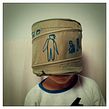
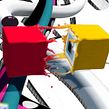
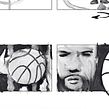

Learn to draw over a real image with Photoshop, Art Rage, and After Effects
S-a iunie 2014

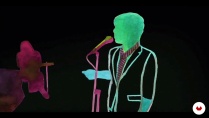
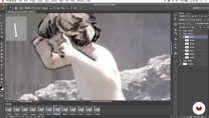
Gonzalo Cordero—illustrator, animator, and motion designer— teaches you to create a rotoscope. This animation technique consists of redrawing or tracing a video clip, which serves as a reference, frame by frame. The process allows the illustrator to transmit a greater level of naturalness and more realistic movement sequences, expressions, lighting and shadow, and proportions in their drawings.
In this online course, learn how to use a video clip as a foundation to generate your own artistic video creation, in your own style and with a moving paint-and-draw look.
Ce vei învăța în acest curs online?
1 lecție & 1 descărcare
- 97% recenzii pozitive ( 226 )
- 1 elev
- 1 lecție ( 1 oră 1 metru )
- 1 resursă suplimentară (1 fișier)
- Online și în ritmul tău propriu
- Disponibil în aplicație
- Sunet: Spaniolă, Engleză
- Spaniolă · Engleză · Portugheză · german · franceză · italian · Lustrui · Olandeză · turc
- Nivel: Începător
- Acces nelimitat pentru totdeauna
Software și instrumente recomandate pentru acest curs
 Adobe After Effects
 Adobe Photoshop
Care este proiectul acestui curs?
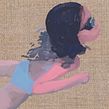
Carry out two projects. First, a personal one, based on a video clip of your choice or created by you, in which you use rotoscoping methods, and, secondly, a collaborative rotoscoping piece created over time between all the course students of an "exquisite corpse," starting from a common clip.
Proiecte ale studenților cursului


Pentru cine este acest curs online?
Animators, illustrators, designers, and all those interested in the world of animation who like to draw and are curious about moving images. Also, any artists wanting to do something personalized and who are not afraid to dedicate time and patience.
Cerințe și materiale
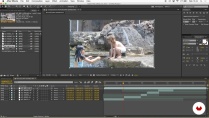
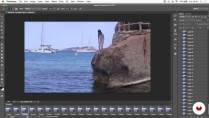
No advanced knowledge of any software is required, as the course consists of very manual techniques. However, you do need a basic working knowledge of Photoshop and Art Rage, a very simple drawing and painting program, and know how to edit in After Effects, even if just to a basic level.
Regarding the materials, a graphics tablet highly recommended.

Ești nou pe Adobe After Effects ? În acest caz, îți recomandăm să urmezi cursurile Domestika Basics pentru a învăța cum să utilizezi software-ul: Introducere în After Effects .
Recenzii

Gonzalo Cordero de Ciria
Un curs de Gonzalo Cordero de Ciria
Gonzalo Cordero a studiat Arte Frumoase și a menținut întotdeauna o relație strânsă cu arta, desenul și pictura. Ulterior, a lucrat în televiziune (Televisión Española, Jocurile Olimpice, Canal+, Canal Satélite Digital, Cuatro etc.), unde a devenit pas...
Conţinut
-
U 1
About me and the Rotoscopia
-
Presentation
-
Influences and contemporary drawing
-
History of Rotoscopia
-
The creative Rotoscopia
-
-
U 2
Create your video clip for a Rotoscopy
-
Created or downloaded?
-
Editing the clip and things to keep in mind
-
Preparation of material for Rotoscopia
-
-
U 3
Draw the movement
-
Rotoscopy technique in Photoshop
-
Basic operation of the Art Rage
-
Rotoscoping in drawing in Art Rage - Part 1
-
Rotoscoping in drawing in Art Rage - Annex 1
-
Rotoscoping in drawing in Art Rage - Part 2
-
Rotoscoping in drawing in Art Rage - Annex 2
-
Rotoscoping in drawing in Art Rage - Part 3
-
Rotoscoping in drawing in Art Rage - Annex 3
-
Rotoscoping in drawing in Art Rage - Part 4
-
Rotoscoping in drawing in Art Rage - Annex 4
-
Rotoscoping in drawing in Art Rage - Part 5
-
Rotoscoping in drawing in Art Rage - Annex 5
-
Rotoscoping in drawing in Art Rage - Part 6
-
Rotoscoping in drawing in Art Rage - Part 7
-
Rotoscoping in drawing in Art Rage - Annex 7
-
Rotoscoping in drawing in Art Rage - Part 8
-
Rotoscoping in drawing in Art Rage - Annex 8
-
Rotoscoping in drawing in Art Rage - Part 9
-
Color and paint in a rotoscoping with Art Rage - Part 1
-
Color and paint in a rotoscoping with Art Rage - Annex 1
-
Color and paint in a rotoscoping with Art Rage - Part 2
-
Color and paint in a rotoscoping with Art Rage - Annex 2
-
Color and paint in a rotoscoping with Art Rage - Part 3
-
Color and paint in a rotoscoping with Art Rage - Annex 3
-
Color and paint in a rotoscoping with Art Rage - Part 4
-
Color and paint in a rotoscoping with Art Rage - Annex 4.1
-
Color and paint in a rotoscoping with Art Rage - Annex 4.2
-
Color and paint in a rotoscoping with Art Rage - Part 5
-
Color and paint in a rotoscoping with Art Rage - Annex 5
-
Color and paint in a rotoscoping with Art Rage - Part 6
-
Color and paint in a rotoscoping with Art Rage - Annex 6
-
Color and paint in a rotoscoping with Art Rage - Part 7
-
Color and paint in a rotoscoping with Art Rage - Annex 7
-
Color and paint in a rotoscoping with Art Rage - Part 8
-
Color and paint in a rotoscoping with Art Rage - Annex 8
-
Color and paint in a rotoscoping with Art Rage. Part 9
-
Color and paint in a rotoscoping with Art Rage - Annex 9
-
Color and paint in a rotoscoping with Art Rage - Part 10
-
Color and paint in a rotoscoping with Art Rage - Annex 10
-
Color and paint in a rotoscoping with Art Rage - Part 11
-
-
U 4
Reorder and edit the final clip
-
Retrieving the material and editing it in After Effects
-
Delivery of work to the client (if any) and promotion of work
-
Other ways, collaborative rotoscopy
-
-
FP
Proiect final
-
Rotoscopia: draw an animation frame by frame
-
La ce să te aștepți de la un curs Domestika
-
Învață în ritmul tău propriu
Bucură-te de învățarea de acasă, fără un program fix și cu o metodă ușor de urmat. Tu îți stabilești propriul ritm.
-
Învață de la cei mai buni profesioniști
Învață metode și tehnici valoroase explicate de experți de top din sectorul creativ.
-
Întâlnește profesori experți
Fiecare expert predă ceea ce face cel mai bine, cu îndrumări clare, pasiune adevărată și perspicacitate profesională în fiecare lecție.
-
Certificate
PlusDacă ești membru Plus, primești un certificat personalizat semnat de profesorul tău pentru fiecare curs. Distribuie-l în portofoliul tău, pe rețelele sociale sau oriunde dorești.
-
Obțineți locuri în primul rând
Videoclipuri de cea mai înaltă calitate, pentru a nu rata niciun detaliu. Cu acces nelimitat, le poți viziona de câte ori este nevoie pentru a-ți perfecționa tehnica.
-
Împărtășește cunoștințe și idei
Pune întrebări, solicită feedback sau oferă soluții. Împărtășește-ți experiența de învățare cu alți studenți din comunitate care sunt la fel de pasionați de creativitate ca și tine.
-
Conectează-te cu o comunitate creativă globală
Comunitatea găzduiește milioane de oameni din întreaga lume, curioși și pasionați de explorarea și exprimarea creativității lor.
-
Urmărește cursuri produse profesional
Domestika își gestionează lista de profesori și produce fiecare curs intern pentru a asigura o experiență de învățare online de înaltă calitate.
Întrebări frecvente
Rotoscoping is an animation technique where you draw frame by frame over live-action footage to capture smooth, realistic movement. It’s used to create visual effects, blend pictorial styles, and experiment with combining traditional and digital media.
This course is designed for people with basic drawing and digital editing skills, ideal for intermediate learners. You don’t need to be an expert, but some familiarity with illustration or digital animation techniques is recommended.
You’ll learn rotoscoping methods, pictorial animation, digital collage, lip-syncing, media blending, video editing, and how to apply optical effects to craft expressive animations and innovative audiovisual projects.
You’ll need a computer, access to Photoshop and After Effects, ArtRage (or another digital painting program), a graphics tablet is recommended, and reference videos. It’s also helpful to have royalty-free images or clips for practice.
The course teaches you how to use digital tools like ArtRage to mimic oil painting techniques over rotoscoped video, blending layers, colors, and custom brushes to achieve painterly finishes in your animation.
Pictorial animation uses painting techniques and styles—like textures and brushstrokes—instead of flat lines and colors, aiming for a more artistic and expressive look.
You’ll learn how to visually plan scenes by structuring narrative, pacing, and transitions through key image sequences, making it easier to organize and maintain coherence in your animated project.
 Adobe After Effects
 Adobe Photoshop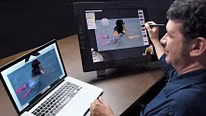
super interesante! lo recomiendo para iniciarte en la tecnica de la rotoscopia
un curso muy interesante y recomendable
Corso molto interessante e creativo!
Excelente curso! Muy bien explicado y la técnica es preciosa. Puedes trasladar lo aprendido al estilo que manejes. Lo súper recomiendo.
Aprecio este curso ya que no hay tantos que traten sobre esta técnica. Me parece que la rotoscopia es una herramienta interesante para darle un toque distintivo a ciertos trabajos de diseño.