Arcángel - 3D Model
par Anthony Nuñez Goncalves @anthony_goncalves
- 230
- 3
- 0
Introducción
Aunque no suelo escuchar reguetón, debo admitir que Arcángel es uno de los pocos artistas del género que me cae bien, y algunas de sus canciones de trap están en mi playlist. En redes sociales, a menudo me aparecen fragmentos de entrevistas suyas que me hacen reír; tiene una personalidad única que me llama la atención. Por ese motivo, decidí hacer una ilustración 3D de "Papi Arca", como parte de una serie en la que retrataré a artistas que me inspiran, influyen o simplemente me caen bien. Este es solo el comienzo de un proyecto en el que quiero plasmar, a mi manera, la esencia de quienes han dejado una marca en mí.
Although I don't usually listen to reggaeton, I have to admit that Arcángel is one of the few artists in the genre that I like, and some of his trap songs have made it onto my playlist. On social media, I often come across clips of his interviews that make me laugh—he has a unique personality that catches my attention. That's why I decided to create a 3D illustration of "Papi Arca," as part of a series where I'll portray artists who inspire me, influence me, or simply make a good impression on me. This is just the beginning of a project where I want to capture, in my own way, the essence of those who have left a mark on me.
Materiales
ZBrush, Autodesk Maya, Substance Painter, Arnold render
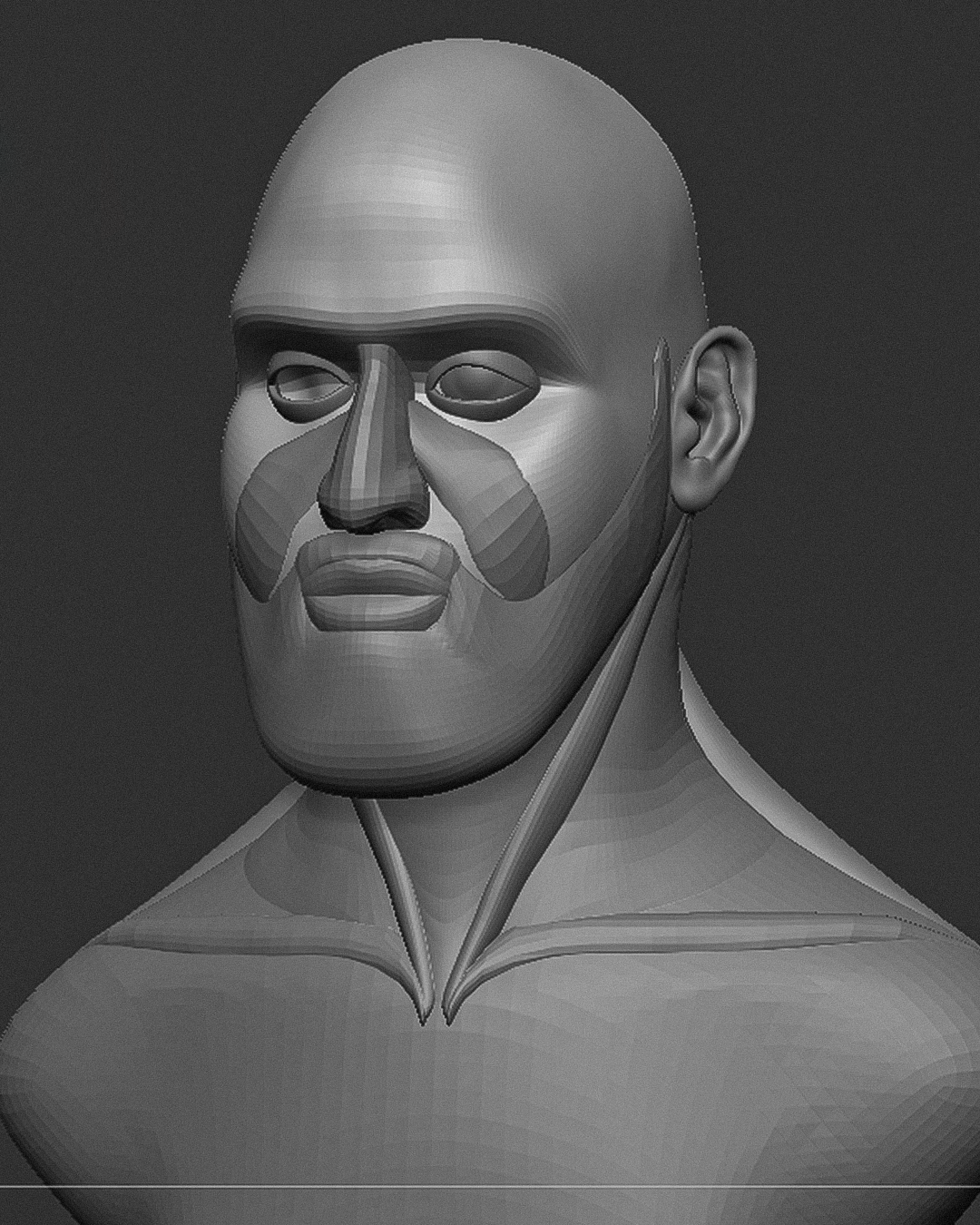
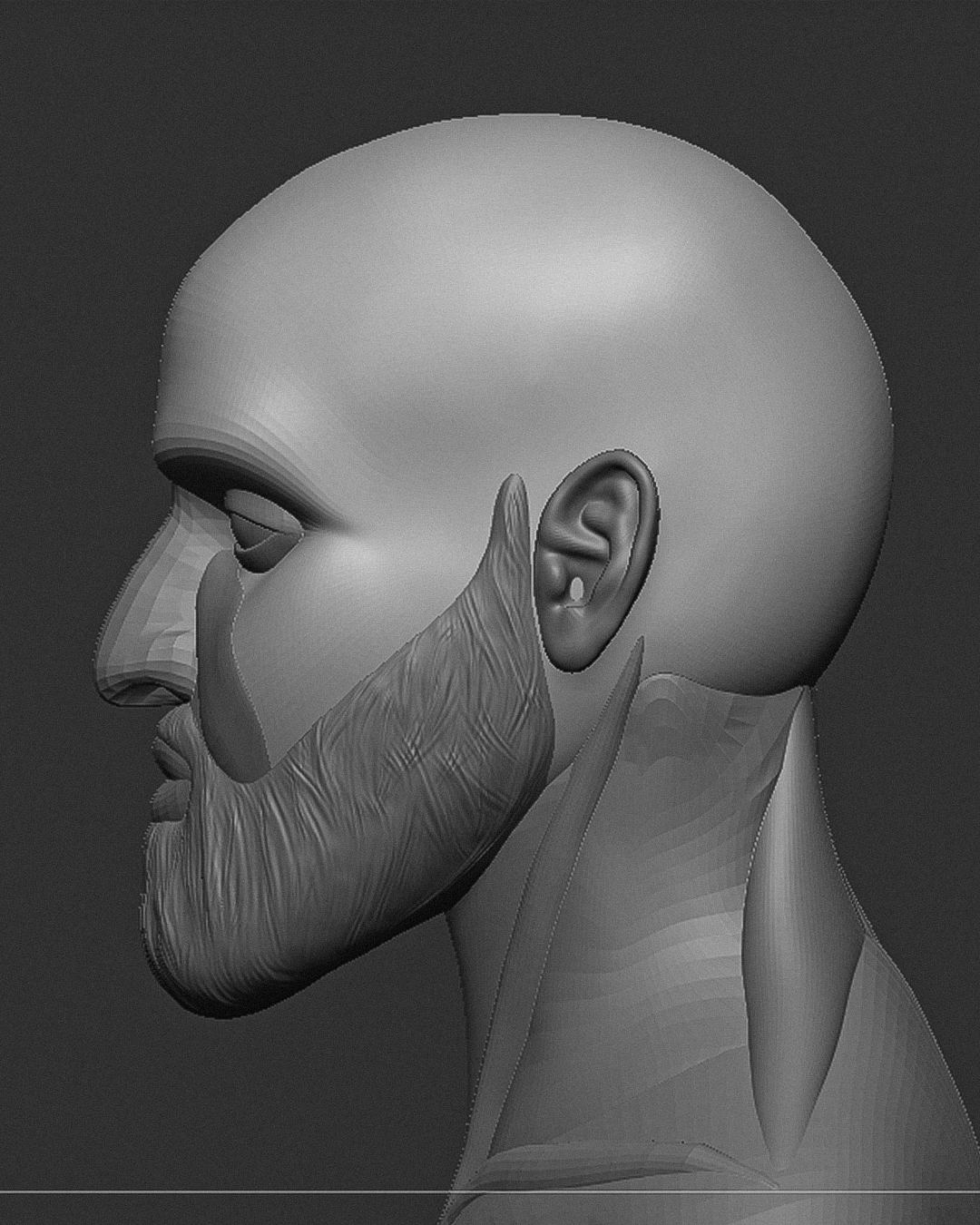
Blocking en ZBrush.
Comencé en ZBrush creando un blocking a partir de varias esferas, que fui modificando para dar forma base al torso y rostro de Arcángel. También añadí geometría para esculpir su característica barba, lo que me ayudó mucho a captar mejor su esencia.
I started in ZBrush by creating a blocking with multiple spheres, which I modified to shape the base of Arcángel’s torso and face. I also added geometry to sculpt his distinctive beard, which helped me a lot in capturing his essence.
Refinamiento y retopologia.
Una vez que tengo la forma base en ZBrush, combino todas las geometrías y aplico Dynamesh para unificarlas en un solo sólido. Con esto, puedo comenzar a refinar los detalles, aprovechando la mayor resolución. Después del refinamiento, realizo la retopología para generar un mapeado UV adecuado, lo que me permite texturizar correctamente y añadir detalles en la piel, fundamentales en mis trabajos.
Once I have the base shape in ZBrush, I merge all the geometries and apply Dynamesh to unify them into a single solid. This allows me to start refining the details, taking advantage of the increased resolution. After the refinement, I usually perform retopology to generate a proper UV map, enabling me to texture it correctly and add essential skin details to my work.
Joyería.
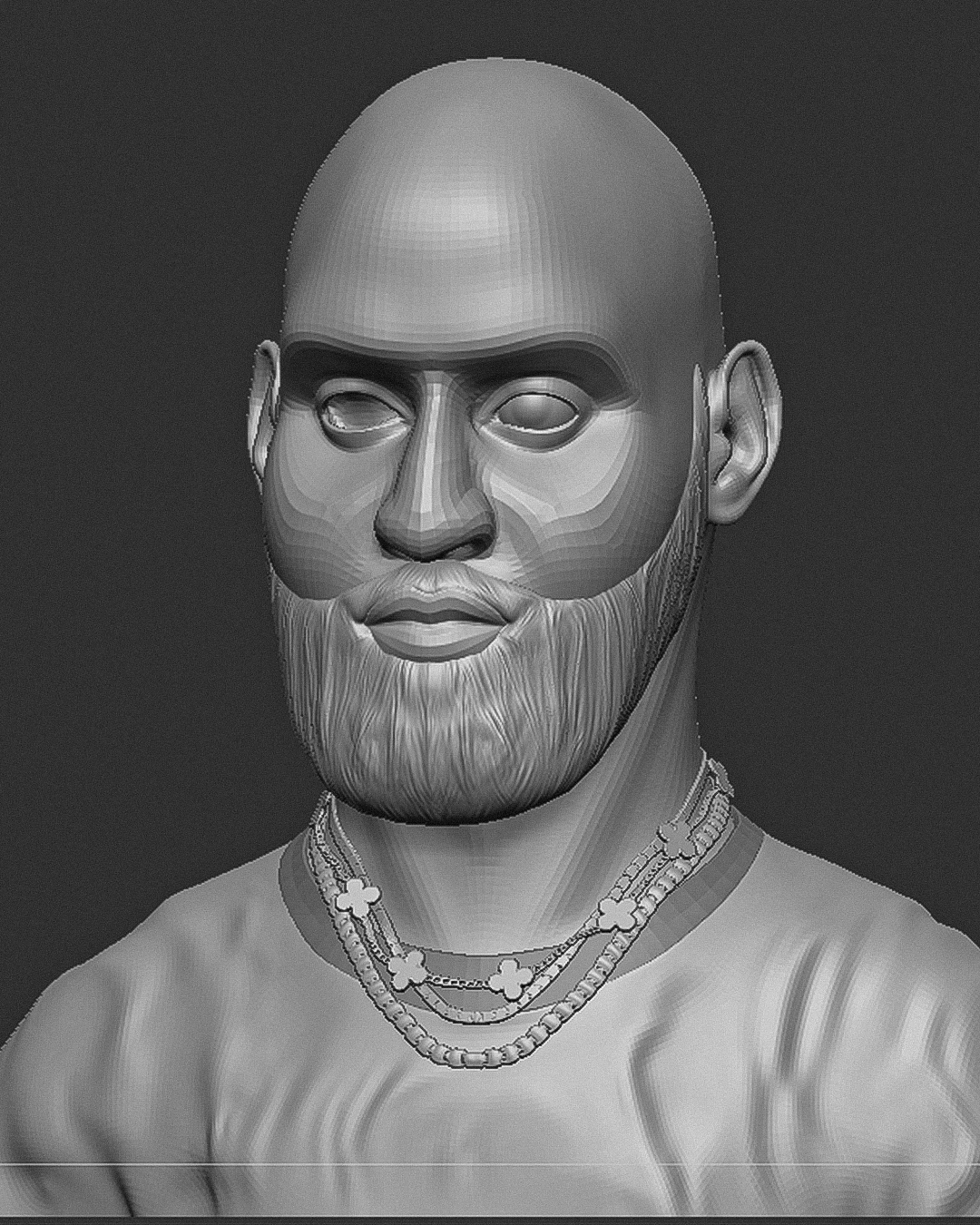
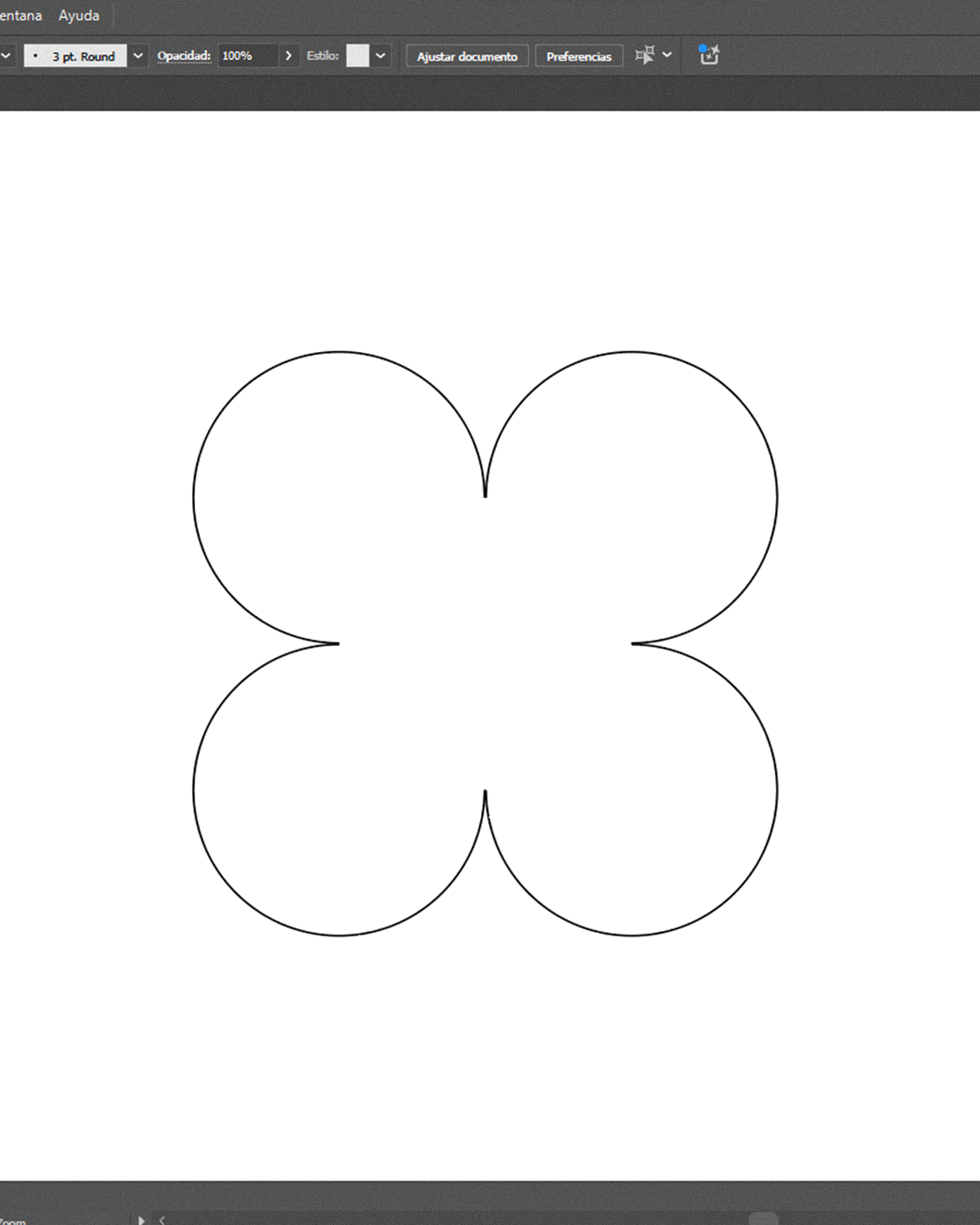
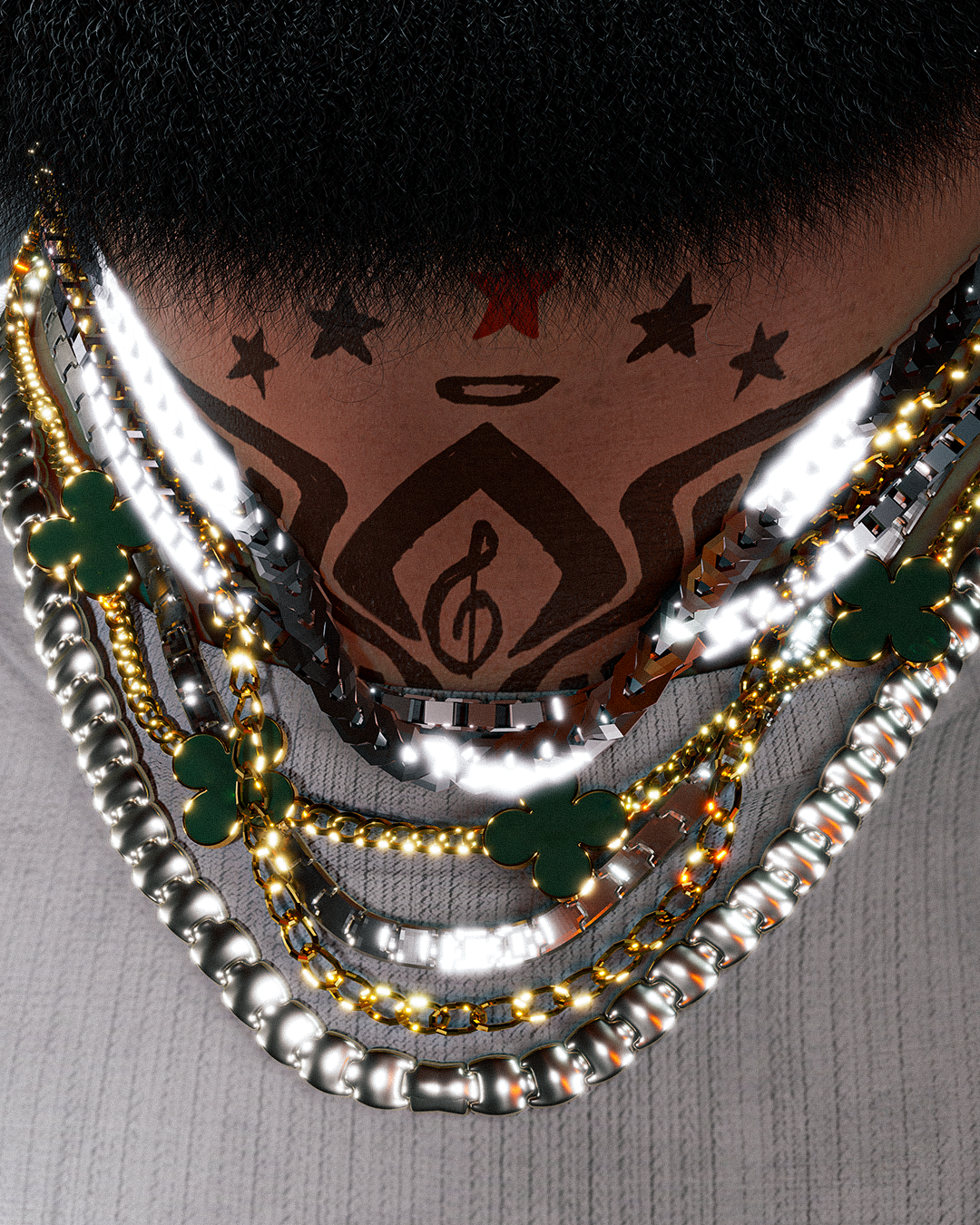
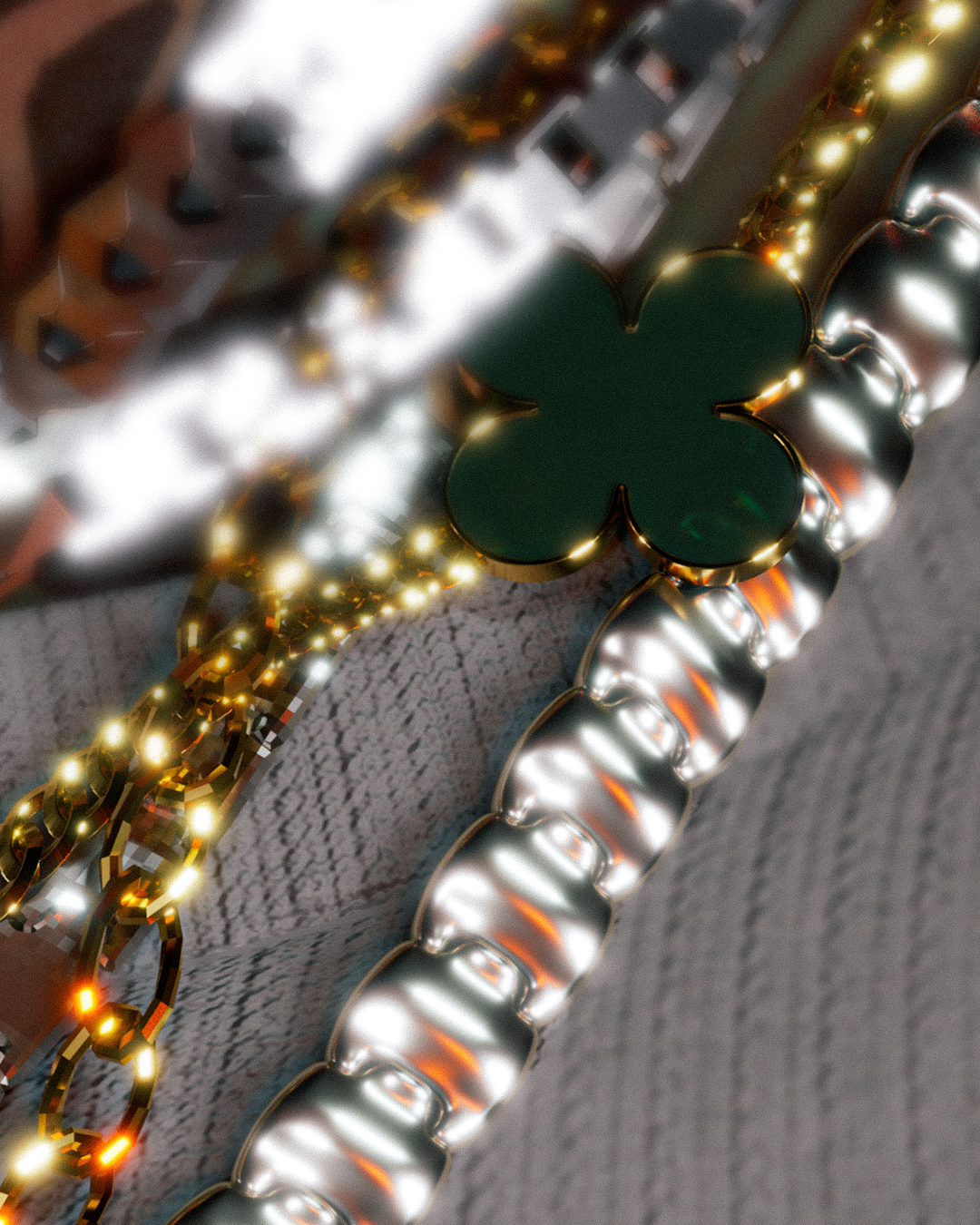
Para las piezas de joyería que suelo añadir a los personajes que ilustro, utilizo algunos pinceles gratuitos de ZBrush que he encontrado en línea. Sin embargo, en este caso, una de las piezas tiene formas florales. Para ello, creé un vector en Illustrator con el diseño que tenía en mente, luego importé el archivo de Illustrator en Maya, donde convertí las curvas (el vector) en geometría. Realicé este proceso tanto para la base de la flor como para la pieza de cristal. Finalmente, las importé a ZBrush y las ajusté manualmente en la posición deseada.
For the jewelry pieces I usually add to the characters I illustrate, I use some free ZBrush brushes I’ve found online. However, in this case, one of the pieces has floral shapes. To create this, I made a vector in Illustrator with the design I had in mind, then imported the Illustrator file into Maya, where I converted the curves (the vector) into geometry. I followed this process for both the flower base and the crystal piece. Finally, I imported them into ZBrush and manually adjusted their position as needed.
Grooming en XGen.
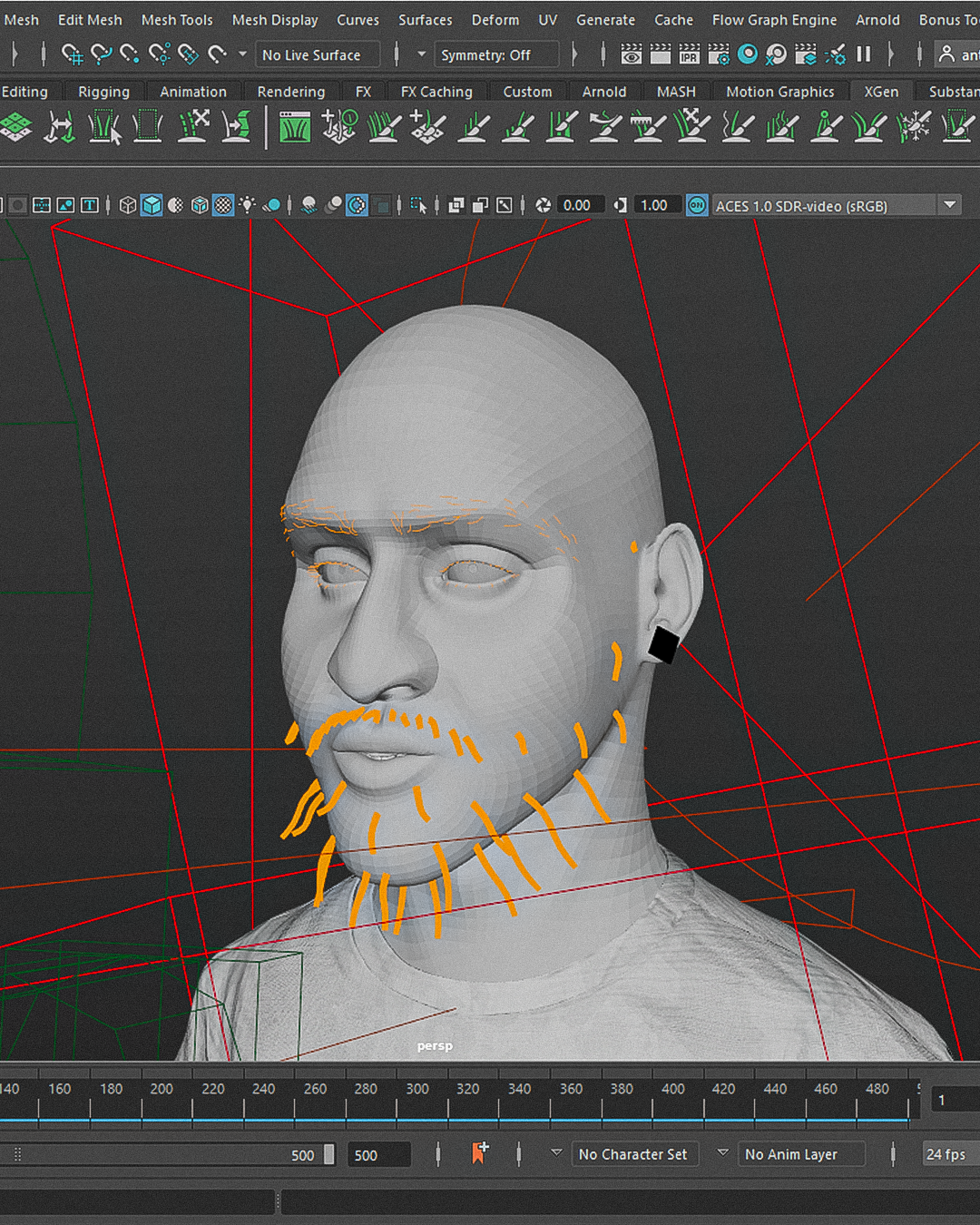
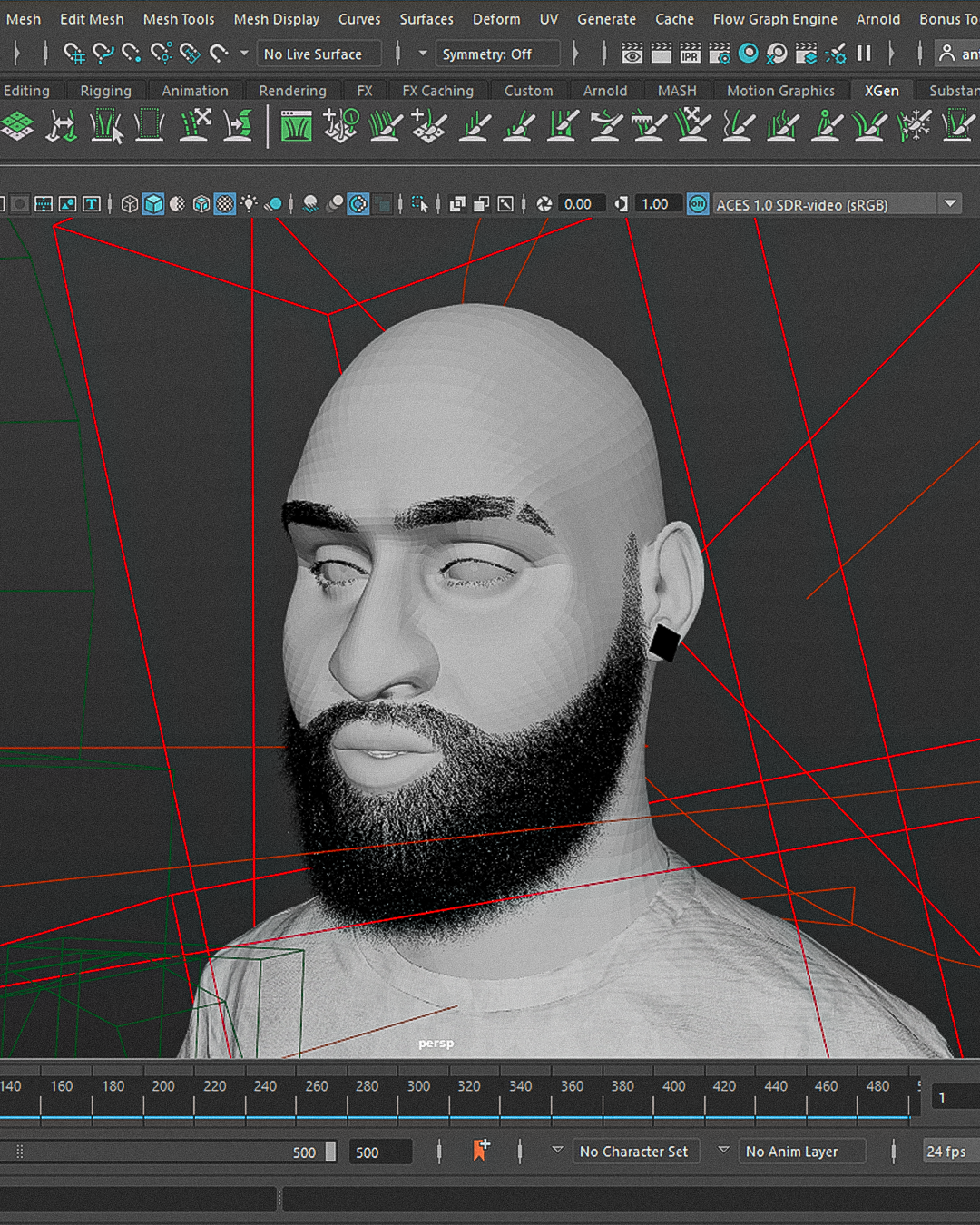
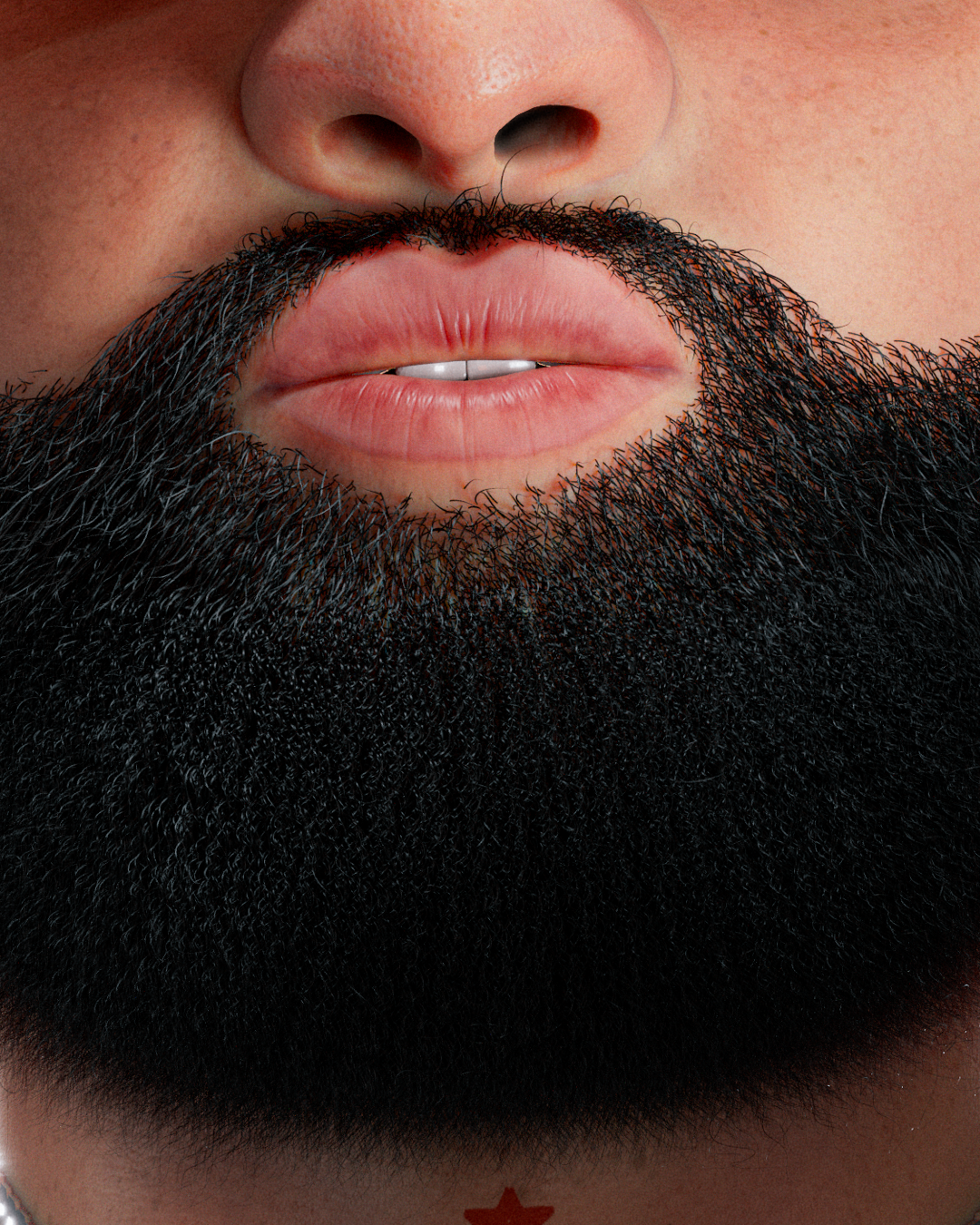
En el caso del grooming, en esta ilustración fue mucho más sencillo, ya que solo tenía que trabajar la barba, las cejas y las pestañas. Para este paso, importé mi modelo de Arcángel ya con la retopología y el mapeado UV previamente realizados (pasos clave cuando se trabaja con XGen). Luego, creé una descripción para cada una de las partes que quería generar: una para la barba, otra para las cejas y una más para las pestañas. Comencé añadiendo las guías con la forma y en las áreas donde quería que apareciera el cabello. Una vez satisfecho con las guías, añadí modificadores como: Clump, Noise, Cut y Coil. Posteriormente, creé una máscara de density para definir las zonas con pelo y las que no. Finalmente, solo quedaba previsualizar el resultado de mi creación.
For the grooming in this illustration, it was much simpler since I only had to work on the beard, eyebrows, and eyelashes. For this step, I imported my Arcángel model with the retopology and UV mapping already done (key steps when working with XGen). Then, I created a description for each part I wanted to generate: one for the beard, another for the eyebrows, and one more for the eyelashes. I began by adding the guides with the shape and in the areas where I wanted the hair to appear. Once satisfied with the guides, I added modifiers such as: Clump, Noise, Cut, and Coil. I then created a density mask to define the areas with hair and those without. Finally, it was just a matter of previewing the result of my creation.
Render final.
Una vez que el cabello está listo, llevo mi modelo 3D a Substance Painter, donde hago el bake del modelo y empiezo a pintar. En este paso, es literalmente como trabajar en Photoshop, pero en 3D. Agrego diferentes capas para crear la piel, los tatuajes y el color de los labios. Luego exporto mis mapas y los convierto en un shader de Arnold. Los aplico a mi modelo (siguiendo el mismo proceso para cada uno de los modelos 3D que aparecerán en el render final) y comienzo a añadir luces. Una vez satisfecho con todo lo anterior, coloco mis cámaras, y solo queda dar al botón de render final y esperar.
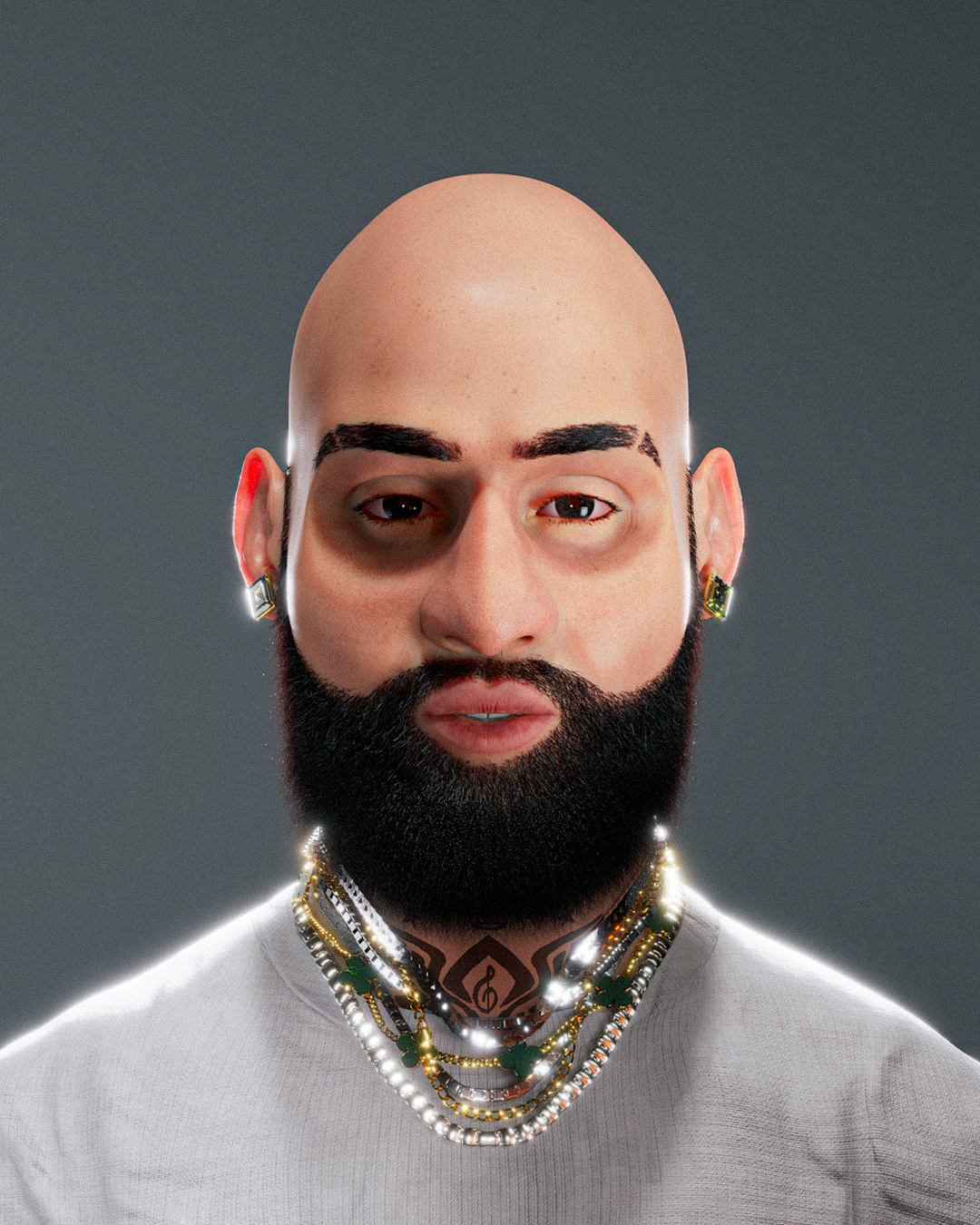
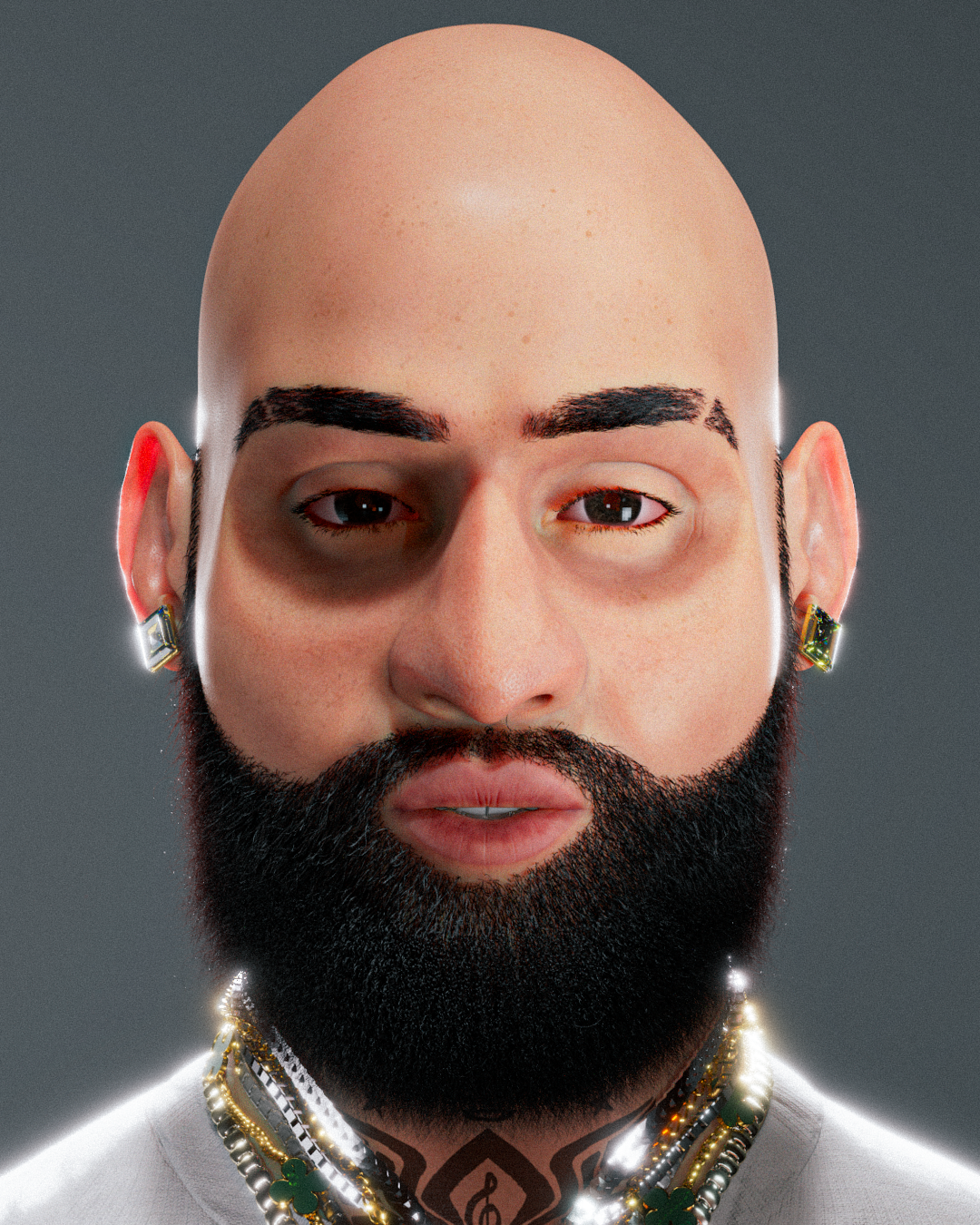
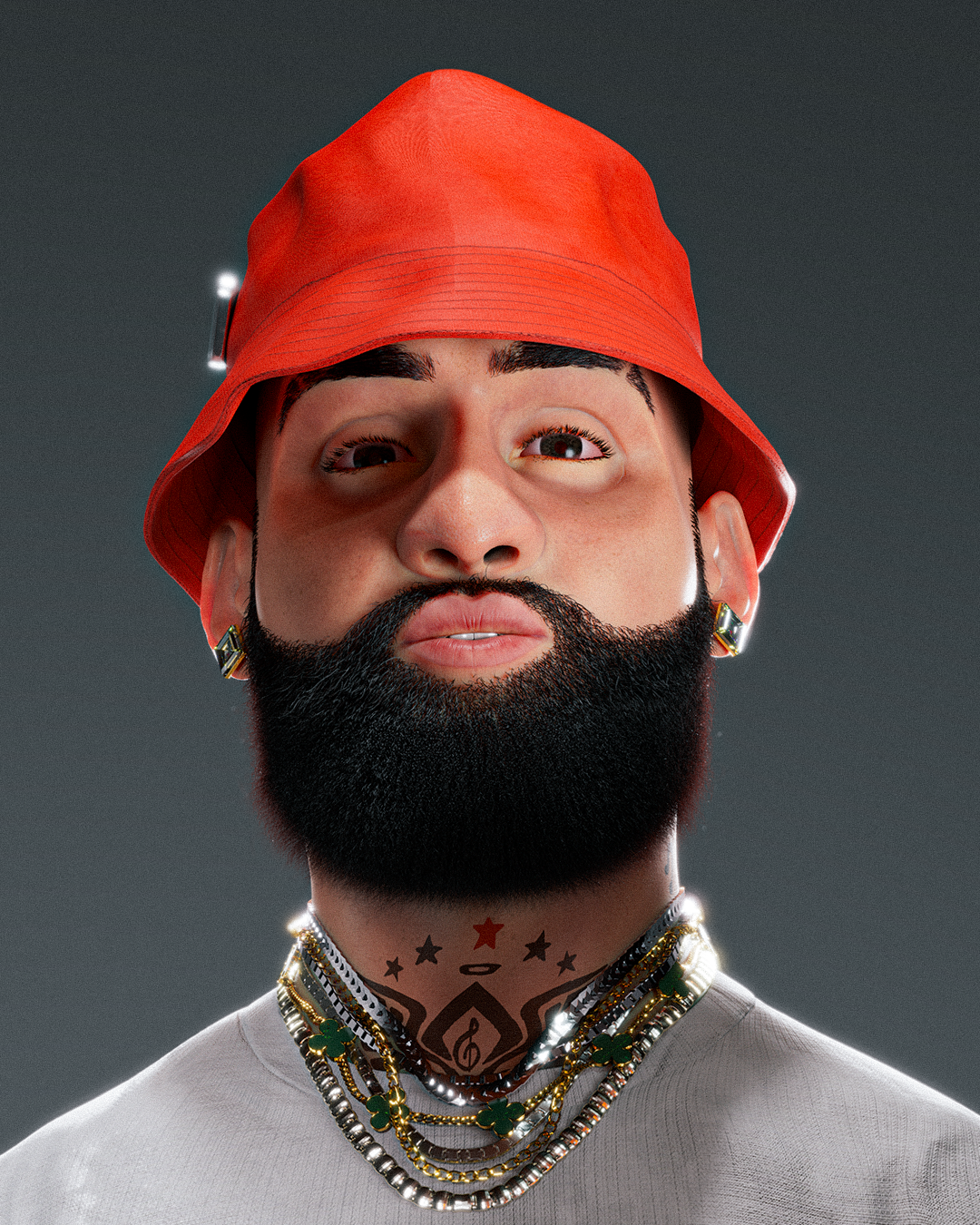
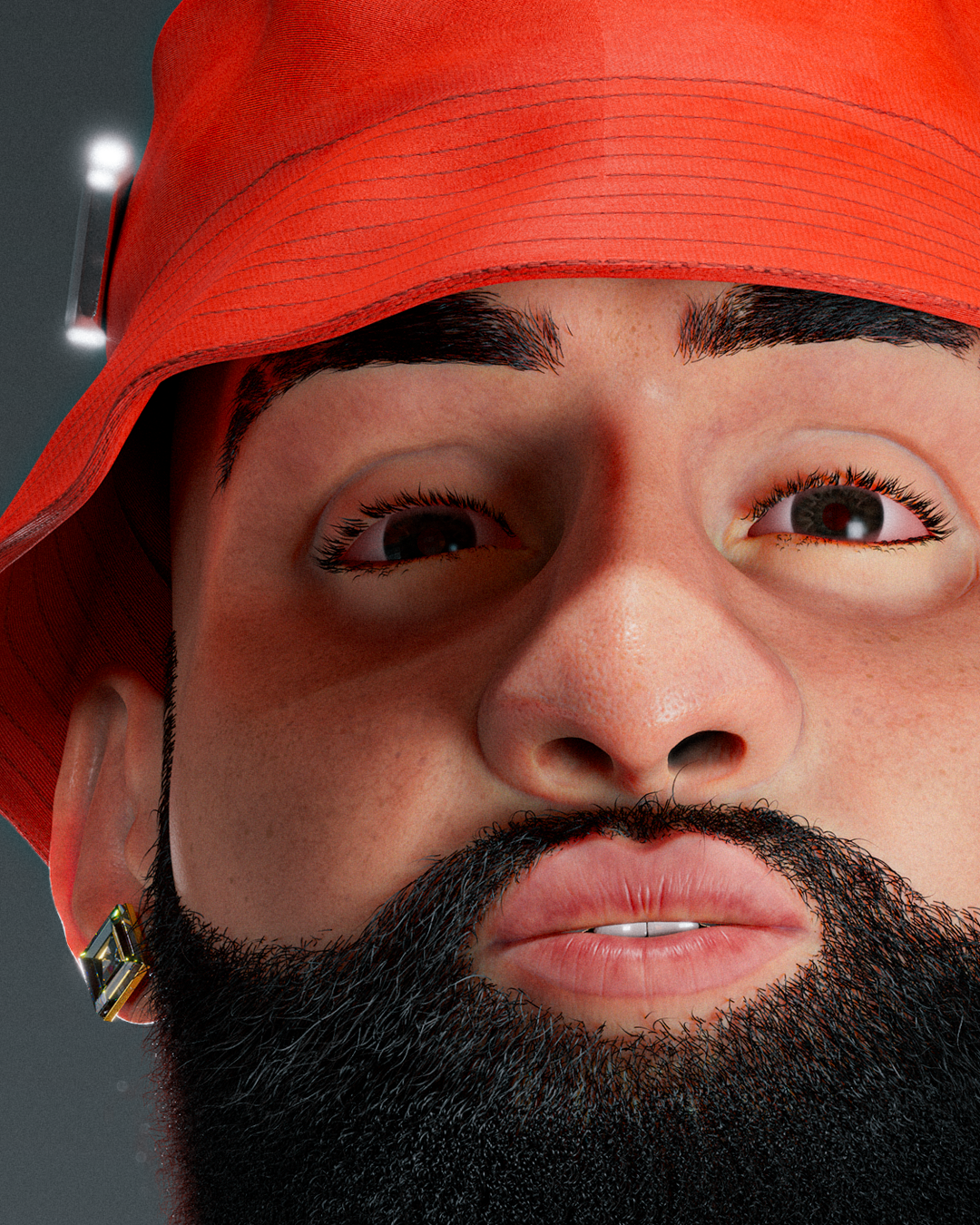
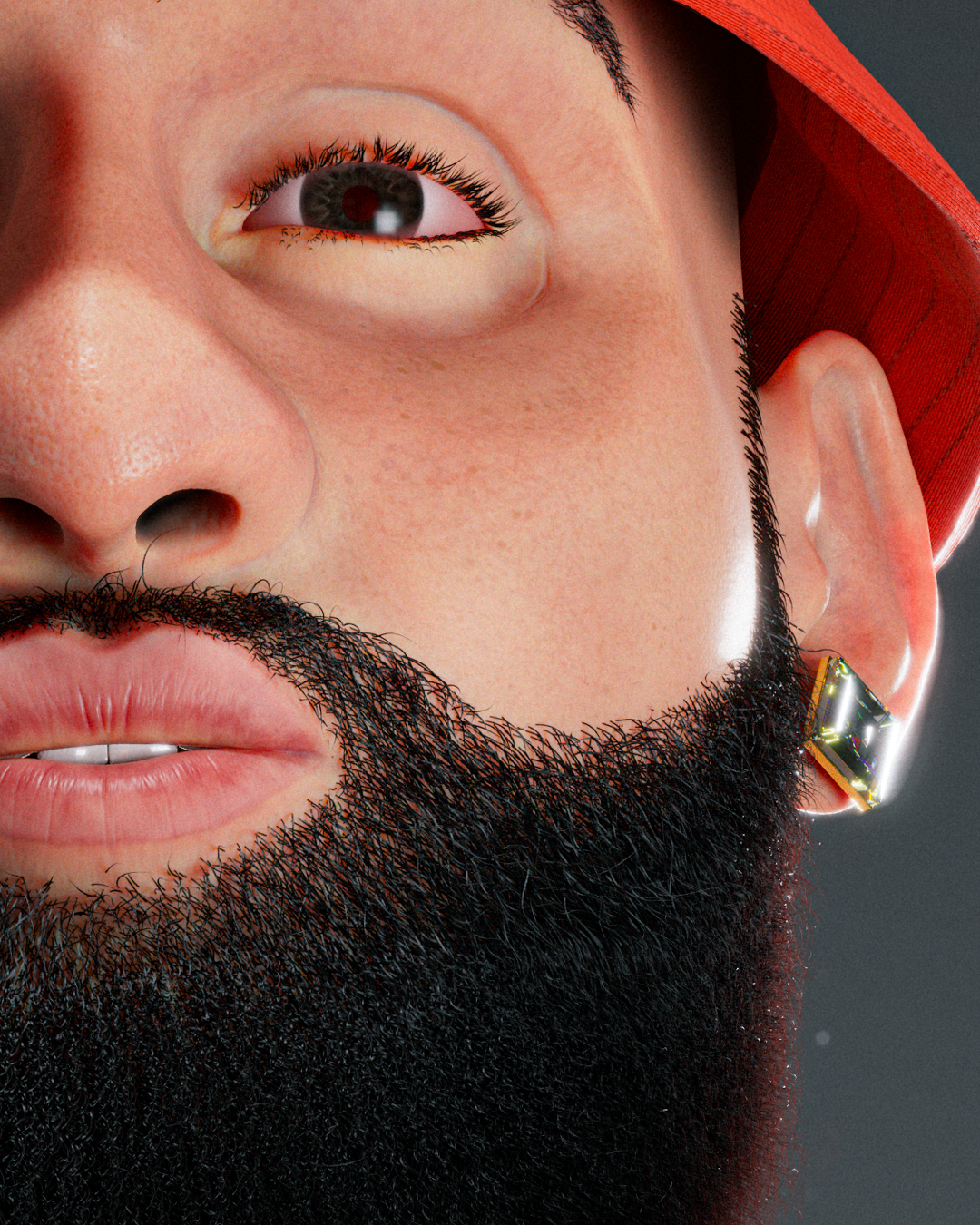
Aquí está el resultado de todo el trabajo. 👇
Once the hair is ready, I bring my 3D model into Substance Painter, where I bake the model and start painting. At this stage, it’s literally like working in Photoshop, but in 3D. I add different layers to create the skin, tattoos, and lip color. Then, I export my maps and convert them into an Arnold shader. I apply these to my model (following the same process for each 3D model that will appear in the final render) and begin adding lights. Once satisfied with everything mentioned above, I place my cameras, and it's just a matter of hitting the final render button and waiting.
Here’s the result of all the work. 👇


0 commentaire
Connectez-vous ou inscrivez-vous gratuitement pour commenter