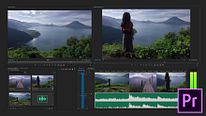
Introduction to Adobe Premiere Pro
Course 1 - Getting to Know Adobe Premiere Pro: Creation of a new project
By Juanmi Cristóbal , Video Editor and Director of Photography



About the video: Creation of a new project
Overview
“Once we have both Adobe Premiere Pro and Adobe Media Encoder installed, we can start creating a new project. As a previous recommendation, I advise you that all the material, with which you go to work later, is well organized. This will make our workflow improve a lot. I usually work on SSD hard drives, since their transfer speed is very high and they make the program perform very well. ”
In this video lesson Juanmi Cristóbal addresses the topic: Creation of a new project, which is part of the Domestika online course: Course 1 - Getting to Know Adobe Premiere Pro. Get an introduction to the program, its interface, and the basic tools.
Partial transcription of the video
“In this lesson, I'll explain what you'll find when you open Premiere for the first time. explain the first window and how to create your first project from scratch. Let's see it. In this lesson, I will teach how to create a project in Adobe Premiere Pro 2018. For this there are several ways, the easiest, we have it in front where it puts New project . This would be the simplest way. The second one we would have going to the File tab, New, Project. And, as you can see, to the right, we have the keyboard shortcut, which in this case would be Control + Alt + N. As you can see, the projects als...”
This transcript is automatically generated, so it may contain mistakes.
Course summary for: Course 1 - Getting to Know Adobe Premiere Pro

Juanmi Cristóbal
By Juanmi Cristóbal
Juanmi Cristóbal has experience in a variety of fields, from graphic design, which he studied in his hometown of Zamora, Spain, to photography, postproduction, and video recording and editing.
In 2016, he joined his partners Javier Barbero and Sergio Llast to create the AV production company Fourminds, which works in both film and advertising and with clients like Samsung, Wacom, Rolling Stone, and Canal Sur.
In addition to teaching at Domestika, he shares his knowledge of technical photography, video editing with Premiere Pro, and DSLR video recording with students at the Escuela Arte Granada.
- 15 students
- 8 lessons (57m)
- 5 additional resources (1 files)
- Online and at your own pace
- Available on the app
- Audio: Spanish, French, Portuguese, English
- Spanish · English · Portuguese · German · French · Italian · Polish · Dutch · Turkish · Romanian · Indonesian
- Level: {beginner: "Beginner", intermediate: "Intermediate", advanced: "Advanced"}
- Unlimited access forever