Creation of Characters with Photoshop
A course by Alain PerdomoDigital artist, photographer and retoucher
A course by Alain Perdomo, Digital artist, photographer and retoucher

Use retouching to add phantasy and a bit of terror to your photographs
Photo retouching can do everything. Transform the image of a person into a character of a zombie movie, futuristic or what the imagination - and skills in Adobe Photoshop - can achieve. Alain Perdomo is a visual artist, photographer and retoucher passionate about mystery and drama and is dedicated to transmitting feelings with touches of fantasy and terror in his photographs. If in your first courses you teach to take your first steps with Initiation to photo retouching with Photoshop and then, go one step further with Photo retouching of fashion and beauty with Photoshop . Now it invites you to awaken your creativity and through retouching create the unimaginable.
In this course you will learn step by step the best professional touch-up techniques to create a fictional character with Adobe Photoshop. You will start from a photograph as a base, in which you will be working and creating a character in a meticulous way, shaping and adapting each part of his body to the final result you want to achieve.
What will you learn in this online course?
16 lessons & 15 downloads
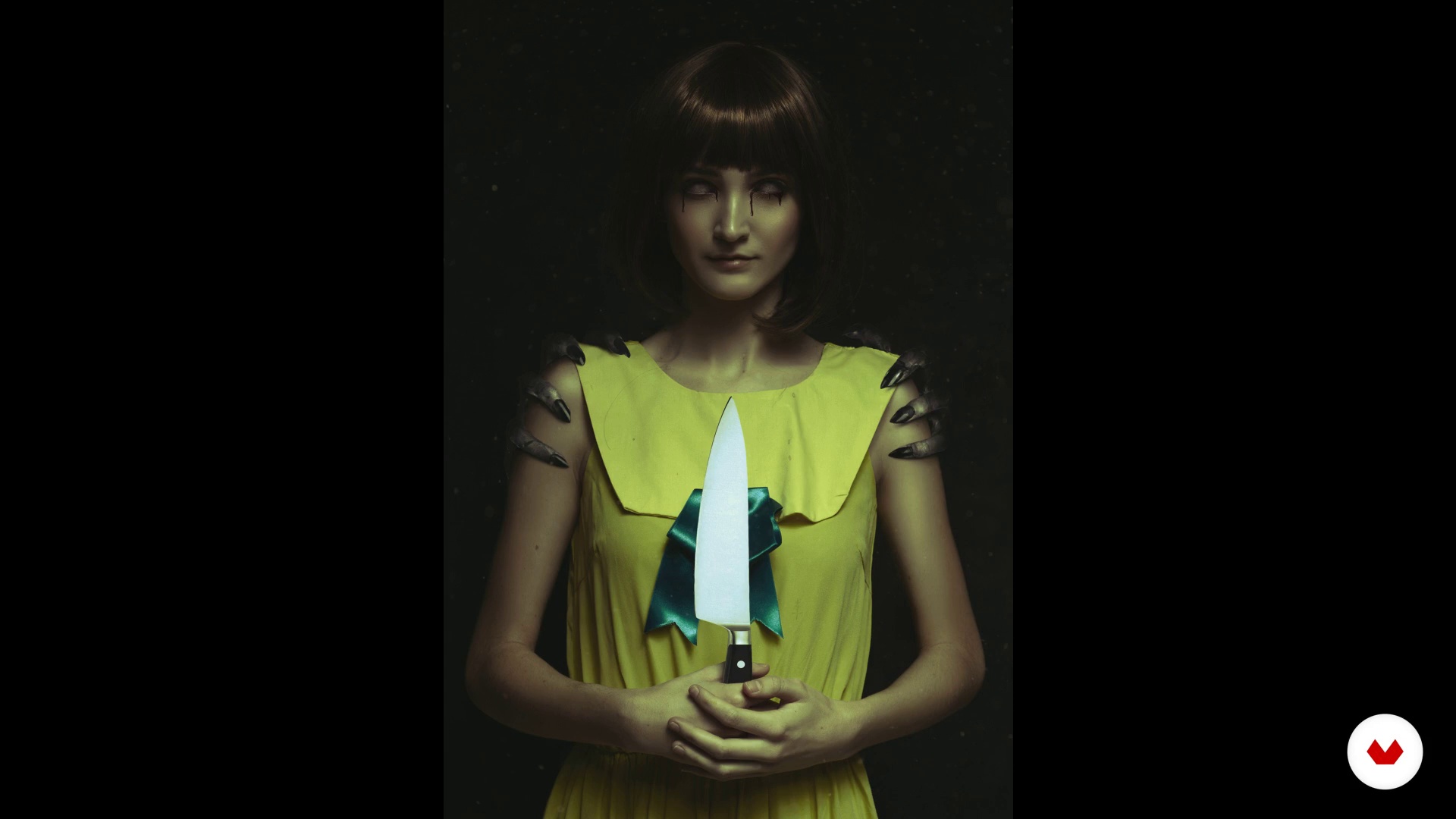
What will we do during the course?
54 seconds
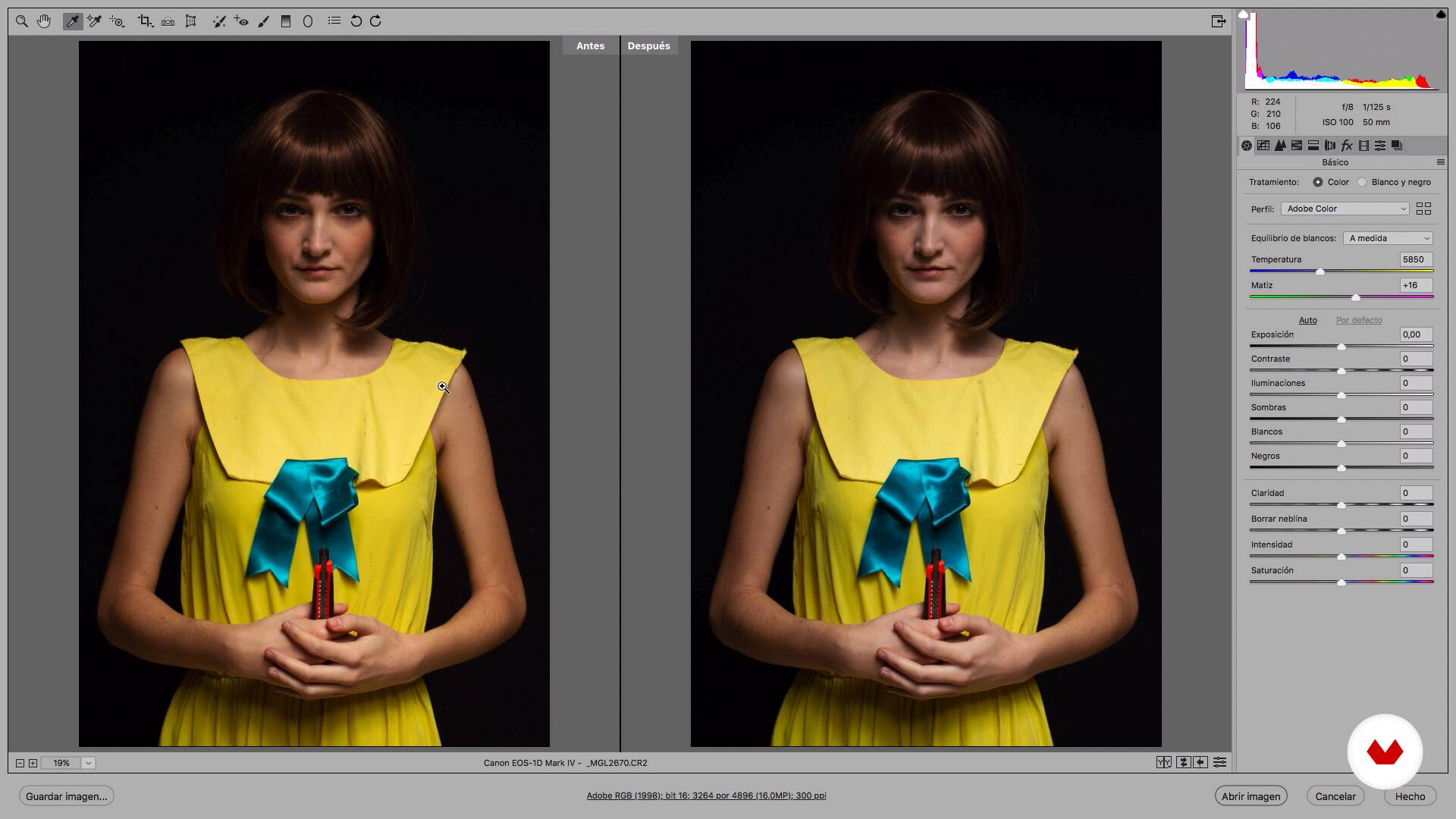
Settings in Camera Raw
2 minutes, 13 seconds
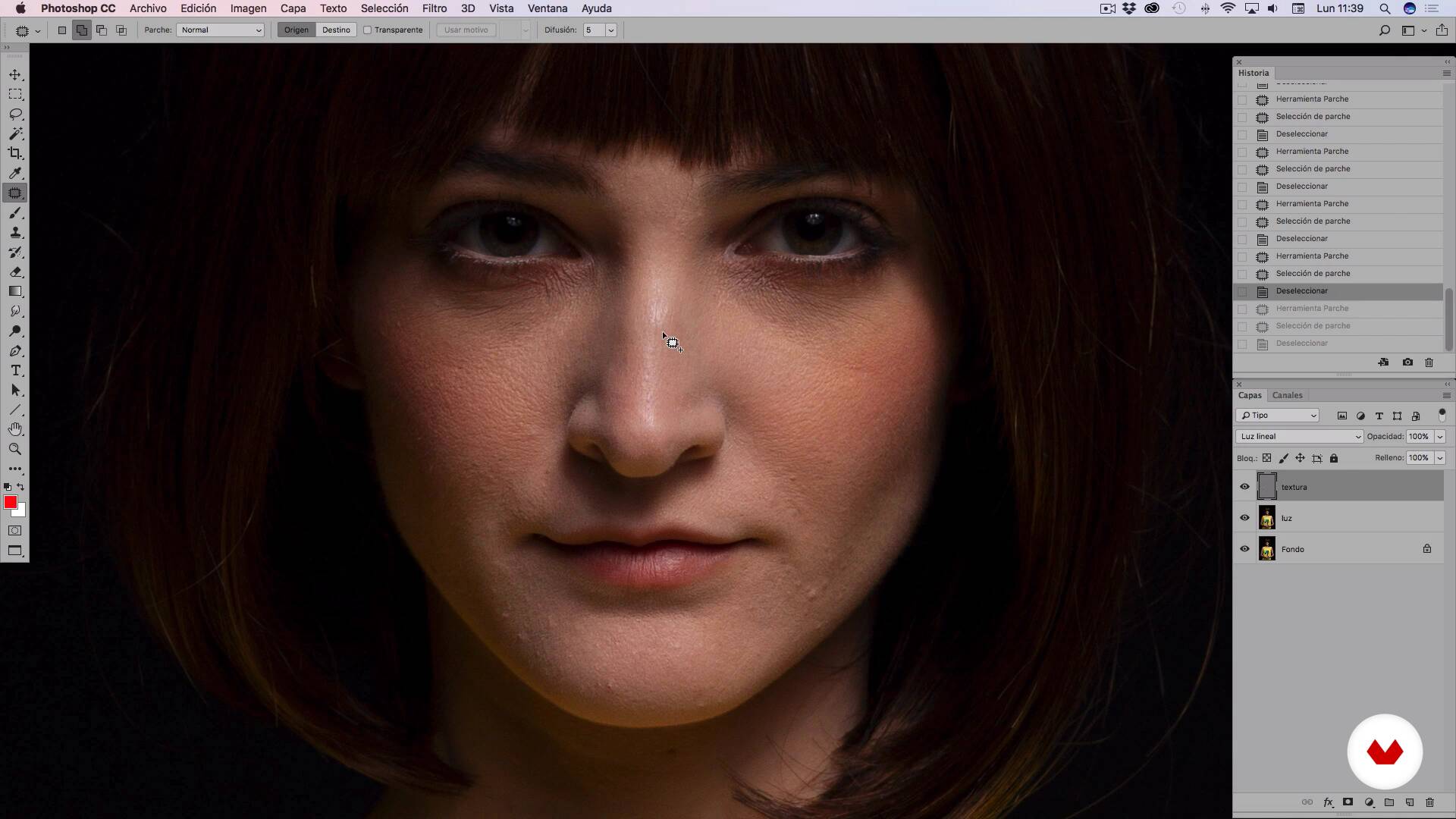
Cleaning and perfecting the skin I
16 minutes, 39 seconds
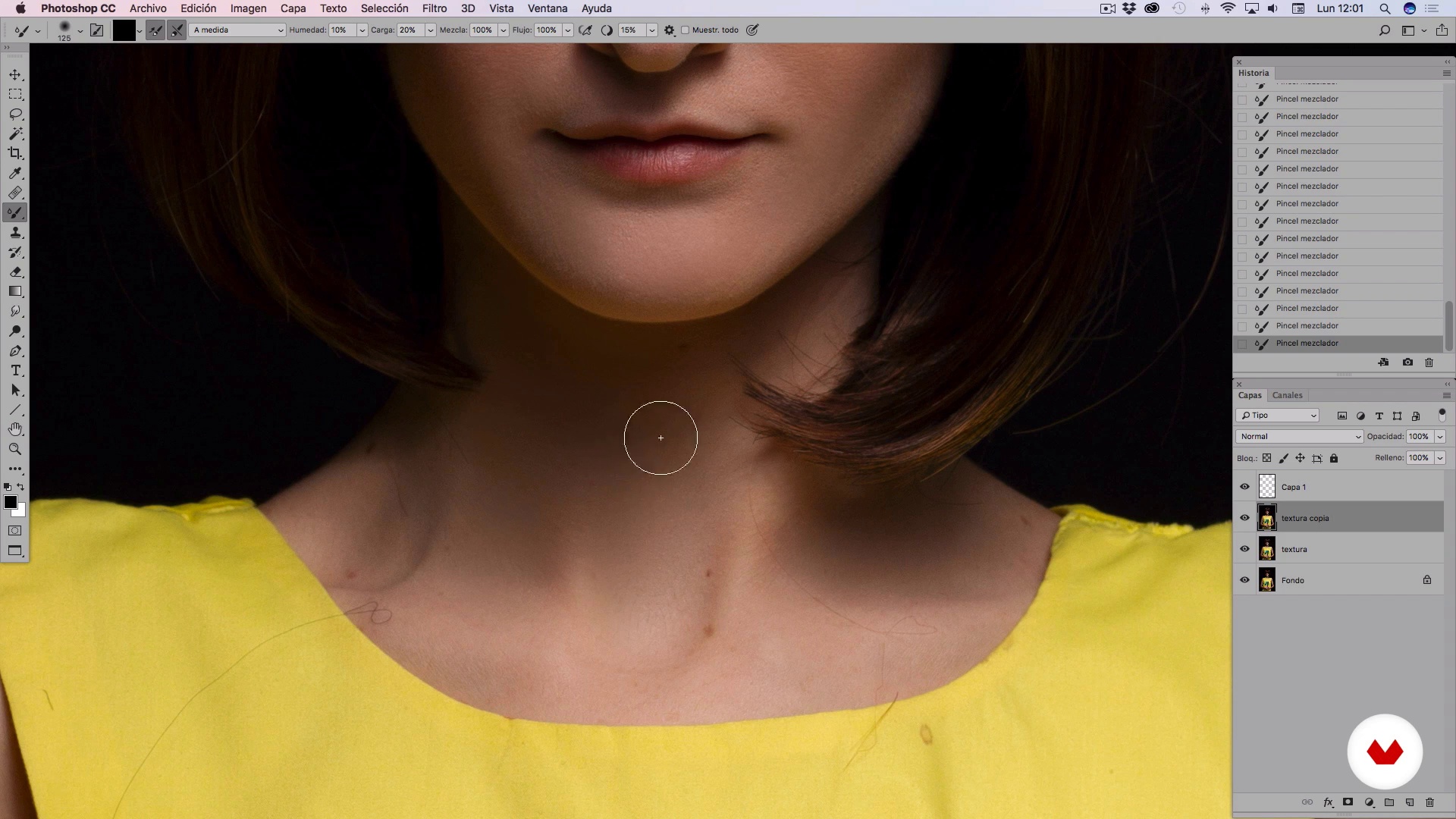
Cleaning and perfecting the skin II
14 minutes, 4 seconds
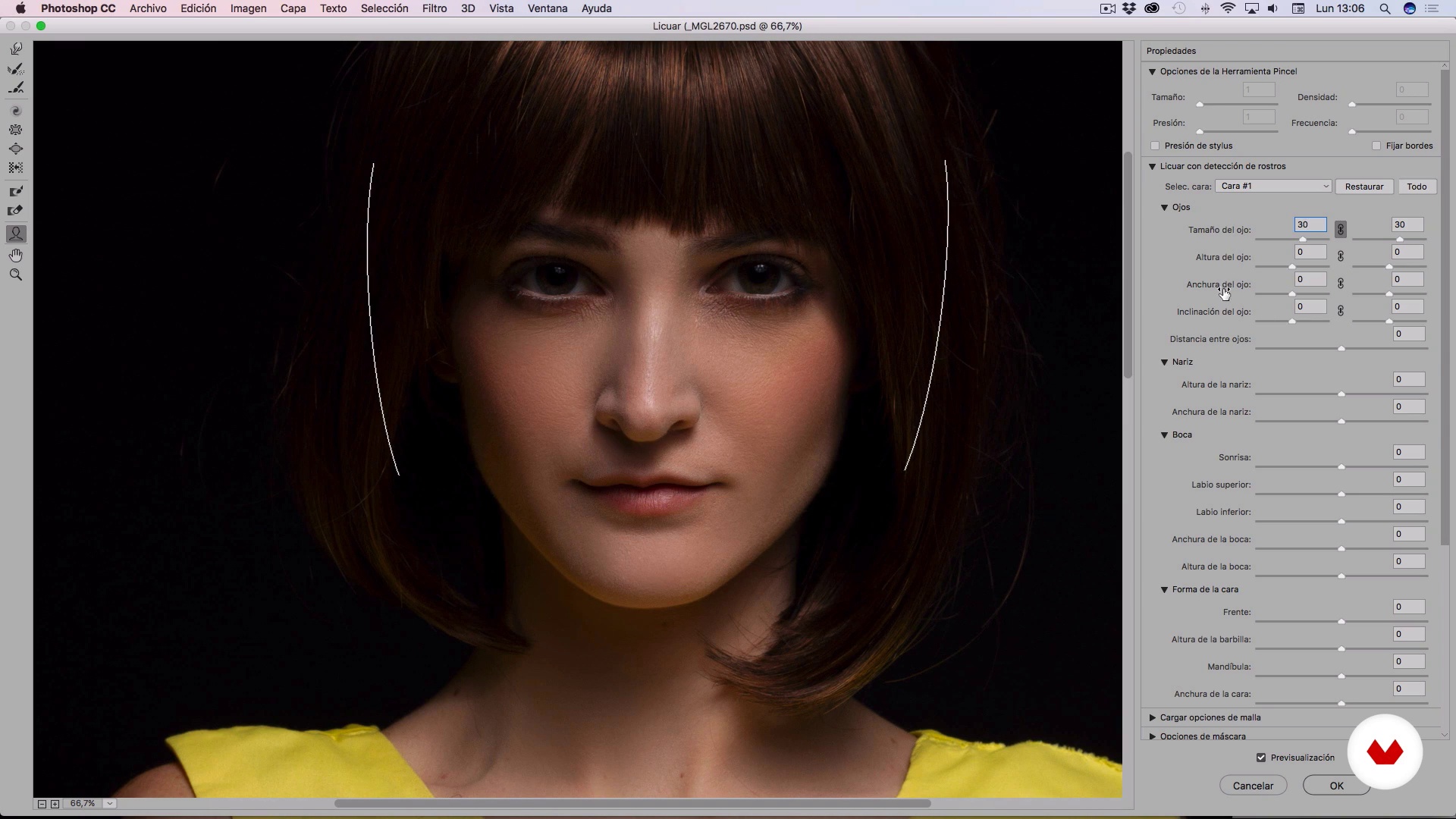
Smoothie
10 minutes, 20 seconds
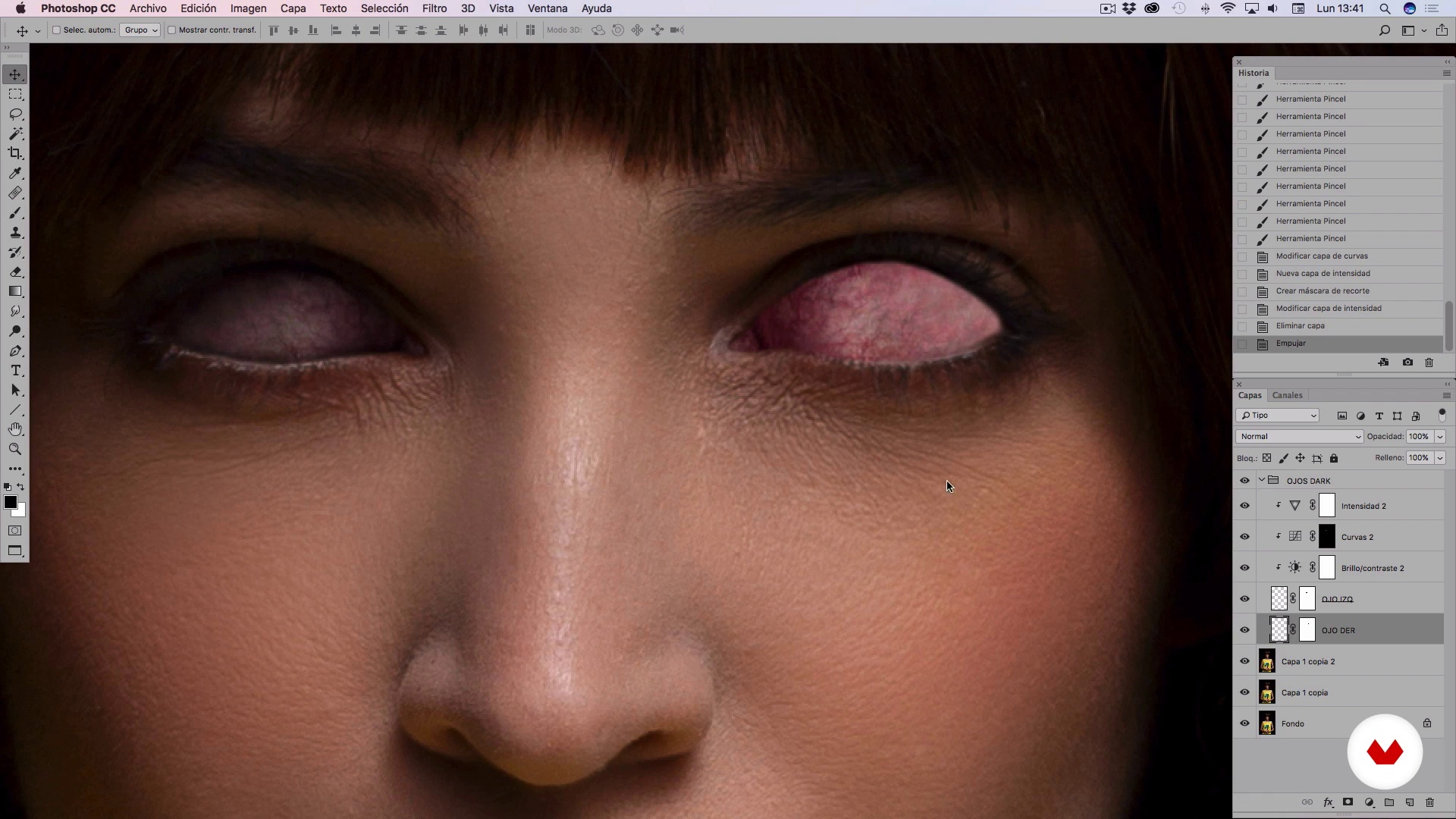
Creation of dark eyes
13 minutes, 50 seconds
What's included in this course?
First you will meet Alain, who will talk to you about how his first ideas arose to develop his photographic and digital retouching style. You will know its first steps and the sources of inspiration that marked its beginnings as a professional, from series and movies to video games.
You will make the basic settings in Camera RAW to neutralize your photography and start working the retouching correctly. Then you will get to work. You will work the skin of the portrayed in Photoshop to clean and perfect it, mixing several methods that Alain will teach you to achieve an optimal result.
You will see how you must correctly configure the "liquefy" tool in the program to improve the aesthetics of the face and achieve that touch of fantasy that is imperceptible to the naked eye.
Then, you will learn about the assembly and composition of elements. In this case Alain will focus on creating the "Dark" style eyes and assembling the hands and a knife, adapting them to the body and integrating everything realistically. In addition, you will see how to create from scratch the blood in the different parts that you need from the image, taking care of many details.
You will focus on colorimetry, setting and final finishing, learning some of Alain's professional tricks to dramatize the image and give it a cinema-style finish; Then you will draw final details with light to get a finish with more volume.
Finally, you will select particle texture selectively and highlight details until an impeccable finish is achieved.
Recommended software & tools for this course
What is this course's project?
You will create a fictional character, transforming a photograph from the basic touch up to the final details.
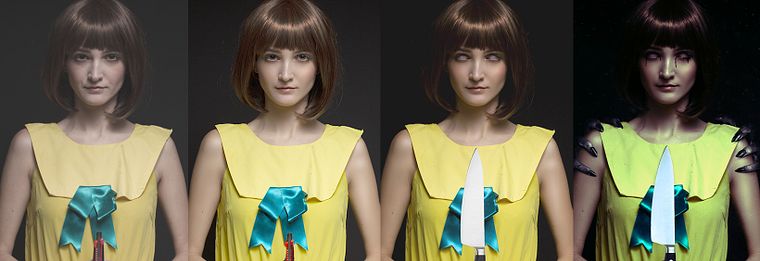
Projects by course students


Who is this online course for?
To photographers and retouchers who want to experiment with a creative touch-up technique to create fictional characters.
Requirements and materials
You will need average knowledge of Adobe Photoshop. On the materials, you will need a computer with Photoshop installed and a photograph to intervene.
Reviews
- 9 months ago
Un Crack total!
- 1 year ago
Excellent course and teacher. Great works!
- 1 year ago
Excelente Curso lo recomiendo .
- 1 year ago
Excelente curso
- 2 years ago
Muito bom, o curso é ótimo para iniciantes

He trained at the National School of Fine Arts in Havana (Cuba) and during his professional career he has seen his work on numerous occasions. His photographs have been awarded in different international competitions and he has collaborated with publications such as Digital Photo, Fashion & Look, Mac & PC, Eden or FHM, among others.
Content
- U1
Introduction
- Presentation
- Influences
- What will we do during the course?
- U2
Primary settings
- Settings in Camera Raw
- Cleaning and perfecting the skin I
- Cleaning and perfecting the skin II
- Smoothie
- U3
Assembly and composition of the elements
- Creation of dark eyes
- Composition and assembly of the knife
- Composition and assembly of hands I
- Composition and assembly of hands II
- Creation of the blood I
- Creation of the blood II
- U4
Colorimetry, setting and final finishing
- Image dramatization
- Drawing final details
- Texture and final finish
- FP
Final project
- Character creation with Photoshop
What to expect from a Domestika course
Learn at your own pace
Enjoy learning from home without a set schedule and with an easy-to-follow method. You set your own pace.
Learn from the best professionals
Learn valuable methods and techniques explained by top experts in the creative sector.
Meet expert teachers
Each expert teaches what they do best, with clear guidelines, true passion, and professional insight in every lesson.
Certificates
PLUSIf you're a Plus member, get a custom certificate signed by your teacher for every course. Share it on your portfolio, social media, or wherever you like.
Get front-row seats
Videos of the highest quality, so you don't miss a single detail. With unlimited access, you can watch them as many times as you need to perfect your technique.
Share knowledge and ideas
Ask questions, request feedback, or offer solutions. Share your learning experience with other students in the community who are as passionate about creativity as you are.
Connect with a global creative community
The community is home to millions of people from around the world who are curious and passionate about exploring and expressing their creativity.
Watch professionally produced courses
Domestika curates its teacher roster and produces every course in-house to ensure a high-quality online learning experience.
FAQs
Yes, this course is designed for users with intermediate Photoshop skills, especially those looking to enhance advanced retouching and digital compositing techniques.
It’s recommended to have basic to intermediate knowledge of Photoshop and photo editing, as the course covers advanced retouching and composition methods.
You’ll learn how to neutralize colors, clean skin using frequency separation, integrate objects, and create advanced visual effects using tools like Camera Raw and Photoshop’s Liquify.
You’ll need Adobe Photoshop (ideally the latest version with Camera Raw), and a graphics tablet is recommended for detailed retouching.
You’ll use the white balance eyedropper in Camera Raw to select neutral areas, removing color casts and balancing the image’s color base.
Advanced methods such as luminosity and color frequency separation, the healing brush, patch tool, and Gaussian blur are covered to smooth and perfect skin.
The course teaches you how to cut out, adjust brightness, create realistic shadows, and integrate objects using adjustment layers, layer masks, and brushes in Photoshop.