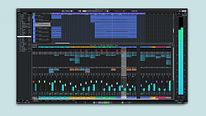
Basics: Introduction to Cubase
Course 1: Introduction and Initial Setup of Cubase: Steinberg Hub
By Alex del Amo Sardiña , Music producer and educator


About the video: Steinberg Hub
Overview
“Before you start working on the course, I will show you the Cubase start screen. You will also learn how to create projects and templates. Finally, you will see how to find the location of projects. ”
In this video lesson Alex del Amo Sardiña addresses the topic: Steinberg Hub, which is part of the Domestika online course: Course 1: Introduction and Initial Setup of Cubase. Basic Setup and Exploration of Cubase for Beginners.
Partial transcription of the video
“In this lesson. we explore the Steinberg Hub. which acts as the initial landing page upon launching the software. It serves not only as a central point but also provides users with essential details about available updates and other important notifications. The Steinberg Hub offers introduction videos and program news. Additionally. it provides program screens creating mastering. compression. recording. and dynamics switches. among other features and tools. Let's do it. This is the Cubase welcome screen. known as the Steinberg Hub. It always appears when you launch the Notice it has two dis...”
This transcript is automatically generated, so it may contain mistakes.
Course summary for: Course 1: Introduction and Initial Setup of Cubase
Alex del Amo Sardiña
By Alex del Amo Sardiña
Alex del Amo is a music producer with over 20 years of experience in the industry. He has worked with renowned artists and labels at national and international level, and has released over 200 musical productions. Specialized in mixing and mastering, Alex is also a teacher and certified by Steinberg as a Cubase instructor. Since 2012, he is the founder of the Eumes music production school in Girona, where he has taught classes on music production, mixing and mastering.
- 0% positive reviews (0)
- 11 students
- 8 lessons (38m)
- 5 additional resources (2 files)
- Online and at your own pace
- Available on the app
- Audio: Spanish
- Spanish · English · Portuguese · German · French · Italian · Polish · Dutch · Turkish · Romanian · Indonesian
- Level: {beginner: "Beginner", intermediate: "Intermediate", advanced: "Advanced"}
- Unlimited access forever