Creating Presentations with AI
A course by Katya Kovalenko , Presentation and Data Designer

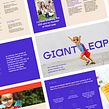
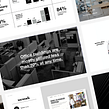
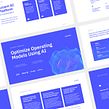

Master the art of creating engaging presentations with AI-powered tools. Learn valuable techniques and concepts to captivate your audience.

Welcome to an inspiring online learning journey with Katya Kovalenko! In this online course, you'll delve into the captivating world of Presentation Design. Katya, a seasoned Graphic Designer, specializes in the art of crafting presentations that seamlessly blend content and visuals to convey information with exceptional clarity.
You'll explore the transformative power of AI in the realm of presentation design. Katya firmly believes in the potential of effective communication, and her mission is to equip you with the knowledge and tools necessary to harness the creative possibilities offered by AI.
This course isn't just about automating presentations with a single click; instead, it empowers you with practical techniques and resources to streamline your workflow, enhance your visual storytelling, and reclaim valuable time.
What will you learn in this online course?
15 lessons & 10 downloads
- 98% positive reviews (521)
- 36,737 students
- 15 lessons (1h 54m)
- 10 downloads
- Online and at your own pace
- Available on the app
- Audio: English, Spanish (Latam), French, Indonesian, Italian, Portuguese, Romanian, Turkish
- English · Spanish · Portuguese · German · French · Italian · Polish · Dutch · Turkish · Romanian · Indonesian
- Level: Beginner
- Unlimited access forever
What is this course's project?
The pinnacle of this course is the final project, where you will craft a presentation from scratch, harnessing the capabilities of Chat GPT, Midjourney, and other AI tools. This hands-on project will consolidate your newfound skills and empower you to create presentations that captivate your audience.
Projects by course students


Who is this online course for?
This course is designed for a diverse audience, including artists, community managers, teachers, journalists, sales professionals, real estate agents, and anyone who frequently works with text on computers or smartphones. If you're seeking to reclaim time and enhance your productivity, this course is tailored to your needs.
Requirements and materials
To participate in this course, you need no prior knowledge, only a computer and your creative ideas. There's no need for specialized equipment or internet access, making it accessible to anyone ready to embark on this enlightening learning journey.
Reviews

Katya Kovalenko
A course by Katya Kovalenko
Meet Katya Kovalenko, a presentation design virtuoso and educator. With an impressive career in graphic design, Katya's expertise extends to shaping presentations that convey information effectively.
Her passion for effective communication is matched only by her commitment to equipping you with the skills needed to leverage the potential of AI in presentation design. You'll explore this transformative field under Katya's guidance, setting the stage for your creative journey.
Content
-
U1
Introduction
-
About Me
-
Context
-
-
U2
AI Tools for Content
-
Brainstorming with ChatGPT
-
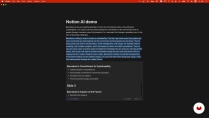
Writing a Script with Notion AI
-
Analyzing Large Documents with Sharly AI
-
Grammar Check with Quillbot
-
-
U3
AI Tools for Visuals
-
What Should Be On Your Slides?
-
Creating an Illustration with Adobe Firefly
-
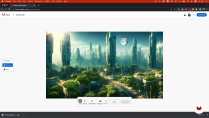
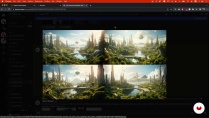
Creating a Cover with Midjourney
-
Upscaling and Enhancing Images with IMGLarger
-
Creating Mock-Ups with Shot.so
-
-
U4
AI Tools for Slide Design
-
Creating a Color Palette with Khroma
-
Designing Slides Faster with Bright Slide
-
Adding Interaction with Slido
-
The Importance of Rehearsing: How I Used to Do It before AI
-
-
FP
Final project
-
Creating Presentations with AI
-
What to expect from a Domestika course
-
Learn at your own pace
Enjoy learning from home without a set schedule and with an easy-to-follow method. You set your own pace.
-
Learn from the best professionals
Learn valuable methods and techniques explained by top experts in the creative sector.
-
Meet expert teachers
Each expert teaches what they do best, with clear guidelines, true passion, and professional insight in every lesson.
-
Certificates
PlusIf you're a Plus member, get a custom certificate signed by your teacher for every course. Share it on your portfolio, social media, or wherever you like.
-
Get front-row seats
Videos of the highest quality, so you don't miss a single detail. With unlimited access, you can watch them as many times as you need to perfect your technique.
-
Share knowledge and ideas
Ask questions, request feedback, or offer solutions. Share your learning experience with other students in the community who are as passionate about creativity as you are.
-
Connect with a global creative community
The community is home to millions of people from around the world who are curious and passionate about exploring and expressing their creativity.
-
Watch professionally produced courses
Domestika curates its teacher roster and produces every course in-house to ensure a high-quality online learning experience.
FAQs
Yes, this course is designed for beginners and requires no prior experience with AI or advanced presentation tools.
You’ll need access to basic presentation software like PowerPoint or Google Slides, plus free or trial accounts for tools such as ChatGPT, Notion AI, Quillbot, and image upscaling platforms.
You’ll learn to use AI tools for brainstorming, outlining, scripting, designing slides, improving visuals, checking grammar, and automating workflows to create professional presentations efficiently.
ChatGPT assists by generating outlines, drafting scripts, brainstorming ideas, and refining language, helping you organize and personalize your presentations more effectively.
Yes, the course covers techniques and AI tools specifically for designing pitch decks, sales presentations, and other business-focused materials.
AI tools like Adobe Firefly, Bright Slide, and Chroma help generate images, design layouts, and create color palettes, making your slides visually engaging and professional.
Yes, you’ll learn how to leverage AI to design infographics and create brand-aligned presentations for various industries, including the food sector.

It is a no pressure exciting and interesting course
Lots of tools to prepare great pres.
I'm enjoying the course
Exelente curso, muy bien en el uso de la IA como herramienta profesional
very well presented