UX Introduction
A course by Strike HerediaGraphic Designer
A course by Strike Heredia, Graphic Designer

Learn to analyze digital products to optimize the user experience
If there is something that unites all companies in the world, it is the need to optimize the user experience to obtain better results and reach their goals.
Carlos Heredia, better known as "Strike", has spent years dedicating himself to the design, creativity, and strategy of all kinds of consumer brands and making UX the foundation on which to build the creation of digital products. In this online course, learn some of the basic concepts of the user experience and discover the key tools to develop a professional UX report.
What will you learn in this online course?
16 lessons & 6 downloads
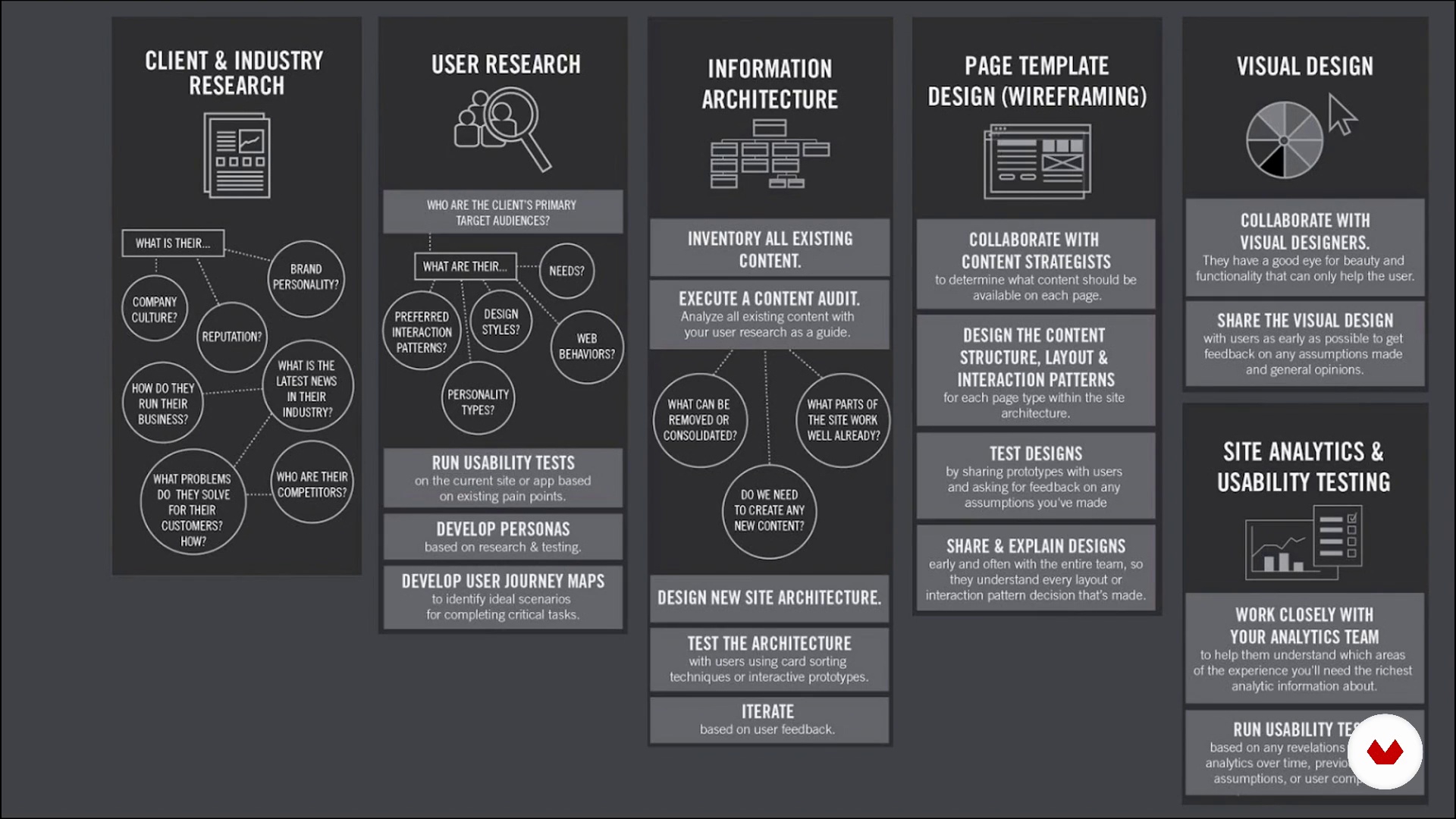
What is UX?
7 minutes, 45 seconds

Denying myths and digital rumors
9 minutes, 25 seconds

Understanding people
20 minutes, 22 seconds
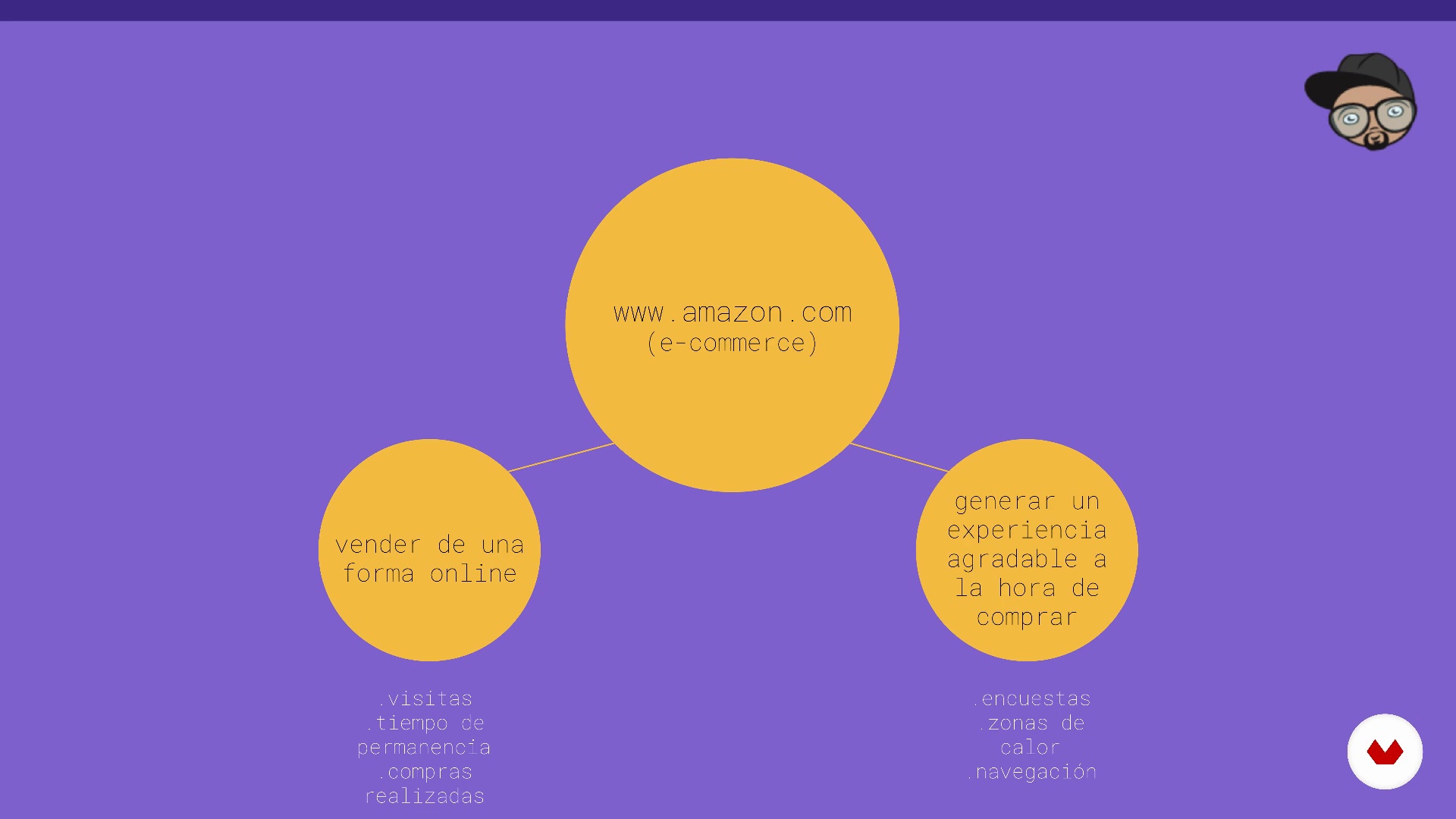
Understanding the business
3 minutes, 4 seconds

Aligning objectives and goals
3 minutes, 31 seconds

Analyzing principles of interaction designs
12 minutes, 7 seconds
What's included in this course?
Begin by learning about Strike's work, who also tells you about what inspires him the most, his professional career in areas such as design and advertising, and his most important projects.
Dive into the world of User Experience Design, discovering what UX is and what it is not, dismantling some myths and common beliefs. See some of the most important concepts in the field, get a glimpse into the research process, and understand how UX can help both the customer and the business.
Learn to analyze a web page through design and usability patterns. Analyze principles of interaction design, hierarchies, the positioning of elements and components, and web copywriting. In addition, see how to make heuristic evaluations, what it is and how you can take advantage of it for your web project.
Strike introduces you to analytics. Look at how to extract information with some web tools and also with Google Analytics functions to obtain more relevant information.
Finally, learn everything you need to write a professional UX report and get some tips and recommendations for your project.
What is this course's project?
Taking a real website as a reference, use everything you have learned to make a UX report and propose points for improvement.
Projects by course students


Who is this online course for?
People who want to get started and learn some of the basics of UX to create strong user experiences.
Requirements and materials
No prior knowledge of any kind is necessary, as Strike gives you the guidelines to create a UX brief from scratch.
Regarding the materials, you only need a computer with an internet connection. All the apps and programs that you use during the course are online , so you do not need to install anything.

Reviews
- 13 days ago
Estoy iniciando mis clases, soy principiante y sus explicaciones estan bien detalladas y sencillas de entender, quiero seguir aprendiendo más sobre UX y UI, continuaré con cursos de figma.
- 1 year ago
Es un curso muy completo, y la forma en la que se explican las informaciones son sencillas de entender
- 2 years ago
Muy buen curso, sencillo, claro y preciso. Muy facil de entender y te sumerge en la dinámica UX de una manera bastante agradable.
- 2 years ago
un curso muy completo, cumple con lo prometido.
- olivergr70PLUS2 years ago
Un curso sencillo y claro, muy bueno para iniciar en el diseño UX !!!

He is currently manager of innovation and user experience at Eureka Crew, a digital transformation consultancy. He is a collaborator of RoastBrief México and professor of creativity at Miami Ad School.
Content
- U1
Learn more about me
- Presentation
- Influences
- U2
Introduction to the UX
- What is UX?
- Denying myths and digital rumors
- Understanding people
- Understanding the business
- U3
Analyzing a web page
- Aligning objectives and goals
- Analyzing principles of interaction designs
- Architecture
- Language and web writing
- Heuristic evaluation
- U4
Introduction to analytics
- Data as help to improve experiences
- Analytics for web
- Google Analytics to discover more data
- U5
Final report
- Structure of the report
- Final notes
- FP
Final project
- Final project
What to expect from a Domestika course
Learn at your own pace
Enjoy learning from home without a set schedule and with an easy-to-follow method. You set your own pace.
Learn from the best professionals
Learn valuable methods and techniques explained by top experts in the creative sector.
Meet expert teachers
Each expert teaches what they do best, with clear guidelines, true passion, and professional insight in every lesson.
Certificates
PLUSIf you're a Plus member, get a custom certificate signed by your teacher for every course. Share it on your portfolio, social media, or wherever you like.
Get front-row seats
Videos of the highest quality, so you don't miss a single detail. With unlimited access, you can watch them as many times as you need to perfect your technique.
Share knowledge and ideas
Ask questions, request feedback, or offer solutions. Share your learning experience with other students in the community who are as passionate about creativity as you are.
Connect with a global creative community
The community is home to millions of people from around the world who are curious and passionate about exploring and expressing their creativity.
Watch professionally produced courses
Domestika curates its teacher roster and produces every course in-house to ensure a high-quality online learning experience.
FAQs
User experience (UX) is the process of designing digital products focused on users’ needs and expectations, enhancing their satisfaction, usability, and efficiency. It helps create more intuitive, effective products aligned with business goals.
This is an intermediate-level course, perfect for those with basic digital design or UX knowledge who want to deepen their skills in audits, strategies, and practical tools to improve user experience.
You just need basic digital design knowledge and a computer. Familiarity with tools like Sketch, InVision, and Principle is recommended but not required, as the course includes introductions to these platforms.
You’ll learn how to audit websites, spot areas for improvement, analyze user data, and create clear, actionable UX reports to optimize digital products based on goals and KPIs.
The course teaches research techniques, interviews, surveys, and how to develop UX Personas, plus creating empathy maps to deeply understand users’ motivations and challenges.
It covers prototyping with Sketch and Principle, paper and digital wireframes, and using InVision for testing and validating ideas, making team communication and iteration easier.
Yes, the course includes case studies and practical examples of UX audits and improvements across various industries, helping you apply your knowledge to real situations.