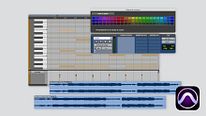
Introduction to Pro Tools
Course 2 – Tools and Edit Modes: Toolbar 1
By Luca Petricca , Sound Technician and Music Producer



About the video: Toolbar 1
Overview
“In this unit you will see in depth and in detail the different options of the toolbar. I will explain everything to you with some practical examples so that you begin to see its potential. ”
In this video lesson Luca Petricca addresses the topic: Toolbar 1, which is part of the Domestika online course: Course 2 – Tools and Edit Modes. Discover the main menus and how to get the most out of its features.
Partial transcription of the video
“COURSE 2 - UNIT 2 Toolbar In this unit we will see in detail the different options which has our toolbar. Let's go with it. We started this Unit 2 with the same Pro Tools session that we left in Unit 1. The only thing I'm going to do as soon as I start, which is something I want you to get used to, because it takes up practically no space on your hard drive and it will serve you very often to go back easily. In this case what I want is to save this session, which is from Course 2 Unit 1 to Course 2 Unit 2. This way any changes you make I can go back to Unit 1. We can do this with our songs ...”
This transcript is automatically generated, so it may contain mistakes.
Course summary for: Course 2 – Tools and Edit Modes
Luca Petricca
By Luca Petricca
Luca Petricca is a sound technician and music producer with more than 20 years of experience, as well as the cofounder of Estudios Reno in Madrid. After ten years of freelance work as a mixer, associate producer, and technician for different producers in studios across Spain, he created Reno so he could focus on independent music, a section of the industry he connects with on a more personal and emotional level. He has mixed albums and songs for artists like Izal, Xoel López, and León Benavente.
When he's not running his studio or the FOH for live shows, he shares his knowledge of mixing as a professor at the United Pop school in Madrid. By teaching classes, he has found a way to help students interested in sound achieve more professional results and, ultimately, a more satisfying creative experience by showing them how to use a variety of tools and approaches in their work.
- 0% positive reviews (0)
- 11 students
- 12 lessons (2h 39m)
- 14 additional resources (1 files)
- Online and at your own pace
- Available on the app
- Audio: Spanish, Turkish, French, Portuguese, Italian
- Spanish · English · Portuguese · German · French · Italian · Polish · Dutch · Turkish · Romanian · Indonesian
- Level: {beginner: "Beginner", intermediate: "Intermediate", advanced: "Advanced"}
- Unlimited access forever