Presentation Design for Creatives
A course by Zach Grosser, Presentation Designer

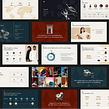


Craft stories into visionary and effective slides to better pitch your creative services

As creatives, it is essential to deliver pitches and represent yourself with style. Zach Grosser is a presentation designer with over a decade of experience. His agency, Zacht Studios, boasts clients such as Google, Etsy, SpaceX, Adobe, and many more. His presentations focus on storytelling, which helps businesses of all sizes showcase engaging information that connects with audiences. Zach believes that with the right slides, you can communicate how you work and the strengths that set you apart from the crowd.
In this online course, Zach teaches how to translate your story into a striking pitch deck that expresses your creative potential. Explore how you can confidently present your services to win new clients, expand existing project scopes, and interview for new design roles. Aimed at creative minds, this course uses designer-focused tools rather than presentation software, to allow you to showcase your skills!
What will you learn in this online course?
15 lessons & 11 downloads

What's included in this course?
Begin the course by meeting your teacher, Zach. He takes you through his career journey up to founding his own Presentation Design Agency, as well as his typography and data visualization inspirations.
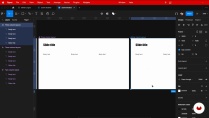
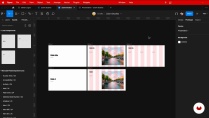
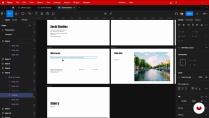
Then get going on your project. Identify your personal narrative, and explore different tools —from traditional presentation software to modern programs like Figma. Then dive into the fundamentals of slide design.
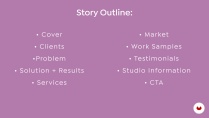
Next, write the outline for your presentation and explore colors, fonts, and composition to create a visual experience. Assemble your content, then learn how to level up with additional assets, animations, and more.
Zack guides you through the importance of reviewing your work and rehearsing. Finally, learn what to keep in mind before sharing your finished product, and get some advice on how to deliver it with confidence.
By the end of this course, you’ll have a compelling pitch deck that effectively communicates your specialties and helps win clients, expand existing projects, or land a new design job.
- 96% positive reviews (23)
- 1,242 students
- 15 lessons (3h 12m)
- 11 additional resources (2 files)
- Online and at your own pace
- Available on the app
- Audio: English
- English · Spanish · Portuguese · German · French · Italian · Polish · Dutch · Turkish · Romanian · Indonesian
- Level: Beginner
- Unlimited access forever
What is this course's project?
Craft a presentation for your own creative services ready to be used to pitch to new clients.

Who is this online course for?
This course is aimed at creative professionals or students who want to learn how to better design and sell their services.
Requirements and materials
Basic understanding of a design or slide creation tool, such as Figma, Pitch, Google Slides, Keynote, PowerPoint, or InDesign

Reviews

Zach Grosser
A course by Zach Grosser
Zach Grosser is an American-born, Amsterdam-based Presentation Designer. He started his artistic journey in glassblowing at university, a specialty of his hometown, Corning, New York. He then expanded to other mediums, including photography, graphic design, sculpture, sound design, and interactive video. After years of working as a presentation designer at Block and as a freelancer, he started his own agency in 2020. Zacht Studios specializes in helping companies design pitch decks and boast clients, including Google, Etsy, Block, Figma, Nextdoor, SpaceX, the Rijksmuseum, Adobe, and many more.
Content
-
U1
Introduction
-
About Me
-
Influences
-
-
U2
The Foundations
-
Story and Content
-
Tools and Figma Basics 1
-
Tools and Figma Basics 2
-
Slide Design and Figma Advanced
-
-
U3
From Draft to Design
-
Drafting the Story
-
Wireframing the Design
-
Layout, Content, Fonts, and More 1
-
Layout, Content, Fonts, and More 2
-
Inserting Assets and Details 1
-
Inserting Assets and Details 2
-
-
U4
Polishing and Presenting
-
Consistency Check, Design Polish, and Rehearsal
-
Things to Keep In Mind
-
Speaking Confidently
-
-
FP
Final project
-
Presentation Design for Creatives
-
What to expect from a Domestika course
-
Learn at your own pace
Enjoy learning from home without a set schedule and with an easy-to-follow method. You set your own pace.
-
Learn from the best professionals
Learn valuable methods and techniques explained by top experts in the creative sector.
-
Meet expert teachers
Each expert teaches what they do best, with clear guidelines, true passion, and professional insight in every lesson.
-
Certificates
PlusIf you're a Plus member, get a custom certificate signed by your teacher for every course. Share it on your portfolio, social media, or wherever you like.
-
Get front-row seats
Videos of the highest quality, so you don't miss a single detail. With unlimited access, you can watch them as many times as you need to perfect your technique.
-
Share knowledge and ideas
Ask questions, request feedback, or offer solutions. Share your learning experience with other students in the community who are as passionate about creativity as you are.
-
Connect with a global creative community
The community is home to millions of people from around the world who are curious and passionate about exploring and expressing their creativity.
-
Watch professionally produced courses
Domestika curates its teacher roster and produces every course in-house to ensure a high-quality online learning experience.
FAQs
Yes, this course is designed for learners with some experience in presentation or graphic design, aiming to deepen their skills in storytelling, slide design, and using Figma for professional presentations.
You'll need access to Figma for slide design and prototyping. Familiarity with Keynote or PowerPoint is helpful but not required. A computer with internet access is essential for using Figma and accessing course materials.
You'll learn to create, customize, and export presentation slides in Figma, set up text styles, manage components, apply layout grids, and integrate animations and interactive elements for dynamic presentations.
The course covers story structure, crafting compelling outlines, and using narrative approaches to make presentations engaging and persuasive for different audiences.
Yes, you'll learn to create visually compelling pitch decks tailored for fundraising and client proposals, including testimonial slides, CTAs, and strategies for communicating unique value propositions.
No prior Figma experience is necessary, but basic design familiarity will be helpful. The course covers Figma essentials and advanced features step by step.
Yes, the course covers color theory, typography principles, layout composition, and how to apply these elements to create visually consistent and engaging slides.

I like his vibe! Although the course its not what I was expecting. It felt like a Figma tutorial rather than sharing the strategic thinking on the design of each slide, storyline, etc. I think the course name should be different. Apart from that, I learned a few things! :)
Figma es un excelente compañero para desarrollar un eficaz diseño visual. Excelente curso
um ótimo curso para aprender sobre storytelling visual
Good to learn about Figma for presentations, but I found the pace of the course very slow. I prefer videos that get to the point quicker, I watched some at x1.75, which I've never really done before. I'm still giving it a thumbs up because it's not a bad course.
Interesante