Introduction to VFX in Maya and After Effects
A course by John Bashyam , Digital Artist and Director


Learn the VFX pipeline from start to finish, and create a realistic video with surreal elements by rendering and compositing objects into live action footage

The art of VFX (visual effects) and CGI (computer-generated imagery) allows you to create seamless and mind-bending scenes thanks to software like Maya and After Effects. For renowned digital artist and director John Bashyam, this art form has led him to create striking visuals for Coachella’s top musical acts, as well as for Hollywood feature films.
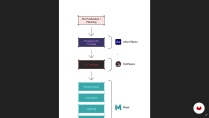
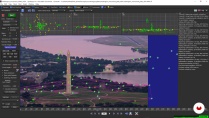
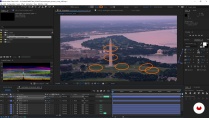
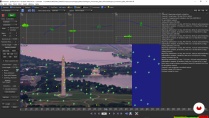
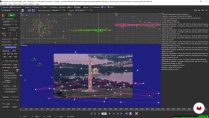
In this online course, John teaches you to create surreal scenes that appear remarkably realistic step by step. He walks you through Maya + Redshift, After Effects, and SynthEyes to create a playful scene of giant, life-like donuts raining down on a classic American monument. Are you ready to amaze yourself with the power of VFX and CGI?
What will you learn in this online course?
30 lessons & 25 downloads
- 98% positive reviews (41)
- 2,516 students
- 30 lessons (7h 5m)
- 25 additional resources (7 files)
- Online and at your own pace
- Available on the app
- Audio: English, Italian, Portuguese
- English · Spanish · Portuguese · German · French · Italian · Polish · Dutch
- Level: Beginner
- Unlimited access forever
Recommended software for this course
 Adobe After Effects
 Maya
MayaWhat is this course's project?
Create a surreal video involving rendering and compositing giant life-like donuts into live-action footage.

Who is this online course for?
This course is for anyone who wants to create realistic VFX and CGI from scratch.
Requirements and materials
Basic understanding of 3D software (preferably Maya), After Effects, and live-action filming and 3D tracking principles is required to take this course.
In terms of equipment, you need a reasonably powerful PC with Nvidia graphics card and access to Maya, Redshift, After Effects, and SynthEyes software.

New to Adobe After Effects? In that case, we recommend taking Domestika Basics courses to learn how to use the software: Introduction to After Effects.
Reviews

John Bashyam
A course by John Bashyam
John Bashyam is a digital artist, director, and entrepreneur based in Los Angeles, California. After graduating from Loyola Marymount University with a degree in film and animation, he went on to co-found Warm & Fuzzy, an animation, visual effects, and design studio with offices in LA and Colorado.
His studio is on the cutting edge of digital technology, servicing some of the top brands in the world, including Nike, adidas, New Balance, Honda, Budweiser, Reddit, Facebook, NBC, Apple, Disney, and Lululemon, among others. He’s also worked on films like Avengers: Age of Ultron, Ant Man, Ghostbusters, The Finest Hours, The Shallows, The Walk, and Unbroken, and as a visual effects artist at Coachella for artists like The Weeknd, Muse, ACDC, Guns N’ Roses, Skrillex, Kaskade, Zedd, Kid Cudi, and many more.
Content
-
U1
Introduction
-
About Me
-
Influences
-
-
U2
Preparation
-
Skills Needed for the Project
-
The Softwares
-
Planning Out the Shot
-
-
U3
3D Tracking and Layout
-
Prepping the Shot in After Effects
-
Tracking the Footage in SynthEyes 1
-
Tracking the Footage in SynthEyes 2
-
Tracking the Footage in SynthEyes 3
-
Importing the Tracked Camera to Maya 1
-
Importing the Tracked Camera to Maya 2
-
Placing 3D Models in the Scene 1
-
Placing 3D Models in the Scene 2
-
-
U4
Animation, Lighting, and Rendering
-
The Animation 1
-
The Animation 2
-
The Animation 3
-
Lighting 1
-
Lighting 2
-
Materials and Textures 1
-
Materials and Textures 2
-
Materials and Textures 3
-
Materials and Textures 4
-
Rendering Setup 1
-
Rendering Setup 2
-
Rendering Setup 3
-
-
U5
Compositing the VFX Shot
-
Importing the CG Renders
-
Color Correction 1
-
Color Correction 2
-
Color Correction 3
-
Export for Social Media
-
-
FP
Final project
-
Introduction to VFX in Maya and After Effects
-
What to expect from a Domestika course
-
Learn at your own pace
Enjoy learning from home without a set schedule and with an easy-to-follow method. You set your own pace.
-
Learn from the best professionals
Learn valuable methods and techniques explained by top experts in the creative sector.
-
Meet expert teachers
Each expert teaches what they do best, with clear guidelines, true passion, and professional insight in every lesson.
-
Certificates
PlusIf you're a Plus member, get a custom certificate signed by your teacher for every course. Share it on your portfolio, social media, or wherever you like.
-
Get front-row seats
Videos of the highest quality, so you don't miss a single detail. With unlimited access, you can watch them as many times as you need to perfect your technique.
-
Share knowledge and ideas
Ask questions, request feedback, or offer solutions. Share your learning experience with other students in the community who are as passionate about creativity as you are.
-
Connect with a global creative community
The community is home to millions of people from around the world who are curious and passionate about exploring and expressing their creativity.
-
Watch professionally produced courses
Domestika curates its teacher roster and produces every course in-house to ensure a high-quality online learning experience.
FAQs
Domestika's courses are online classes that provide you with the tools and skills you need to complete a specific project. Every step of the project combines video lessons with complementary instructional material, so you can learn by doing. Domestika's courses also allow you to share your own projects with the teacher and with other students, creating a dynamic course community.
All courses are 100% online, so once they're published, courses start and finish whenever you want. You set the pace of the class. You can go back to review what interests you most and skip what you already know, ask questions, answer questions, share your projects, and more.
The courses are divided into different units. Each one includes lessons, informational text, tasks, and practice exercises to help you carry out your project step by step, with additional complementary resources and downloads. You'll also have access to an exclusive forum where you can interact with the teacher and with other students, as well as share your work and your course project, creating a community around the course.
You can redeem the course you received by accessing the redeeming page and entering your gift code.
 Adobe After Effects
 Maya
Maya

jamaya98
Es muy buen curso, muy completo y el paso a paso es muy fácil de seguir y volver a ver las clases cada vez que sea necesario.
View translation
Hide translation
gogi_inmiami
Plusthere is one missing step. in this section. On how to track in syntheyes your surface. the placement of the track, that step is missing.
reflactal
Muy buen curso, Temas bien explicados y de fácil seguimiento.
View translation
Hide translation
nahuelfr30
esta bueno, doblar al español estaria mejor
View translation
Hide translation
vaasabrahem
best professional course for vfx and I'm so excited for the next course from this teacher