Adobe Premiere Pro for Beginners
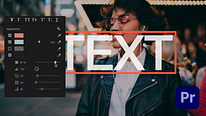
Course 2: Editing, Timelines, and Sequences: Using the Premiere Pro Windows: Project Window, Source Window, Timeline, and Program Window
By Alex Hall , Videographer, Editor, Photographer, and Director of Photography

Joined September 2020

About the video: Using the Premiere Pro Windows: Project Window, Source Window, Timeline, and Program Window
Overview
“In this course, we’re going to begin editing! We’re going to take a look at how things work within Premiere Pro and how we can edit by using the different windows within the program. We’ll create a new sequence and learn how to use the Source window, Project window, Timeline, and Program window. ”
In this video lesson Alex Hall addresses the topic: Using the Premiere Pro Windows: Project Window, Source Window, Timeline, and Program Window, which is part of the Domestika online course: Course 2: Editing, Timelines, and Sequences. Start editing!.
Partial transcription of the video
“In this course, we're going to start editing. We're going to take a look at a few of the different windows and how we can start cutting our video clips. In this unit, we're going to create a new sequence and find out how to use the project window Source window. program window. And the timeline. Let's jump in. All right, so once we're in Premiere Pro, we're gonna make sure we're on the similar workspace. We're going to head up to window workspaces, and then you can head right to editing. We can also head to the editing button right up here. And something that's really cool about Premiere Pro...”
This transcript is automatically generated, so it may contain mistakes.
Course summary for: Course 2: Editing, Timelines, and Sequences
Alex Hall
By Alex Hall
Alex Hall is a director of photography, videographer, photographer, and editor from Brooklyn, New York. He discovered a passion for his current profession ten years ago, creating snapshots and short videos that led him to a career as a freelancer. After gaining experience through a number of smaller projects, he moved to Europe, where he has been living and working full-time for the last six years.
Alex specializes in giving shape to audiovisual narratives and has worked for brands such as H&M Beyond, John Freida, and Lollapalloza. He is currently based in Berlin, where he is the director of photography for the first season of Berlin After Dark, a TV show which showcases artists, entrepreneurs, and culture in the city. Alex is also currently collaborating with Canon on a film documentary, in which he is videographer and editor.
- 0% positive reviews (0)
- 15 students
- 8 lessons (1h 50m)
- 4 downloads
- Online and at your own pace
- Available on the app
- Audio: English, Indonesian, Romanian, Turkish, Spanish (Latam), French, Portuguese, Italian
- Spanish · English · Portuguese · German · French · Italian · Polish · Dutch · Turkish · Romanian · Indonesian
- Level: {beginner: "Beginner", intermediate: "Intermediate", advanced: "Advanced"}
- Unlimited access forever