Introduction to Infographics with Adobe Illustrator
Course 2: Sketching and Structure: Copy and Paste
By Paadín, Graphic Designer

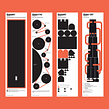

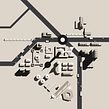
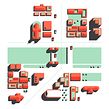

About the video: Copy and Paste
Overview
“Recycling shapes is one of the ways to save time and make designs that preserve properties from the beginning to the end of our projects. Copying and pasting are essential, so let's see how to use this essential feature to save work on creating patterns easily.”
In this video lesson Paadín addresses the topic: Copy and Paste, which is part of the Domestika online course: Course 2: Sketching and Structure. Create basic geometric shapes and sketch your infographic map.
Partial transcription of the video
“Recycling shapes helps save time and ensures consistent designs. In this unit. we'll explore how to copy and paste. utilizing this straightforward function to swiftly craft patterns. Let's begin the process and see A popular feature of Illustrator is its copy and paste function. which is widely used for efficient design We can attempt to replicate a geometric shape we've crafted. ensuring it maintains its original look and To maintain a shape's appearance and properties. we can redraw it or use dialog boxes to repeat it if we know its dimensions. However. the quickest method is to copy and ...”
This transcript is automatically generated, so it may contain mistakes.
Course summary for: Course 2: Sketching and Structure
Paadín
By Paadín
After graduating in Fine Arts from the University of Cuenca (UCLM), Paadín went to Barcelona where he began working and practicing with design. In 2003, he joined Lamosca as a graphic designer and later as a studio partner. Among other infographic works, he publishes the column “Data” in the weekly Cultura/s (La Vanguardia) and his work has been recognized for the Malofiej Awards and the 2012 Graffiti Award.
Since 2014, he has combined his work as a designer with teaching. Currently, he co-directs the MADD (Master in Data and Design) at the Elisava school and directs the Master in Information Design and Data Visualization at Shifta.
- 0% positive reviews (0)
- 14 students
- 7 lessons (57m)
- 3 additional resources (1 files)
- Online and at your own pace
- Available on the app
- Audio: Spanish, Turkish, French, Portuguese, Italian, English
- Spanish · English · Portuguese · German · French · Italian · Polish · Dutch · Turkish · Romanian · Indonesian
- Level: {beginner: "Beginner", intermediate: "Intermediate", advanced: "Advanced"}
- Unlimited access forever

