Blender for Beginners
Course 2: Creating and Editing Objects: Modifiers
By Carlos Sifuentes Haro , Digital Artist





About the video: Modifiers
Overview
“With modifiers we can create complex, non-destructive operations. I will show you how to turn these operations on or off at any time.”
In this video lesson Carlos Sifuentes Haro addresses the topic: Modifiers, which is part of the Domestika online course: Course 2: Creating and Editing Objects. Learn the tools to edit objects and their shapes.
Partial transcription of the video
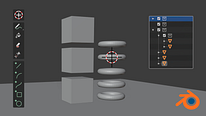
“INTRODUCTION TO BLENDER / COURSE 2 LESSON 6 Modifiers Modifiers are non-destructive operations that can be added or deleted without affecting the original model. In this unit, we’ll look at how they work. We’ve moved on to modifiers, which are non-destructive operations to be able to carry out different processes without affecting the original model. We can mix different modifiers. First, I’ll create a mesh; let’s say the monkey. We’ll go to this tab and here are our modifiers. We have four columns here, Modify, Generate, Deform, and Simulate. It’s most likely that we’ll use Subdivision Sur...”
This transcript is automatically generated, so it may contain mistakes.
Course summary for: Course 2: Creating and Editing Objects
Carlos Sifuentes Haro
By Carlos Sifuentes Haro
Carlos Sifuentes Haro is a generalist digital artist. Since 2006, he has been creating 2D and 3D content for animation projects in advertising and film.
Specializing in 3D character creation, the Peruvian artist uses several programs to find the right look for his projects, including Blender, Mari, Maya, 3ds Max, ZBrush, Mudbox, Adobe Photoshop, Arnold, and V-Ray.
- 0% positive reviews (0)
- 13 students
- 7 lessons (1h 2m)
- Online and at your own pace
- Available on the app
- Audio: Spanish, French, Portuguese, Italian
- Spanish · English · Portuguese · German · French · Italian · Polish · Dutch · Turkish · Romanian · Indonesian
- Level: {beginner: "Beginner", intermediate: "Intermediate", advanced: "Advanced"}
- Unlimited access forever