Presentation Design: Create a Professional Template
A course by Katya Kovalenko , Presentation and Data Designer

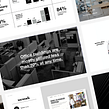

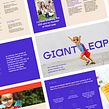

Discover the full potential of presentation design by exploring color, style, composition, and typography

Perhaps one of the most unifying concepts of presentation design is its diversity. In other words, just about everyone needs to know how to create presentations on just about everything. Katya Kovalenko reminds us just how much there is to say without words, but with color palettes, typography, and composition.
Katya is a graphic designer at Quiet Studio where she specializes in creating presentations, infographics, and brand identity. After her widely popular courses like Principles of Presentation Design, and the more area-specific Graphic Visualization: Telling Complex Stories through Simple Images, she is back for another round to teach how to create your own professional presentation template.
What will you learn in this online course?
18 lessons & 15 downloads
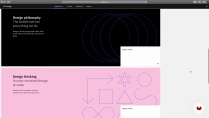

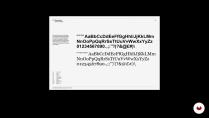
- 98% positive reviews (702)
- 24,995 students
- 18 lessons (2h 50m)
- 15 additional resources (7 files)
- Online and at your own pace
- Available on the app
- Audio: English, German, Spanish (Latam), French, Indonesian, Italian, Dutch, Polish, Portuguese, Romanian, Turkish
- Spanish · English · Portuguese · German · French · Italian · Polish · Dutch · Turkish · Romanian · Indonesian
- Level: Beginner
- Unlimited access forever
Recommended software & tools for this course
 Keynote
What is this course's project?
Create a professional, custom template based on a brand guideline or your own style.

Projects by course students


Who is this online course for?
This course is suitable for anyone who wants to learn in-depth about custom presentation design, typography and composition.
Requirements and materials
For this course, you only need access to a presentation program like KeyNote or PowerPoint. Katya uses KeyNote, but you can use the software of your choice.

Reviews

Katya Kovalenko
A course by Katya Kovalenko
Meet Katya Kovalenko, a presentation design virtuoso and educator. With an impressive career in graphic design, Katya's expertise extends to shaping presentations that convey information effectively.
Her passion for effective communication is matched only by her commitment to equipping you with the skills needed to leverage the potential of AI in presentation design. You'll explore this transformative field under Katya's guidance, setting the stage for your creative journey.
Content
-
U1
Introduction
-
Presentation
-
Influences
-
What Will We Do in This Course?
-
-
U2
Design Principles
-
Art Direction
-
Theory of Color
-
Theory of Typography
-
Theory of Composition and Layout
-
-
U3
Presentation Design
-
Workspace and Format
-
How to Work with Text 1
-
How to Work with Text 2
-
Colors and Shape Styles
-
Composition and Layout 1
-
Composition and Layout 2
-
Composition and Layout 3
-
Composition and Layout 4
-
How to Work with Images
-
Icons and Icon Library
-
-
U4
Save and Reuse
-
Template, Master Slides
-
-
FP
Final project
-
Presentation Design: Create a Professional Template
-
What to expect from a Domestika course
-
Learn at your own pace
Enjoy learning from home without a set schedule and with an easy-to-follow method. You set your own pace.
-
Learn from the best professionals
Learn valuable methods and techniques explained by top experts in the creative sector.
-
Meet expert teachers
Each expert teaches what they do best, with clear guidelines, true passion, and professional insight in every lesson.
-
Certificates
PlusIf you're a Plus member, get a custom certificate signed by your teacher for every course. Share it on your portfolio, social media, or wherever you like.
-
Get front-row seats
Videos of the highest quality, so you don't miss a single detail. With unlimited access, you can watch them as many times as you need to perfect your technique.
-
Share knowledge and ideas
Ask questions, request feedback, or offer solutions. Share your learning experience with other students in the community who are as passionate about creativity as you are.
-
Connect with a global creative community
The community is home to millions of people from around the world who are curious and passionate about exploring and expressing their creativity.
-
Watch professionally produced courses
Domestika curates its teacher roster and produces every course in-house to ensure a high-quality online learning experience.
FAQs
Domestika courses are online classes that allow you to learn new skills and create incredible projects. All our courses include the opportunity to share your work with other students and/or teachers, creating an active learning community. We offer different formats:
Original Courses: Complete classes that combine videos, texts, and educational materials to complete a specific project from start to finish.
Basics Courses: Specialized training where you master specific software tools step by step.
Specialization Courses: Learning paths with various expert teachers on the same topic, perfect for becoming a specialist by learning from different approaches.
Guided Courses: Practical experiences ideal for directly acquiring specific skills.
Intensive Courses (Deep Dives): New creative processes based on artificial intelligence tools in an accessible format for in-depth and dynamic understanding.
All courses are 100% online, so once they're published, courses start and finish whenever you want. You set the pace of the class. You can go back to review what interests you most and skip what you already know, ask questions, answer questions, share your projects, and more.
The courses are divided into different units. Each one includes lessons, informational text, tasks, and practice exercises to help you carry out your project step by step, with additional complementary resources and downloads. You'll also have access to an exclusive forum where you can interact with the teacher and with other students, as well as share your work and your course project, creating a community around the course.
You can redeem the course you received by accessing the redeeming page and entering your gift code.
 Keynote
Amazing course! I did it a few years ago and landed my first full time job thanks to everything I learned in this course!
It's a great course for the beginners and everybody who needs to understand the principles of design needed for creating a great presentation. I would recommend it!
Instructions are clear and straight to the point.
Best design class ever. Couple of instances the language changed. But, really good
Too basic and most of the videos' time is spent by the teacher in silence repeating the same thing many times over (those sections should be cut or sped up), like when adding the color palette to keynote or when making bullet points