Introduction to Lumion
Course 6: Rendering Your Scenes: 360º export
By Salva Moret Colomer , Architect, trainer and BIM consultant



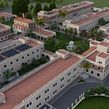

About the video: 360º export
Overview
“Lumion also allows you to export your 360º images and thus view them in virtual reality glasses or, failing that, also from a computer.”
In this video lesson Salva Moret Colomer addresses the topic: 360º export, which is part of the Domestika online course: Course 6: Rendering Your Scenes. Get the best results and learn how to export 360º images.
Partial transcription of the video
“Lumion allows extracting 360-degree images for viewing either on your computer or through virtual reality glasses. Join me and I'll show you how to achieve this. In addition to creating stunning renders. lumion also lets users export 360-degree panoramas. allowing a full view of the environment. To capture these immersive views. users should click on the 360 panorama option I'll select a viewpoint. like above the pool. We've chosen it now and will mark it. This spot offers a Now. i want to replicate my favorite effects from the render. We go to the photo section and find the second window t...”
This transcript is automatically generated, so it may contain mistakes.
Course summary for: Course 6: Rendering Your Scenes
Salva Moret Colomer
By Salva Moret Colomer
Salva Moret is passionate about training and new technologies, which is why, currently, he combines his dedication in his own BIM consultancy with teaching. As an architect, he has accumulated more than 16 years of work developing all kinds of residential and hotel architecture projects, whose experience he can share with professionals in his consulting projects. As a teacher, in the last 10 years he has taught more than 9,000 hours in Revit, Revit MEP, Lumion, Archimedes and Rhinoceros courses, among others.
In addition, since 2008, he has directed the Ensenyem academy in Valencia and since 2018, he is an instructor in LinkedIn Learning for Spain and Latin America in the areas of BIM and CAD; periodically updates and expands its course library.
- 0% positive reviews (0)
- 14 students
- 7 lessons (53m)
- 24 additional resources (21 files)
- Online and at your own pace
- Available on the app
- Audio: Spanish, English, French, Portuguese, Italian
- Spanish · English · Portuguese · German · French · Italian · Polish · Dutch · Turkish · Romanian · Indonesian
- Level: {beginner: "Beginner", intermediate: "Intermediate", advanced: "Advanced"}
- Unlimited access forever