Introduction to Sketch
Course 7: Shortcuts, Tricks, and Plug-ins: Create data lists for the Data menu
By Samuel Hermoso (Elastic Heads) , UX-UI Designer

Joined August 2014
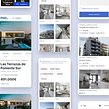



About the video: Create data lists for the Data menu
Overview
“In this unit you will learn how to create your own databases to be able to use them with Data.”
In this video lesson Samuel Hermoso (Elastic Heads) addresses the topic: Create data lists for the Data menu, which is part of the Domestika online course: Course 7: Shortcuts, Tricks, and Plug-ins. Discover how to work faster and more efficiently.
Partial transcription of the video
“INTRODUCTION TO SKETCH COURSE 7 LESSON 8 Create data lists In this lesson we will see how we can change the preferences to create our own databases with texts, images and using our designs with Data. Shall I show you how? We will use the Data tool again to be able to enter custom data in our designs. We have already learned how to do it, pulling from different free fonts or of texts that come predetermined. Let's see how to create this database. For example, when we have this list of likes, you can reload it with Command + Shift + D and since you're getting the information from a list of li...”
This transcript is automatically generated, so it may contain mistakes.
Course summary for: Course 7: Shortcuts, Tricks, and Plug-ins

Samuel Hermoso (Elastic Heads)
By Samuel Hermoso (Elastic Heads)
Samuel Hermoso has over 20 years of experience working in consulting and digital product design. After working with different studios and agencies, he created the Elastic Heads studio, in Madrid (Spain), where he helps people, companies, and startups adapt to the new changes in the digital world and improve their digital products.
Samuel is also dedicated to teaching, he is a professor of product design, user experience and methodologies, and interactive design tools in schools such as: Ironhack, Mr. Marcel School, IED, Neoland and the European University.
- 0% positive reviews (0)
- 7 students
- 17 lessons (3h 18m)
- 15 additional resources (3 files)
- Online and at your own pace
- Available on the app
- Audio: Spanish
- Spanish · English · Portuguese · German · French · Italian · Polish · Dutch · Turkish · Romanian · Indonesian
- Level: {beginner: "Beginner", intermediate: "Intermediate", advanced: "Advanced"}
- Unlimited access forever

