Introduction to Sketch
Course 3: Organizing Elements: Lock and unlock layers
By Samuel Hermoso (Elastic Heads) , UX-UI Designer

Joined August 2014



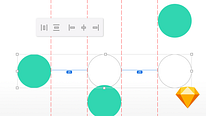
About the video: Lock and unlock layers
Overview
“So that certain background layers don't bother you, I'm going to show you how to lock and unlock them in different ways.”
In this video lesson Samuel Hermoso (Elastic Heads) addresses the topic: Lock and unlock layers, which is part of the Domestika online course: Course 3: Organizing Elements. Learn how to group and align layers with Smart Layout to work in an organized way.
Partial transcription of the video
“INTRODUCTION TO SKETCH COURSE 3 LESSON 4 Locking and Unlocking Layers In this lesson we will see how to block that background that bothers you so much or unlock that layer you want to move and can't. Let's see it. Locking is so that you are not disturbed by elements that you do not want to move or who should not use this design should not move. There are many elements that I usually block on the screen so you can not move them or do not move them inadvertently. How to do this? The most intuitive thing is to click and right click or Control + click You have the Lock Layer here. Lock Layer lo...”
This transcript is automatically generated, so it may contain mistakes.
Course summary for: Course 3: Organizing Elements

Samuel Hermoso (Elastic Heads)
By Samuel Hermoso (Elastic Heads)
Samuel Hermoso has over 20 years of experience working in consulting and digital product design. After working with different studios and agencies, he created the Elastic Heads studio, in Madrid (Spain), where he helps people, companies, and startups adapt to the new changes in the digital world and improve their digital products.
Samuel is also dedicated to teaching, he is a professor of product design, user experience and methodologies, and interactive design tools in schools such as: Ironhack, Mr. Marcel School, IED, Neoland and the European University.
- 0% positive reviews (0)
- 8 students
- 10 lessons (55m)
- 5 additional resources (3 files)
- Online and at your own pace
- Available on the app
- Audio: Spanish
- Spanish · English · Portuguese · German · French · Italian · Polish · Dutch · Turkish · Romanian · Indonesian
- Level: {beginner: "Beginner", intermediate: "Intermediate", advanced: "Advanced"}
- Unlimited access forever